Email marketing platforms start from as little as $9/month, with many offering generous free plans. But "cheap" doesn't mean limited – today's affordable email marketing tools include advanced features like automation, AI assistants, and detailed analytics that were once reserved for enterprise solutions.
In this comparison, we've tested 18 affordable email marketing services to find which ones deliver the best value for different business needs and budgets.
The information in this article was last updated on February 6, 2026.
The cheapest email marketing platforms at a glance
Quick tip
Want to know how other companies use Brevo to build strong customer relationships? We’ve put together a wide range of case studies for you that show how it’s done. In one of them, Trusted Shops reveals how newsletters helped the company reactivate 21% of its inactive contacts.
What to look for in a cheap email marketing service
Businesses see an average ROI of $36 for every $1 spent on email marketing, making your platform choice critical for maximizing returns.
But here's the good news: Saving money on email marketing doesn't always mean sacrificing functionality. When choosing an affordable email marketing tool, you should make sure it suits your business needs.
Here are a few things you should consider.
- Core email features. Does the email marketing tool cover your basic needs? Key features to look for are drag-and-drop email builders, basic automations, and list segmentation.
- Free and lowest-tier plans. See what's included under the platform's free and lowest-tier plan. Look at the number of contacts including and sending limits.
- Technical aspects. One of the biggest benefits of using email marketing tools is their high deliverability rates. Look at this as well as what kind of analytics they offer as well as third-party integrations (e.g. WordPress, Shopify).
- Scalability. Ideally, your email marketing tool should grow with you. Choose an email marketing tool that offers advanced features, even in the higher pricing tiers.
Pricing comparison: best value email marketing tools
Something to be aware of is that while many of the above email marketing services offer unlimited monthly email sends on their cheapest plans, you’re only able to send unlimited emails to your contact list, which is typically the limiting factor on entry-level plans.
Our methodology at Brevo: How we tested
This article covers the best cheap email marketing platforms, including our own platform, Brevo. Our suggestions are based on our own research and testing. We don't earn commissions from any links on this page. To learn exactly how we evaluate tools, check out our dedicated methodology article.
Please note that the features listed here are just a selection of what each software offers. For exact pricing and a full, up-to-date feature list, check the providers' websites.
The best cheap email marketing services to save you money
1. Brevo
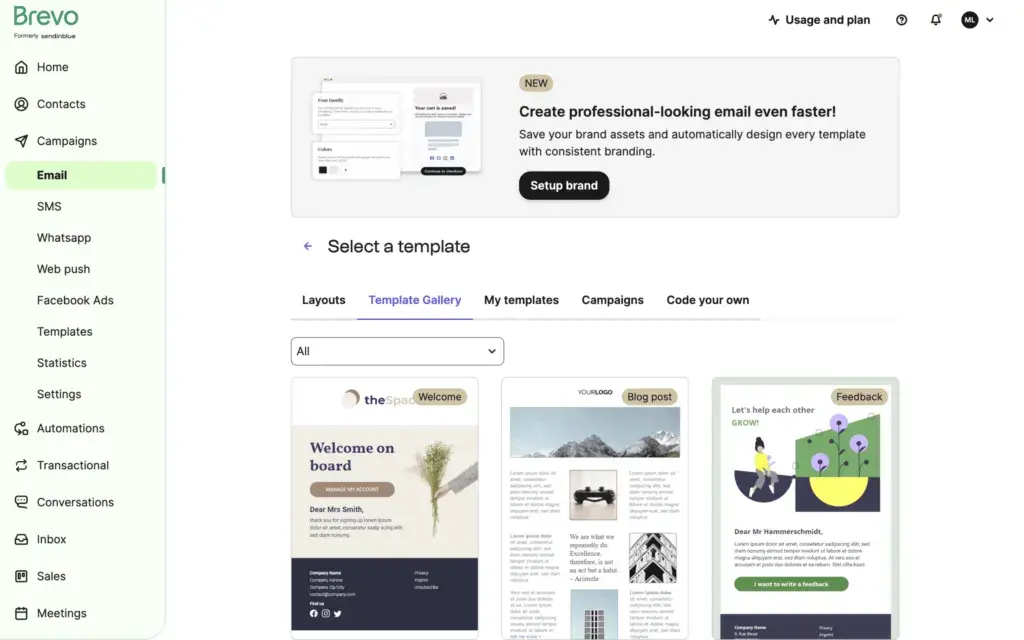
Brevo is the best value-for-money email marketing platform. It offers a range of digital marketing tools, perfect for small businesses, ecommerce giants, and everything in between. You can mix and match the various features to suit your own needs and budget.
Brevo is more value-oriented compared to other email marketing platforms. Our free plan is really generous with 9,000 emails a month. Paid plans start at as little as $9 a month for 5,000 emails. We want to be your ally, not stunt your growth!
Even better, Brevo offers all email features a business needs under one roof. Let’s take a look:
Brevo pros
- Drag-and-drop email editor: Personalize your emails with dynamic content, upload your brand kit, and keep track of performance — no technical expertise required.
- Free templates: All Brevo plans have access to our gallery of fully-responsive email templates.
- Transactional email: Send your most important emails based on a triggering activity like registrations, order confirmations, and password resets.
- Marketing automation: Trigger predefined actions without lifting a finger. Send emails or SMS, update contacts based on their behavior, and create lists for different types of engagement.
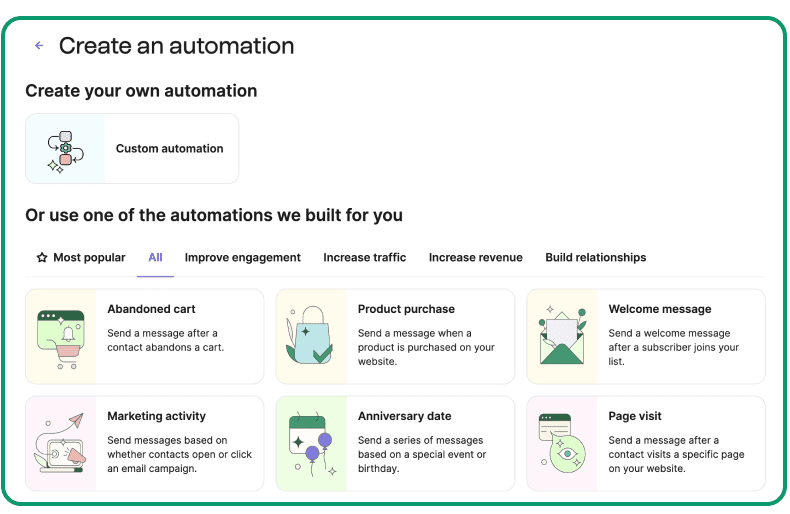
- Audience segmentation: Segment your contacts list into customized audiences for email marketing campaigns based on previous subscriber behavior, declared interests through opt-in forms, and other attributes.
- Email personalization: From personal attributes like name and city to behavior attributes like last purchased item and discount applied, nearly any type of customer data can be used to create personalized content with Brevo.
- Compliance: Brevo makes being CCPA, CPA, and GDPR compliant easy! You can quickly add double opt-ins or email preference checkboxes to signup forms. Then, you can manage subscribers according to the permission they gave.
Other Brevo features
In addition to a complete email marketing service, Brevo also gives you:
- AI assistant
- A/B testing
- Signup forms
- SMS marketing
- WhatsApp marketing
- Live chat
- Landing page builder
- Sales CRM
- Integrations with ecommerce platforms, social media, and more
- Customer support in six languages
Brevo cons
- Daily sending limit on Free plan: The free plan has a limit of 300 emails per day.
- Learning curve: The comprehensive feature set can take a little time for absolute beginners to master compared to email-only tools.
Brevo pricing
Free plan: 300 emails/day (9,000 emails/month)
Paid plan: Starts at $9 for 5,000 emails a month (Marketing Platform)
Best for
Small and medium-sized businesses

"Massive feature set for little money"
"I tried a bunch of competitor marketing platforms, and Brevo just outperformed every one of each regarding bang-for-the-buck. You have everything that you would need and if anything lacks, there is an integration somewhere. The support is great, and the software is in constant development, too. Using the free tier a few years now and thought about upgrading only recently because you get so much for free."
Adrian Goldner,
Brevo user
Exceeding Expectations: A Five-Star Experience with Brevo
"I recently had the pleasure of using Brevo's services, and I must say, my experience was nothing short of exceptional, meriting a full five stars. From the outset, the team at Brevo demonstrated unparalleled professionalism and dedication to customer satisfaction. Their attention to detail and commitment to providing tailored solutions truly set them apart in their field. What impressed me the most was the seamless integration of their services into my existing workflow, which significantly improved my operational efficiency without any hitches. The support team deserves a special mention for their prompt responses and the comprehensive support they provided throughout the process, ensuring a smooth and hassle-free experience. Moreover, the quality of the product exceeded my expectations. It's evident that Brevo invests heavily in research and development to stay ahead of industry trends and offer the most innovative solutions to their clients. This forward-thinking approach is something I greatly appreciate. In conclusion, my experience with Brevo was outstanding. Their blend of cutting-edge solutions, customer-focused service, and expert support makes them a top-notch service provider in their industry. I would highly recommend Brevo to anyone looking for superior services that deliver tangible results."
Bob,
Brevo user
"Several Sales and Marketing Tools in One System"
"We stumbled upon Brevo by accident as we were using a system just for sending marketing emails. We discovered quickly that Brevo offered multiple different digital sales and marketing tools to enhance both our manual branded client engagement tasks, but also offered automation tools to aid our day to day sales efforts. Brevo has allowed us to move away from three other, separate systems and we now use Brevo for all our outbound sales and marketing endeavours. This has saved us a lot of time and money and has increased our output. The system is easy to use and the support is excellent and prompt."
Stephen Day,
Brevo user
Brevo offers countless digital marketing tools, all the while being one of the cheapest email marketing platforms on the market. Create your free account today and enjoy 40+ responsive email templates, and 300 email sends per day.
2. HubSpot
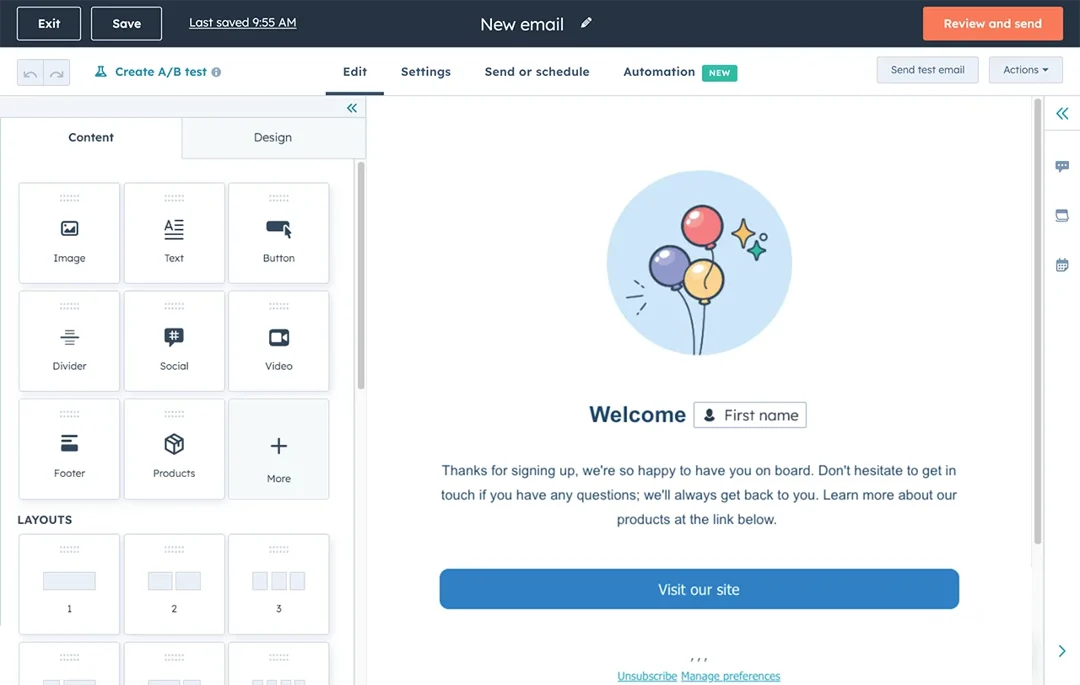
HubSpot is an email marketing solution popular with pros and startups. It combines marketing automation tools with some free email allowances that fit most marketing strategies.
For email, subscription forms, and live chat, you need the Marketing Hub product starting at $15/month for 1,000 contacts. For more CRM features, the CRM Suite comes at separate pricing.
HubSpot pros
- Powerful CRM: Built on top of a robust CRM, making it excellent for aligning sales and marketing teams.
- High-quality tools: Offers a wide range of free tools like landing pages, forms, and live chat.
- Scalability: Can grow with your company from startup to enterprise level.
HubSpot cons
- Price jumps: Costs increase significantly as your contact list grows or when you need advanced features.
HubSpot pricing
Free plan: 2,000 emails
Paid plan: Starts at $15 for 1,000 contacts
Best for
Startups looking to scale
Read more: HubSpot vs. Brevo
3. Moosend
Moosend is one of the email marketing and marketing automations platforms that most users deem affordable and intuitive. Its easy to use interface promises a minimal learning curve, while its low price isn’t indicative of its services.
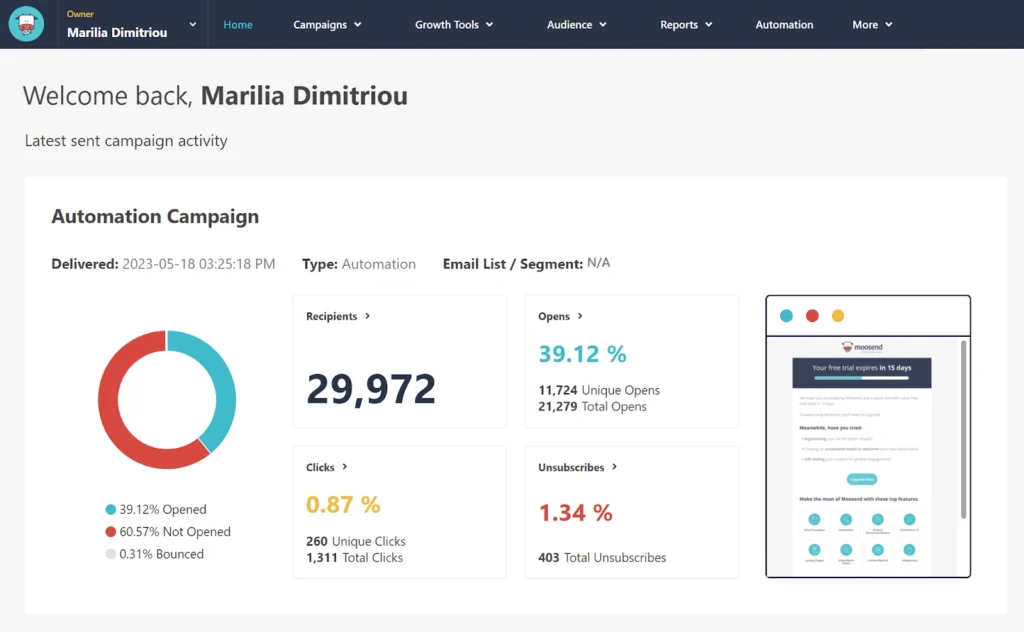
The visual workflow builder allows you to create automations using trigger-condition-action logic. Its no-code email builder and variety of email templates help you get your campaign off the ground in minutes. Finally, the platform’s built-in AI Writer can help you create content for your campaigns, brainstorm ideas, or perform copy checks effortlessly.
Moosend offers a free 30-day trial that allows you to test most of the platform’s features. Prices start at $9/month for the Pro plan.
Moosend pros
- User-friendly interface: Very intuitive dashboard that is easy for beginners to navigate.
- Unlimited emails: All paid plans include unlimited email sending.
- Visual automation: Excellent drag-and-drop workflow builder included in the low price.
Moosend cons
- No forever-free plan: Only offers a 30-day free trial, not a permanent free tier.
- Basic integrations: Fewer native integrations compared to bigger players like Brevo or Mailchimp.
Moosend pricing
Free plan: 30-day free trial
Paid plan: Starts at $9 for 500 contacts
Best for
SMBs, ecommerce
4. Mailchimp
Mailchimp is often seen as the go-to email marketing service provider for those new to the scene but it's not cheap. The intuitive interface lets you set up campaigns, tag subscribers, and create automated workflows.
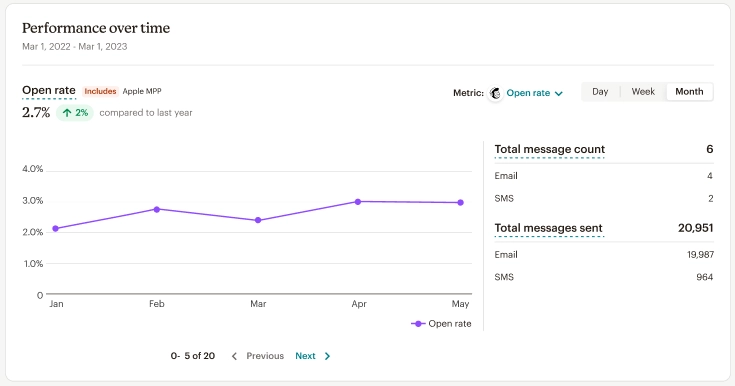
Mailchimp offers a free plan for up to 250 contacts and 250 emails/day (but 500 emails a month total). The full suite of email marketing capabilities and advanced audience insights, custom branding, and a host of templates come at the higher price tier.
Mailchimp pros
- Ease of use: Beginner-friendly interface and editor.
- Integrations: Integrates with almost every third-party tool and platform imaginable.
- Reporting: Solid analytics and reporting features to track campaign performance.
Mailchimp cons
- Expensive at scale: Pricing can become very high quickly as your subscriber list grows.
- Restrictive free plan: The free plan has very low limits (500 emails/month).
Mailchimp pricing
Free plan: 500 emails/month
Paid plan: Starts at $13 for 500 contacts
Best for
Expanding email marketing
If you’re looking for other options, check out the best Mailchimp alternatives.
5. Constant Contact
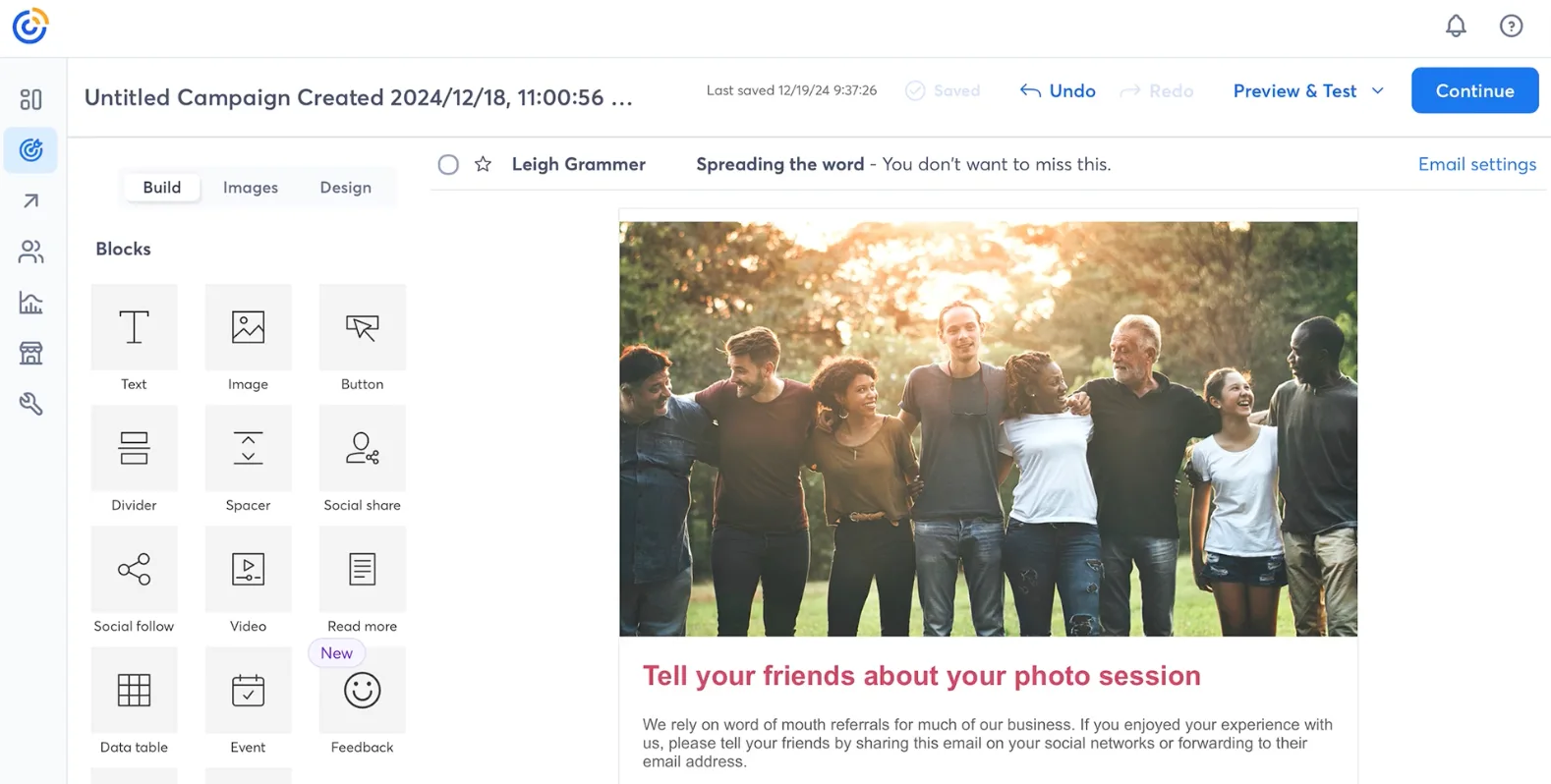
Constant Contact’s drag-and-drop email builder makes it easy to create and customize professional-looking emails, while the automations feature lets you build out trigger-based email series to better connect with your subscribers. The ability to import subscribers from external lists and the transactional email element make it a good option for ecommerce brands.
Constant Contact pros
- Event management: Unique features for managing event invitations and registrations.
- Deliverability: Generally maintains strong deliverability rates.
Constant Contact cons
- Limited automation: Automation features are relatively basic compared to tools like Brevo or ActiveCampaign.
Constant Contact pricing
Free plan: 14-day free trial
Paid plan: Starts at $12 for 500 contacts
Best for
NGOs and event-based companies
Not sure? Find more Constant Contact alternatives.
6. Kit
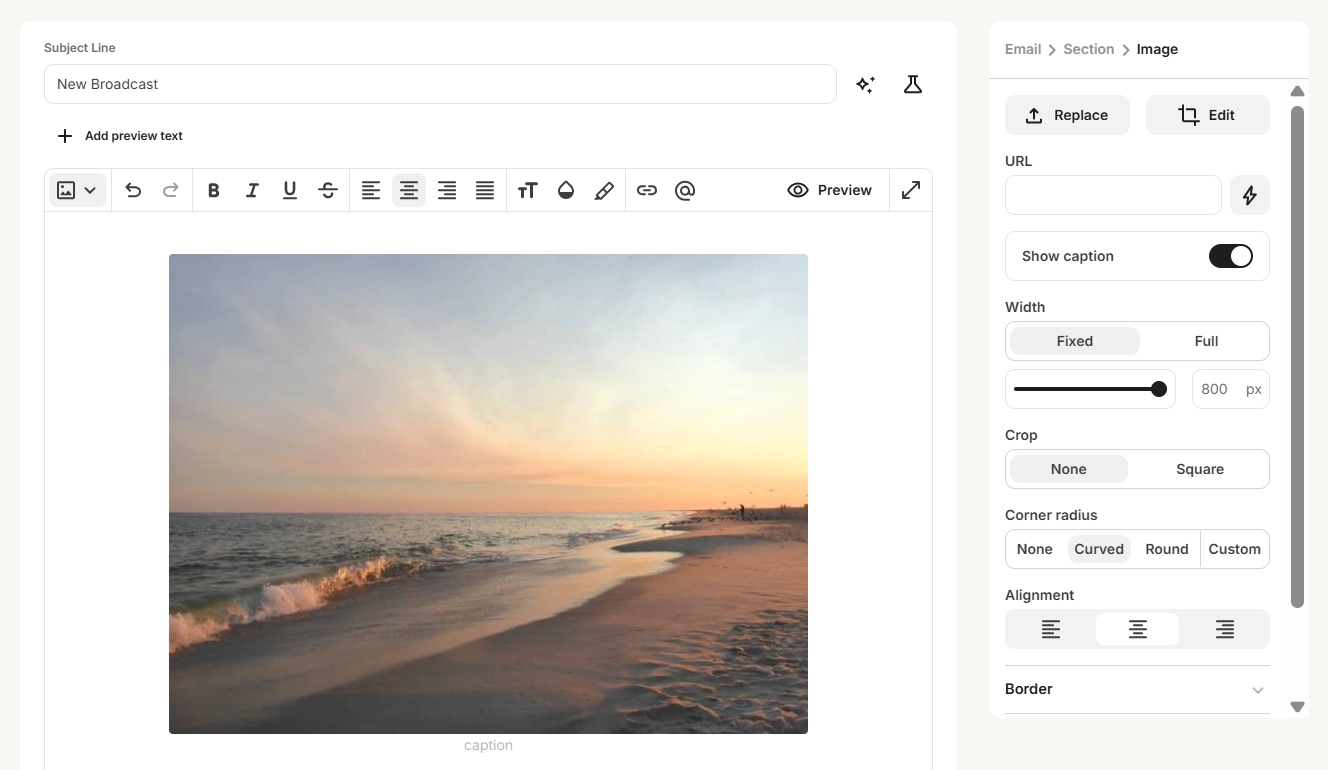
Kit (formerly ConvertKit) specializes in helping creatives and bloggers reach and build relationships with their audiences. The platform has an ever-expanding range of email templates to use as well as landing page designs specifically created to optimize conversions.
The dashboard is easy to use thanks to visual workflows that help you map out trigger-based campaigns. There’s a free plan for up to 10,000 subscribers, but this only includes one basic automation and email sequence. For more automations and advanced features, you’ll need to sign up for the next plan up, which starts at $39 per month for 1,000 subscribers.
Kit pros
- Creator-focused: Specifically designed for bloggers, podcasters, and digital creators.
- Landing pages: Excellent landing page builder included to help grow your list.
Kit cons
- Expensive paid tiers: The jump from free to paid is significant ($39/mo) compared to others.
Kit pricing
Free plan: 10,000 contacts
Paid plan: Starts at $39/month for 1,000 subscribers
Best for
Bloggers, creators, and authors
Check out more Kit alternatives here.
7. MailerLite
MailerLite is a simple platform with powerful functionality. The design features let you create branded email templates and landing pages, while automation, personalization, and segmentation allow you to build deeper relationships with your subscribers.
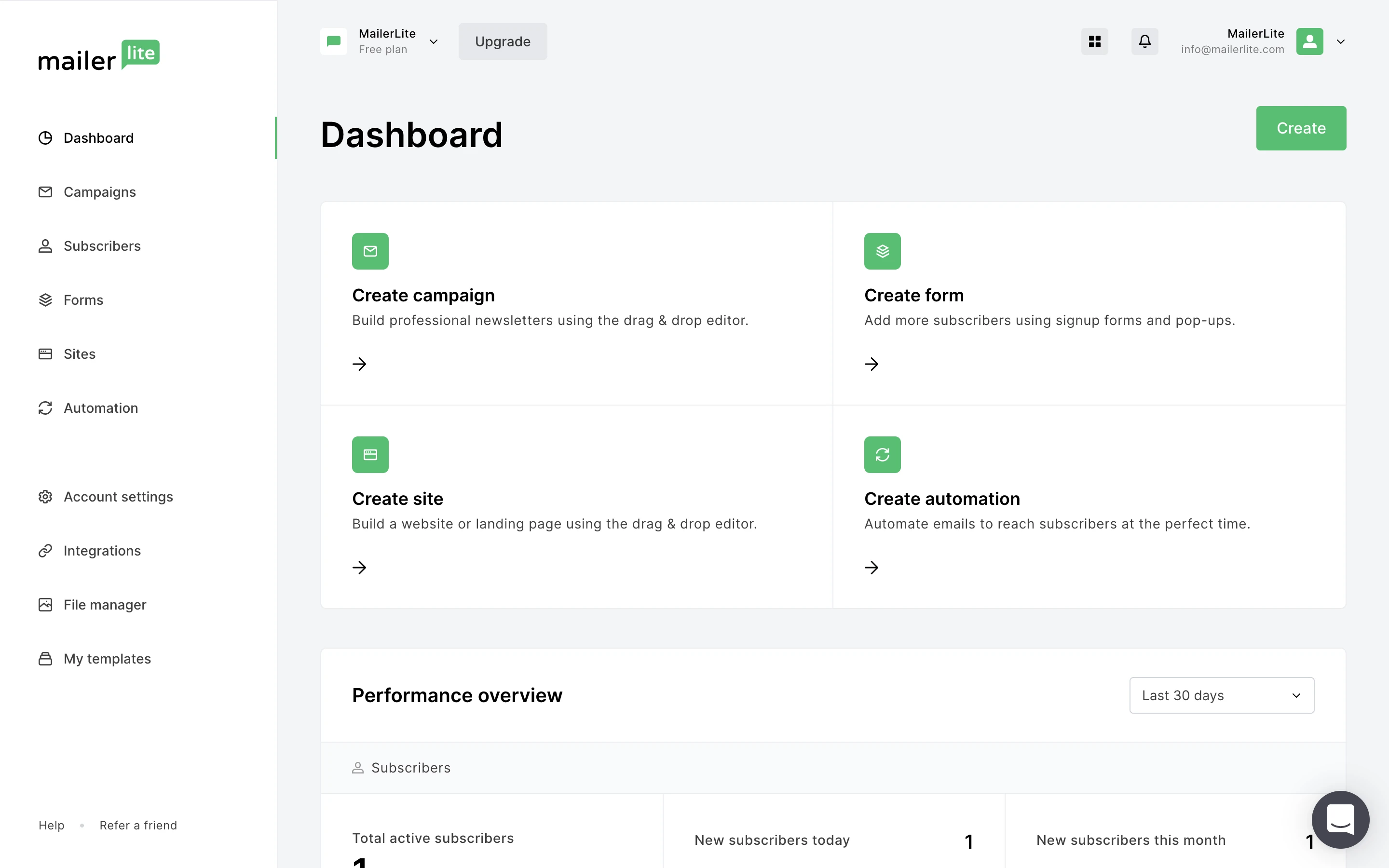
There’s also the option to A/B test campaigns and use advanced audience insights to better understand the people you’re talking to. There’s a free plan for up to 500 subscribers and 12,000 email sends per month. Once you reach that level, you’ll be bumped up to the $10/month plan, with prices increasing the more subscribers you get.
MailerLite pros
- Clean interface: Minimalist and modern dashboard that is easy to use.
- Affordable paid plans: Remains one of the cheaper options as you scale.
MailerLite cons
- Reporting: Analytics are functional but less detailed than some advanced competitors.
MailerLite pricing
Free plan: 12,000 emails
Paid plan: Starts at $10/month for 500 subscribers
Best for
Freelancers and small teams
Hesitating between MailerLite and Brevo? Take a look at this side-by-side comparison.
8. GetResponse
GetResponse has all the tools you need to send out one-time broadcasts and create ongoing email campaigns. It comes complete with ready-to-use autoresponders, templates for trigger-based emails, powerful segmentation features, and professionally designed templates to ensure your emails are eye-catching and engaging.
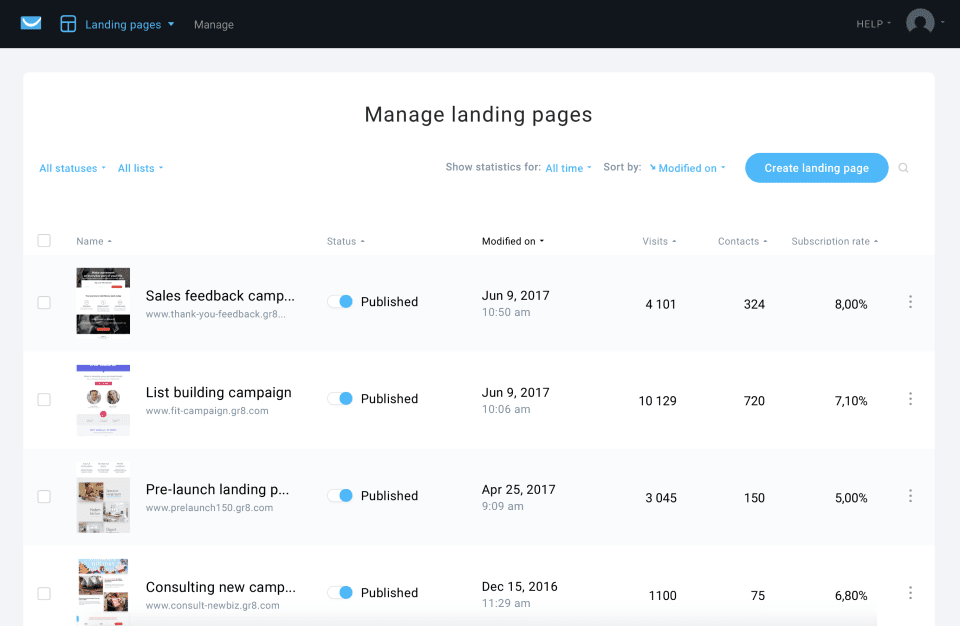
You can try a 30-day free trial to begin with. The forever-free plan includes basic email features and up to 500 contacts. After that, the cheapest plan starts at $19 per month.
GetResponse pros
- Webinar hosting: One of the few platforms to include built-in webinar capabilities.
- Comprehensive: Offers landing pages, chats, and paid ads management.
GetResponse cons
- Automation limits: Advanced automation is reserved for higher-tier plans.
GetResponse pricing
Free plan: 2,500 emails
Paid plan: Starts at $19/month for 1,000 contacts
Best for
Improving deliverability
Want to learn more about the differences between GetResponse and Brevo? Check out our comparative guide.
9. SendGrid
SendGrid is another cheap email marketing service to consider. It’s designed with developers and marketers in mind to help them build and send engaging email campaigns. It comes with all the usual features, like email automation options, signup forms, pre-made landing page designs, A/B testing, and advanced insights.
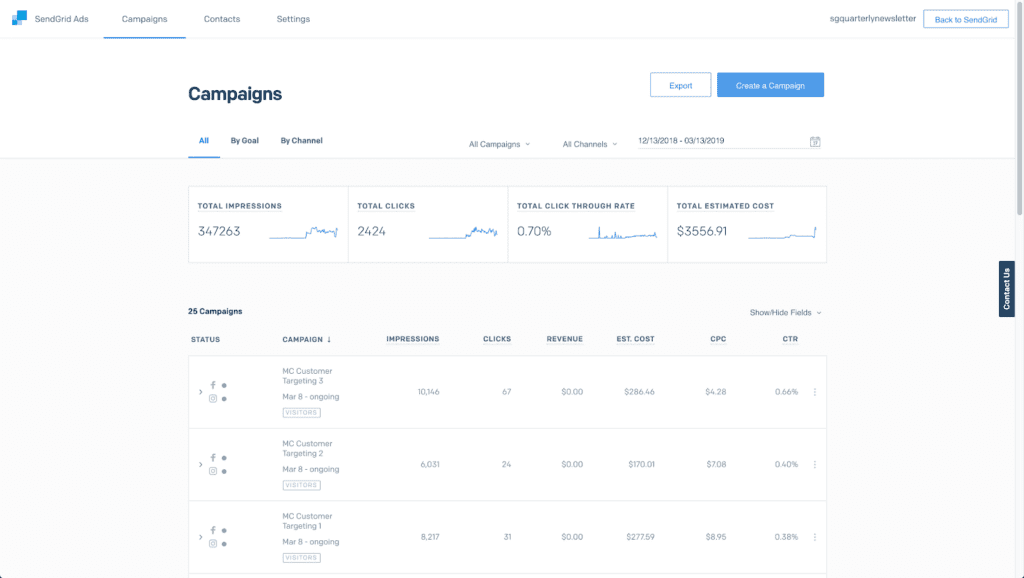
The free trial lets you send 100 emails a day to 100 contacts for 60 days. Otherwise, pricing starts at $15 per month for more advanced features. The good thing is SendGrid charges by emails sent, not contacts stored.
SendGrid pros
- Developer-friendly: Excellent API and documentation for technical teams.
- Scalability: Built to handle massive volumes of email.
- Flexible pricing: Pay based on email volume, not list size.
SendGrid cons
- Technical interface: Can be intimidating for non-technical marketers.
- Limited design tools: Marketing features are less intuitive than competitor drag-and-drop builders.
SendGrid pricing
Free plan: 60-day free trial
Paid plan: Starts at $15/month for 5,000 emails
Best for
Developers
Discover the best SendGrid alternatives for transactional email.
10. Aweber
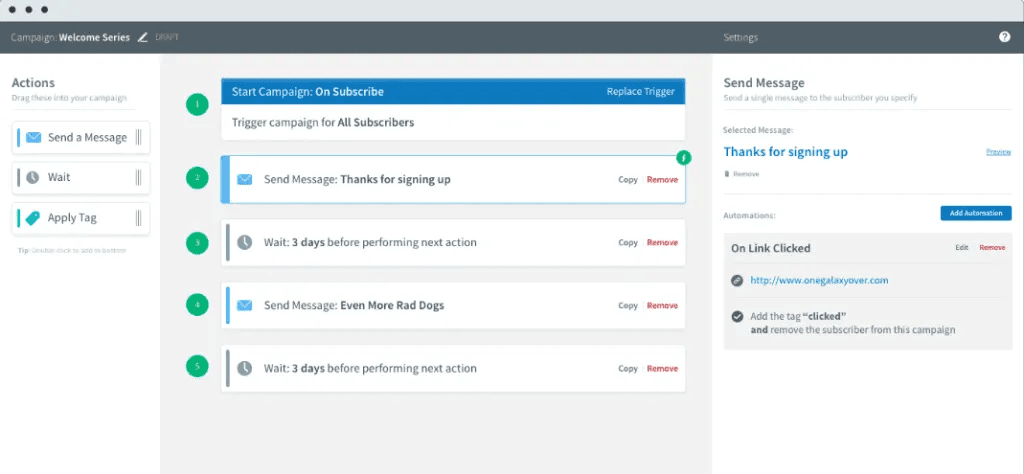
Aweber’s AI-powered design assistant helps you create beautiful and branded emails in a matter of minutes. The platform also features a drag-and-drop template builder and landing page editor so all your content stays on-brand. There’s also a powerful automations feature and a campaign marketplace where you can import high-performing campaigns into your account to use as a guide.
AWeber pros
- Reliability: A long-standing player in the market with stable performance.
- 24/7 Support: Offers around-the-clock customer support via phone, chat, and email.
AWeber cons
- Limited automation: Compared to other email marketing services, AWeber's automation capabilities are more basic.
- Fewer integrations: While AWeber supports basic integrations, its ecosystem is not as extensive as some competitors.
AWeber pricing
Free plan: 14-day trial
Paid plan: Starts at $15 for 500 contacts
Best for
Beginners and solopreneurs
Read more: AWeber vs Brevo
11. Omnisend
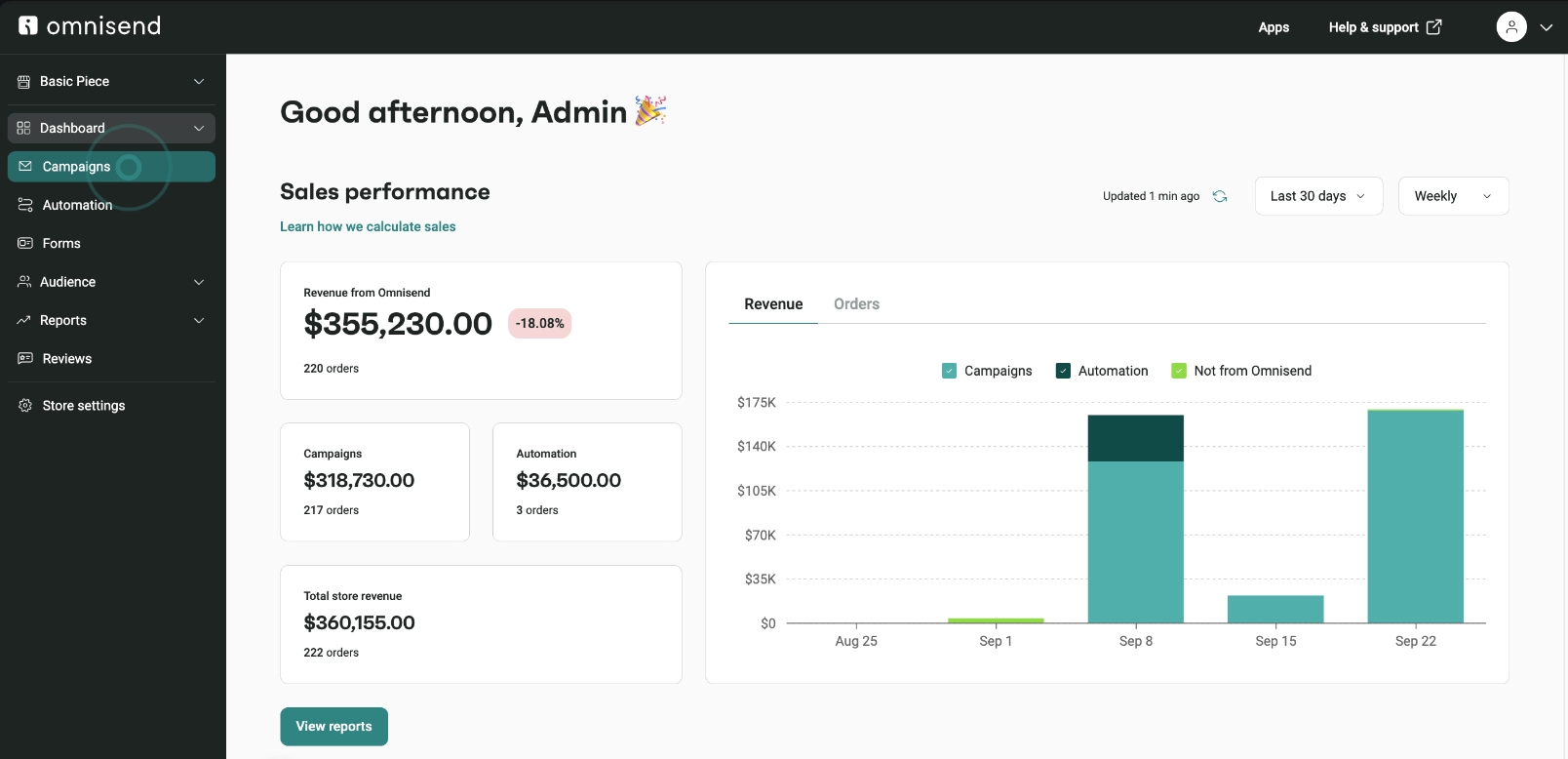
Omnisend’s automated workflow templates, pre-made dynamic forms, and professionally-designed email templates let you build out eye-catching email campaigns quickly and easily. Other features include an intuitive drag-and-drop editor, SMS campaigns, and powerful ecommerce segmentation tools.
Omnisend pros
- Ecommerce focus: Deep integrations with Shopify, BigCommerce, and WooCommerce.
- Multichannel: Combines email, SMS, and push notifications in workflows.
Omnisend cons
- Limited for non-ecommerce: Features are heavily tailored to online stores.
- Pricey for SMS: SMS credits can get expensive on lower tiers.
Omnisend pricing
Free plan: 500 emails
Paid plan: Starts at $16/month for 500 contacts
Best for
Ecommerce businesses
Related: Discover the top Omnisend alternatives
12. SendPulse
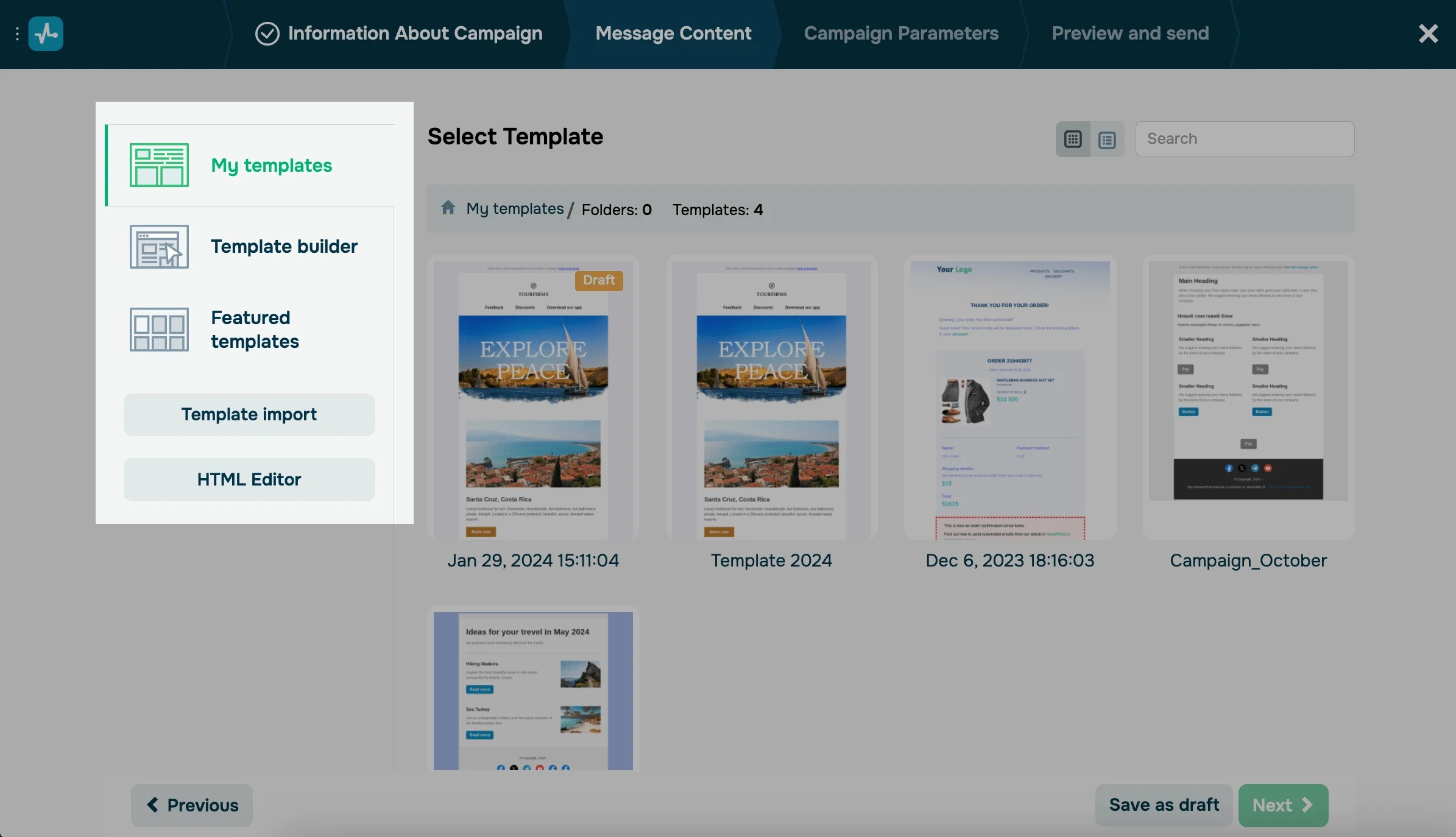
SendPulse is actually a multichannel marketing platform that includes a cheap email marketing service. There’s a drag-and-drop email editor that lets you create branded newsletters as well as automation and personalization features that allow you to continue connecting with your subscribers easily and efficiently.
SendPulse pros
- Multichannel: Supports Email, SMS, Web Push, and Chatbots.
- Affordable: Very competitive pricing for the feature set.
SendPulse cons
- Cluttered interface: Managing multiple channels can make the dashboard feel crowded.
- Template design: Templates are functional but less modern than some competitors.
SendPulse pricing
Free plan: 15,000 emails
Paid plan: Starts at $10 for 500 contacts
Best for
Multichannel marketers
13. Sinch Mailjet
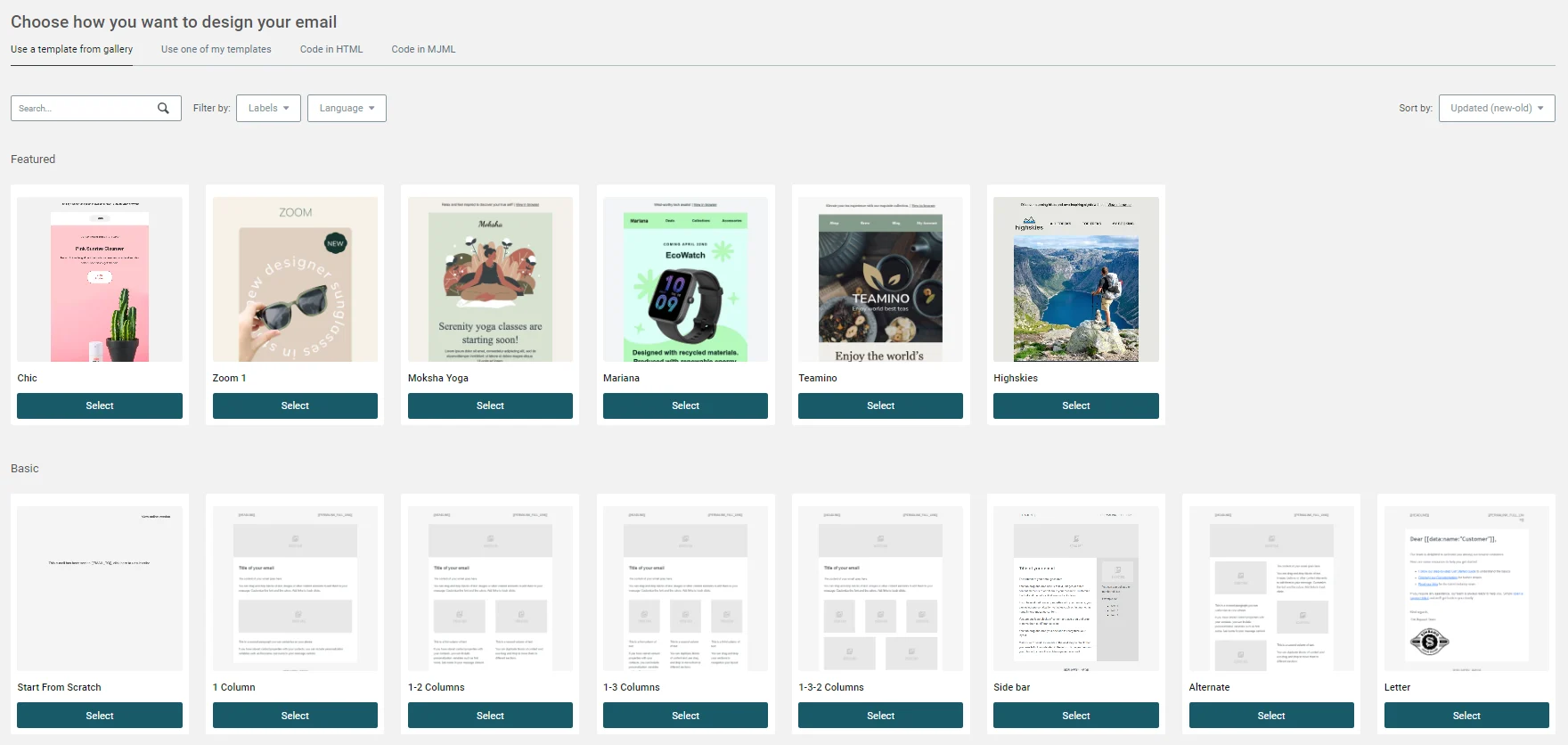
Create meaningful emails that engage your subscribers with Mailjet’s range of easy-to-use features. Design responsive emails using pre-made templates in just a few clicks, manage and segment your audience so you can send the right message to the right people, and monitor your campaign results with advanced insights. All around, it’s a high-quality option for a cheap email marketing software.
Sinch Mailjet pros
- Collaboration: Real-time collaboration allows teams to work on email templates simultaneously (like Google Docs).
- Volume pricing: Pricing based on email volume is great for large lists.
- Developer focus: Strong API and transactional email capabilities.
Sinch Mailjet cons
- Daily limit: The free plan is capped at 200 emails per day (6,000 per month).
- Support: Free users have limited access to support channels (only in the first month).
Sinch Mailjet pricing
Free plan: 200 emails/day (6,000 emails/month)
Paid plan: Starts at $17/month for 15,000 emails
Best for
Streamlining email design
Further reading: Comparing Sinch Mailjet and Brevo
14. EmailOctopus
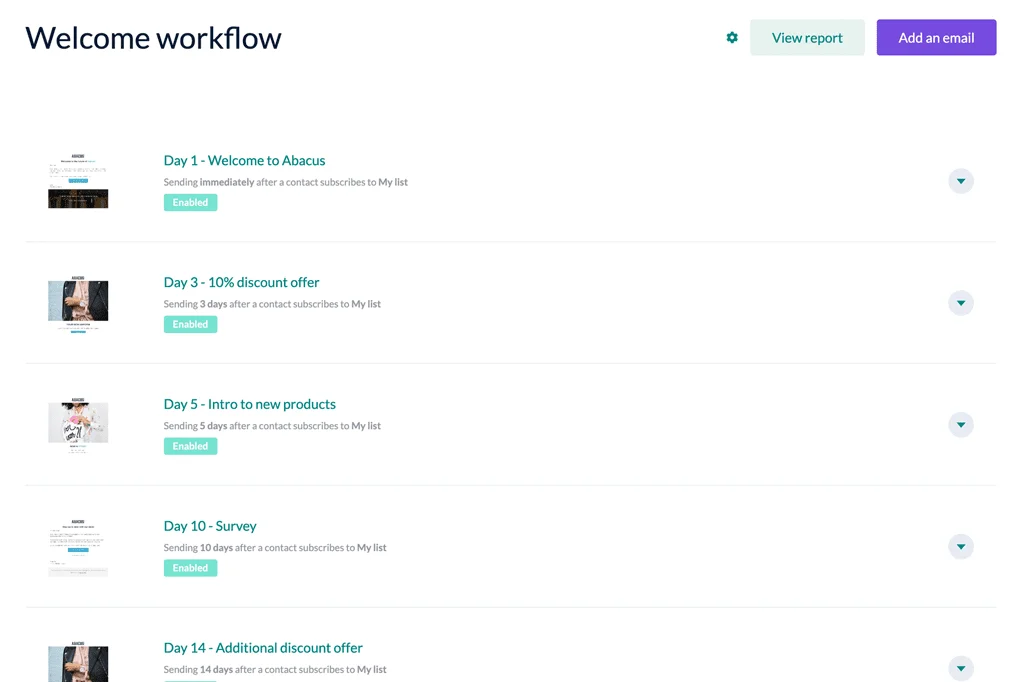
EmailOctopus is all about simplicity and helping businesses engage with their subscribers in a consistent and meaningful way. A range of simple template designs for various industries ensures your emails look professional, while easy-to-use automation features let you communicate beyond newsletters. There are also smart analytics so you can track and measure your email campaign results in real time.
EmailOctopus pros
- Generous free plan: One of the highest subscriber limits (2,500) on a free tier.
- Simplicity: No unnecessary features; focuses purely on sending emails.
EmailOctopus cons
- Basic features: Lacks advanced automation, CRM, or multichannel tools.
EmailOctopus pricing
Free plan: 10,000 emails
Paid plan: Starts at $9/month for 500 subscribers
Best for
Entrepreneurs and freelancers
15. Benchmark
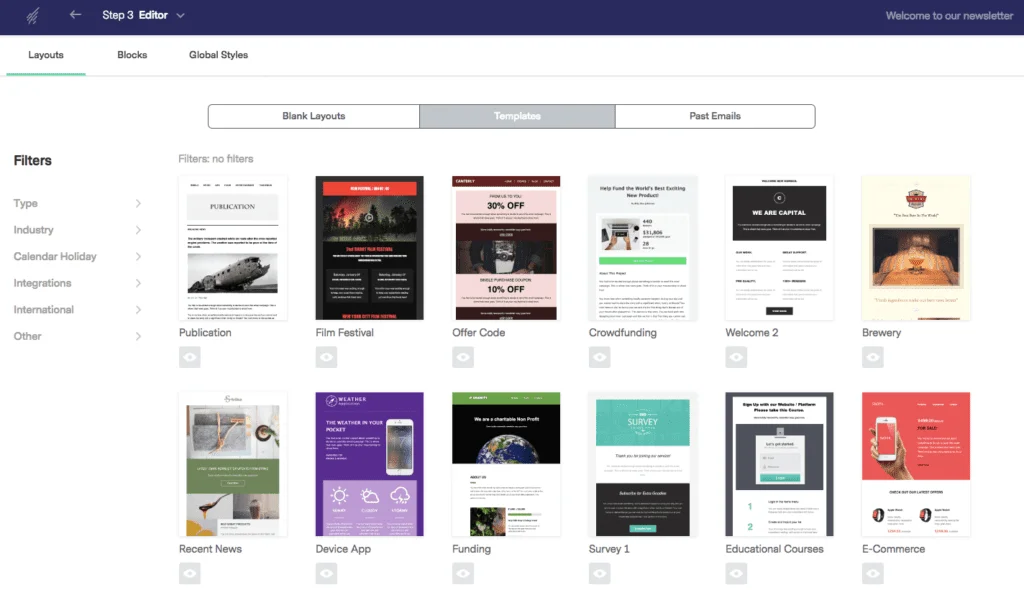
Next up on our list of the best cheap email marketing services is Benchmark. Benchmark’s features have been specifically designed to help you grow your subscriber list and business. Everything is customizable, from the email templates to the pre-made landing pages and automated workflows. Reporting features and lead generation tools help you make the most of your emails and get the best results possible.
Benchmark pros
- Visual editor: One of the easier drag-and-drop editors to use.
- AI assistance: "Smart Content" AI helps generate email copy.
Benchmark cons
- Deliverability: Historically had some struggles with deliverability rates compared to top-tier tools.
- Storage limits: Image storage limits can be restrictive on the free plan.
Benchmark pricing
Free plan: 3,500 emails
Paid plan: Starts at $13/month for 500 contacts.
Best for
Design-focused beginners
16. Sender
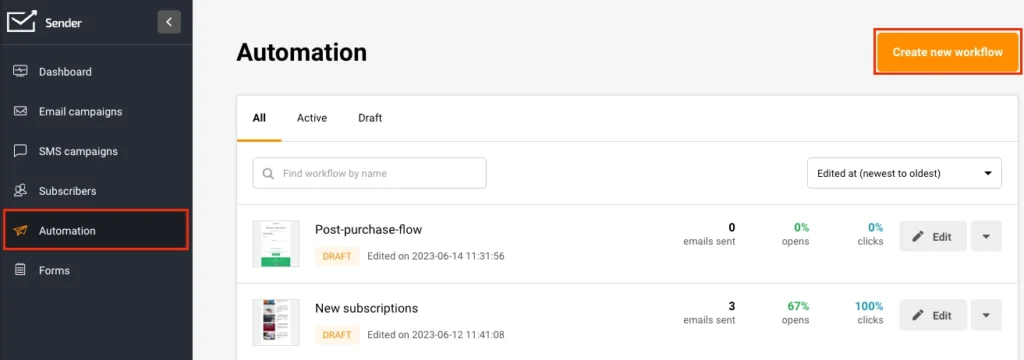
Sender helps you create automated email campaigns from scratch with a range of powerful features. Ecommerce brands can import all of their product information with the built-in Product Wizard, which means no more copying and pasting. On top of this, Sender integrates with the majority of popular ecommerce platforms, including WooCommerce.
Sender pros
- High value: Very generous free plan limits (15,000 emails, 2,500 subscribers).
- Transparent pricing: Flat rates without hidden fees.
Sender cons
- Limited integrations: Fewer native third-party integrations than major competitors.
- Basic templates: Template library is smaller and simpler.
Sender pricing
Free plan: 15,000 emails
Paid plan: Starts at $10/month for 1,000 subscribers
Best for
Small businesses
Tip: If you're on a budget, and looking for a more feature-rich platform, consider Sender alternatives.
17. ActiveCampaign
ActiveCampaign is another great option for cheap email marketing services. With plenty of advanced automation features, the platform can save you and your team time and energy. ActiveCampaign has all the features you need to get started with email marketing, including a drag-and-drop editor, autoresponders, and broadcast and transactional email capabilities.
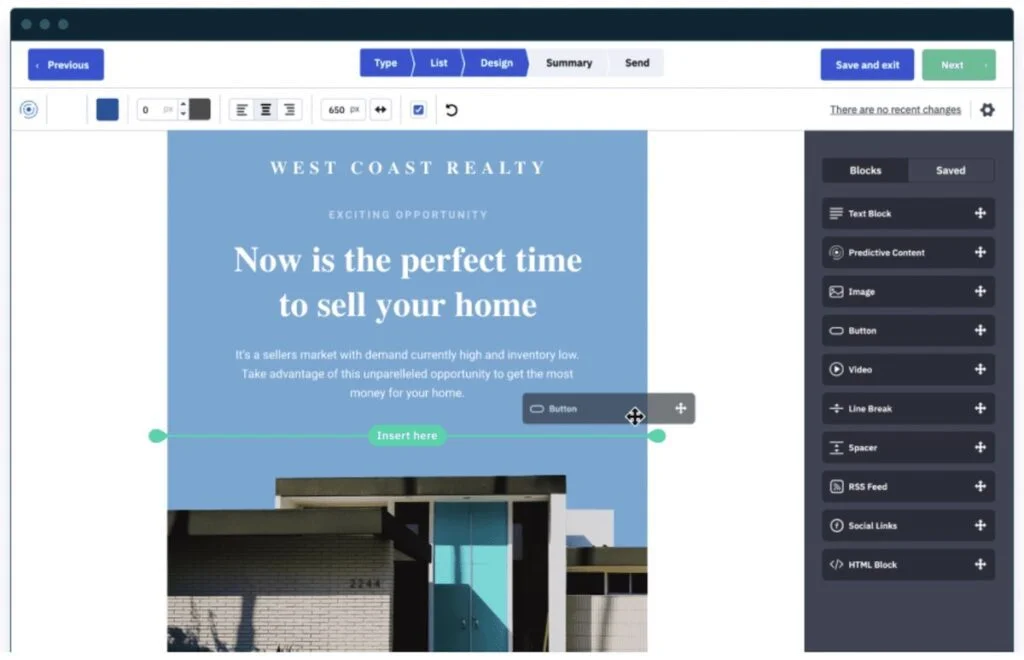
There is a free trial that you can sign up for while you explore the features, but to start sending emails you’ll need to sign up for one of the paid plans.
ActiveCampaign pros
- Automation: ActiveCampaign is one of the best cheap email marketing platforms for complex automation workflows.
- CRM included: Robust CRM features for sales automation.
- Dynamic content: Highly advanced personalization capabilities.
ActiveCampaign cons
- Not cheap: ActiveCampaign's pricing is relatively higher compared to some competitors.
- Complexity: The sheer number of features can be overwhelming for simple newsletter needs.
ActiveCampaign pricing
Free plan: 14-day free trial
Paid plan: Starts at $15/month for 1,000 contacts
Best for
Advanced marketers
Further reading: Comparing ActiveCampaign and Brevo
18. Pabbly
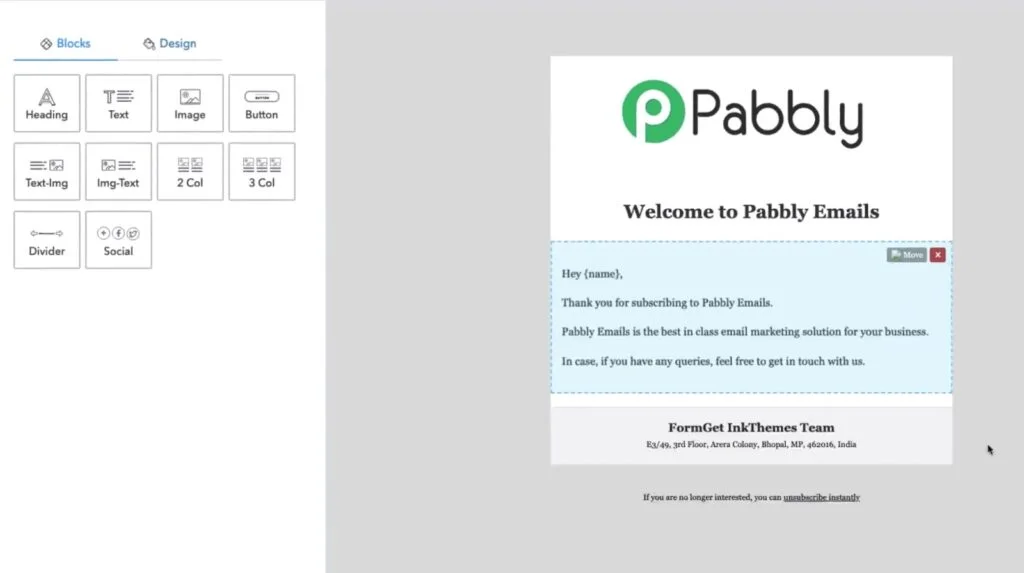
Pabbly (formerly MailGet) lets you create automated email campaigns geared for conversions. The drag-and-drop editor lets you build emails in minutes, while drip campaigns, list management, and email list cleaning keep your campaigns high-performing and your subscribers engaged. While its features aren’t the most advanced, Pabbly works great as an email marketing tool for beginners and small business owners.
Pabbly pros
- SMTP routing: Allows you to connect multiple SMTP servers (like Amazon SES) to reduce costs.
- List cleaning: Built-in email list cleaning reduces bounce rates.
Pabbly cons
- Setup complexity: Connecting external SMTPs requires technical know-how.
- Feature limitations: Not as many advanced features as other platforms (e.g. CRM).
Pabbly pricing
Free plan: 100 contacts
Paid plan: $79 for unlimited contacts
Best for
High-volume senders
Cheap email marketing: FAQs
Choosing the right cheap email marketing software
Email marketing success starts with choosing the right email marketing software. To find the right match for your business, be sure to consider which features you’ll need, what your budget is, and how much you expect to grow.
And remember, even though this article is about cheap email marketing services, the cheapest option may not be the best. All the options on this list offer affordable pricing, but the best way to find the ideal email marketing platform for your business is by testing out your options.
In sum: The cheapest email marketing platforms
Some of the cheapest email marketing platforms include:
- Brevo: Best for fast growing businesses
- SendGrid: Perfect for tech savvy users and bootstrapping startups
- MailerLite: Best for simple email marketing
When choosing a tool, you always want to take into account the following:
- Pricing: Compare pricing plans and structures (e.g. by number contacts vs. email volume) and see what makes sense according to your budget.
- Desired features: Decide upon your must-have features (e.g. automation, integrations) and see which platform offers the most suitable feature set.
- Ease of use: If you're starting out, prioritize platforms with a user-friendly interface. If you already have experience with similar tools, you may want to try tools with more advanced features (albeit with limited accessibility).