What's New
Join our customer newsletter
Receive the latest Brevo product updates in your inbox.- engage.yourbrand.com/spring-sale
- engage.yourbrand.com/spring-sale-fr
- engage.yourbrand.com/webinar
- Connect their online store
- Set up SMS
- Book a free strategy call
- Smarter defaults: New object-based automations now prevent re‑entry by default, evaluated on the contact + object pair.
- No disruption to live automations: Existing automations retain their current behavior, so nothing breaks for workflows already running.
- Flexible re‑entry delays: Opt to allow re‑entry after a set delay (e.g. 1 day or 7 days) to support recurring use cases like price drops or restocks.
- Get instant insights on your email and SMS campaign performance
- Look up contacts, explore contact lists, and understand your segments
- Generate templates and campaign drafts using Claude’s AI and save them directly to your Brevo account
New: Automation report page
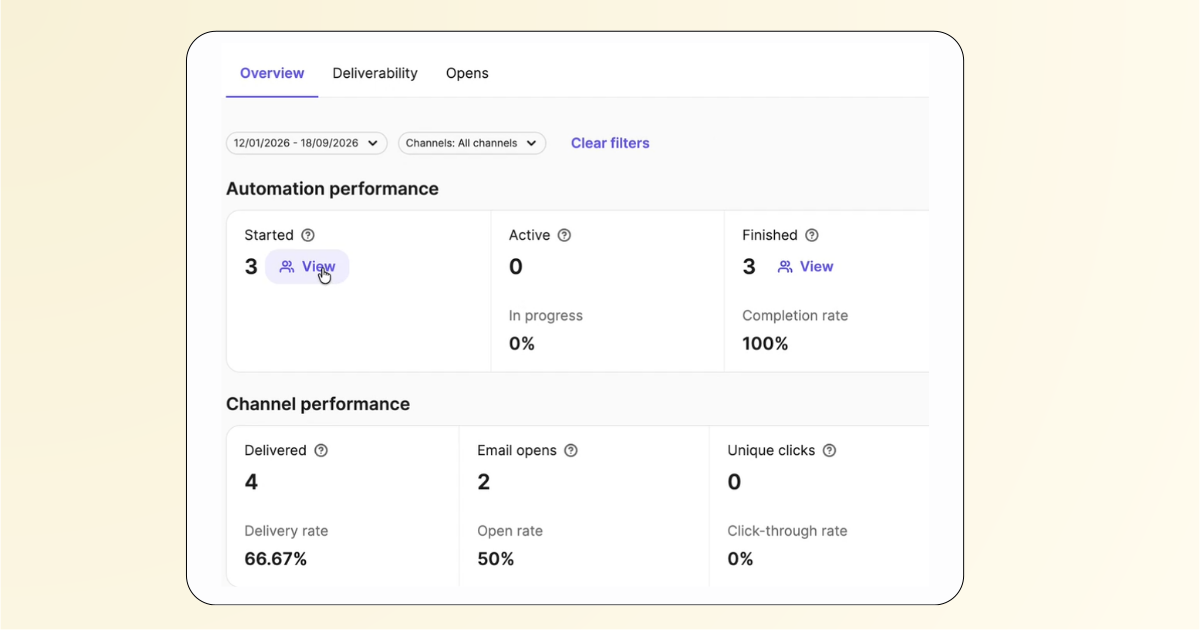
Access a dedicated report for each automation workflow, with an overview of workflow and channel performance, deliverability and open metrics, plus filters by channel, date or workflow step. Get the insights you need to understand and optimize workflow performance.
New: Personalize Wallet passes with dynamic logic
Bring personalised, dynamic experiences to your Wallet passes with DTL expressions, including IF statements and WHILE loops. Show VIP offers to your most loyal customers, tailor content by location or purchase history, and deliver the right message to every customer.
New: Buy additional Landing Pages and Marketing seats on Pro
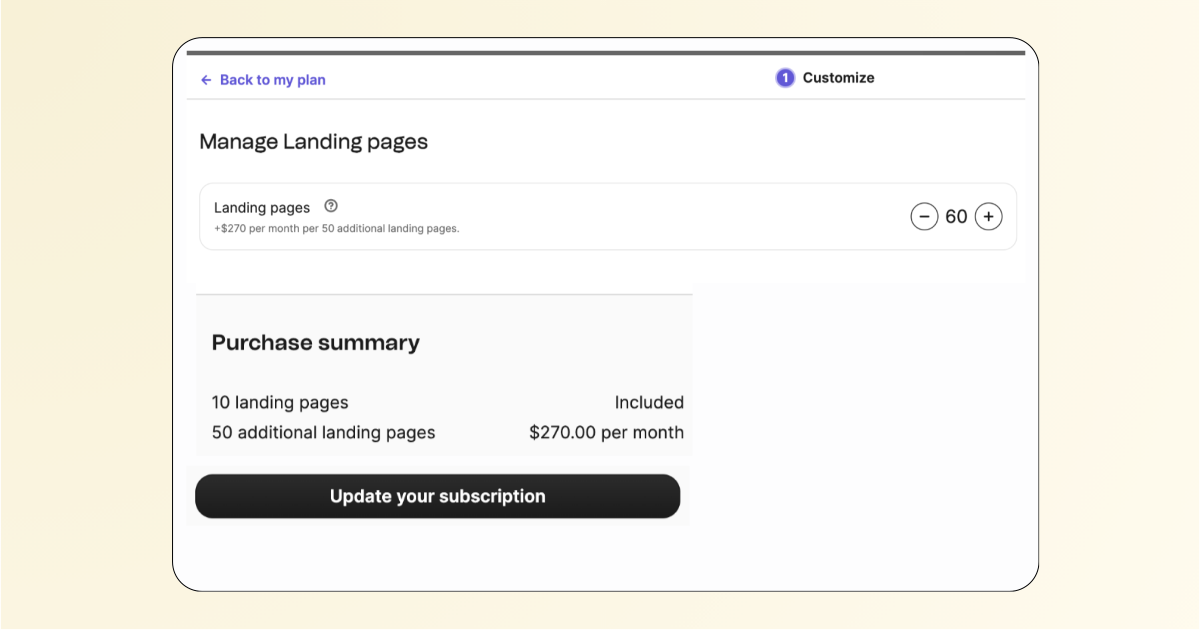
Pro customers can now purchase additional Landing Pages and Marketing seats as add-ons, directly from their account under ‘My Plan.’ Reached your limit? Add what you need without upgrading to Enterprise or contacting support.
New: WhatsApp pricing update for service messages and utility templates
Following Meta’s WhatsApp pricing update, effective October 1, 2026, service messages sent within the 24-hour customer service window are now charged per message at your market’s utility rate. Previously, only the first message was charged. Utility templates sent within this window are also billed per message.
Marketing template pricing is unchanged, and accounts with the “service conversations free” setting continue to receive free service messages.
You may notice higher credit usage on WhatsApp, so keep an eye on your balance to avoid “insufficient credits” alerts.
New: Host multiple landing pages on the same domain, different paths
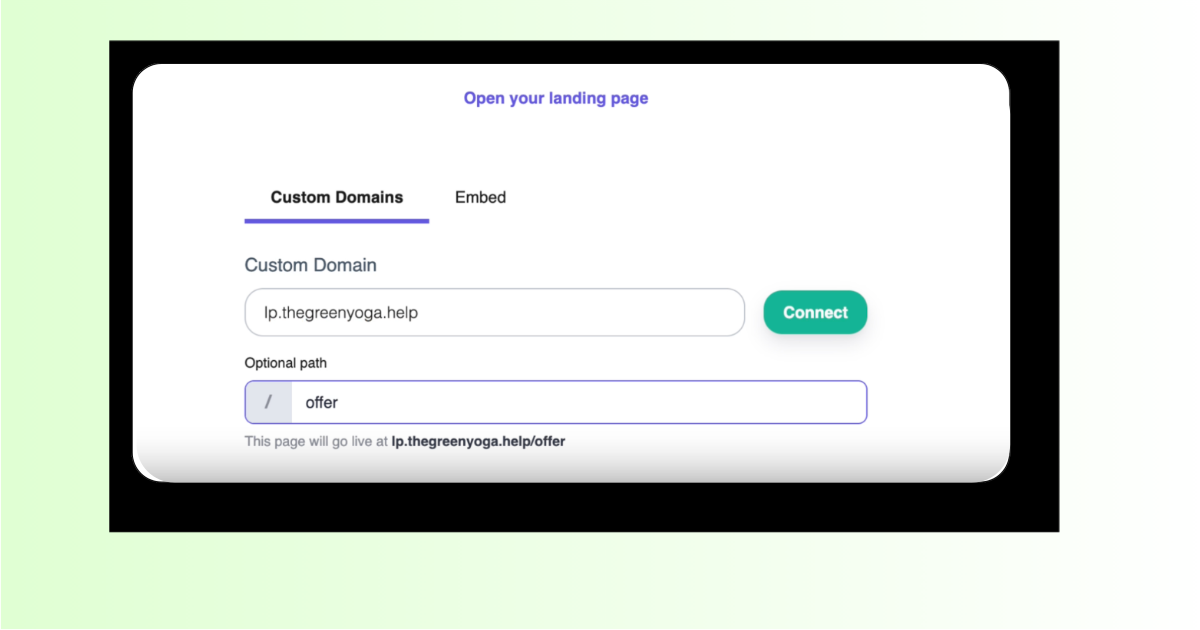
You can now host several landing pages on one domain or subdomain you own, with each page on its own path. For example:
Before, each landing page needed its own domain or subdomain, which meant asking your IT team to set up DNS every time. Now you can launch new campaigns and language versions without that extra step.
To set it up, enter the same domain or subdomain in the domain field when you publish a landing page, then add a path in the optional path field.
Available to all customers using landing pages.
Improvement: List and Subscription Management in Database Connectors
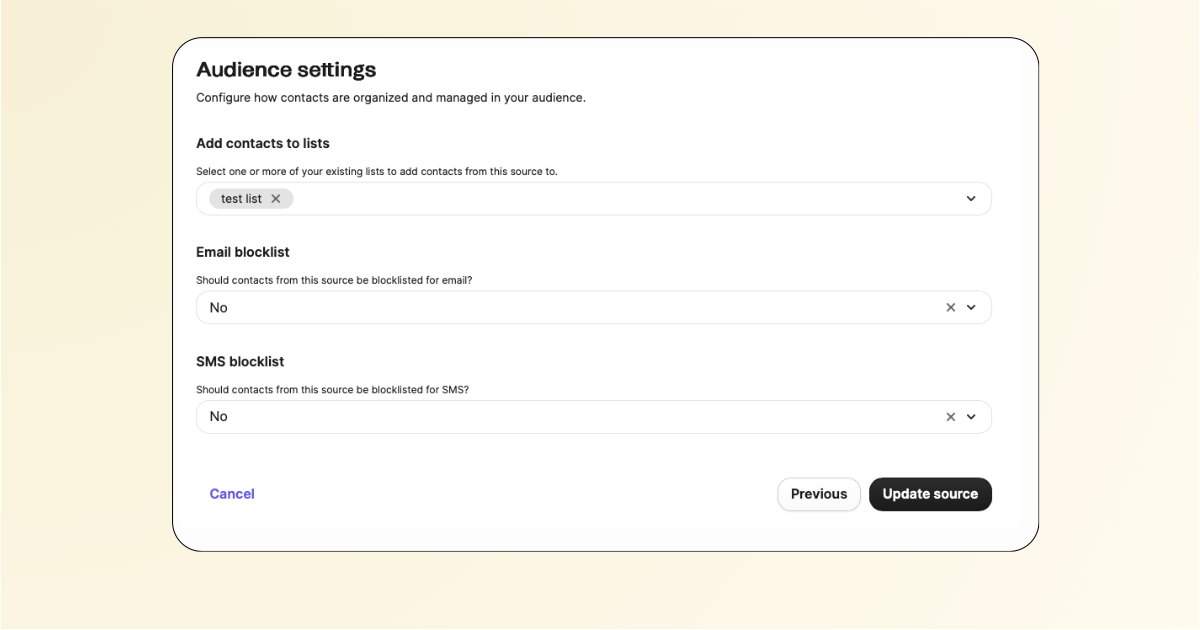
When you sync contacts from Snowflake, MySQL, PostgreSQL, BigQuery or an SFTP server, you can now choose in the connector which Brevo list they go to and what their Email and SMS subscription status is.
Before, a database sync could only create or update contacts, and you had to add them to lists and set their subscription status by hand or through a separate import. Now contacts arrive in Brevo organized and ready for your next campaign.
New: International Package for Pro Users, Up to 7 Languages
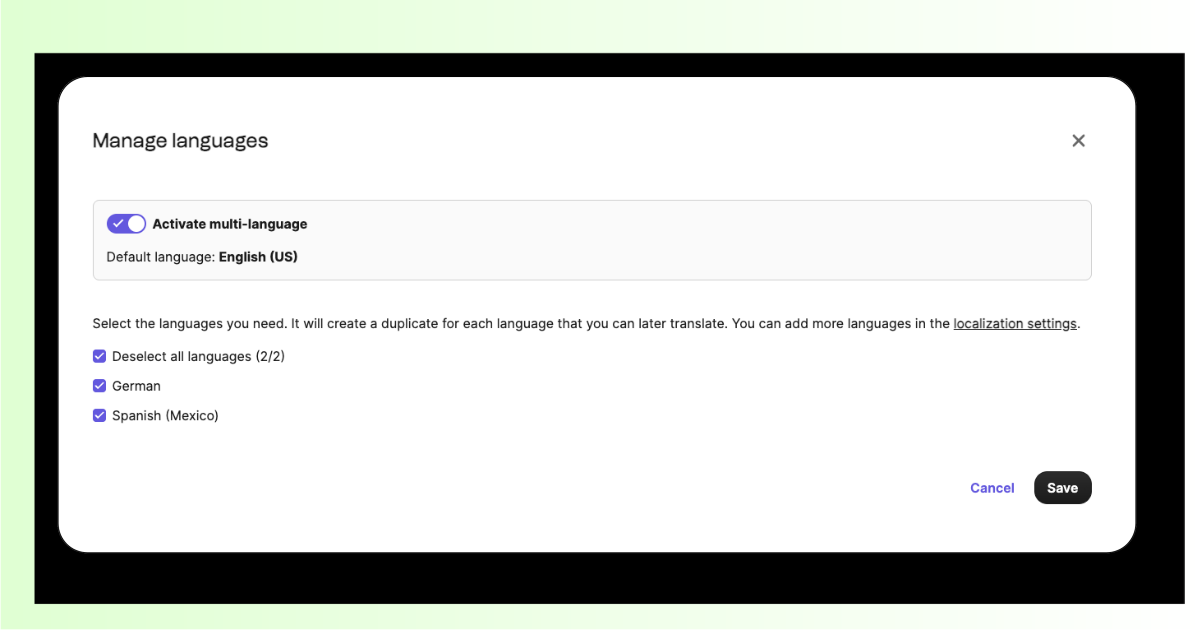
Unlock five extra languages on your Pro account, raising the limit from 2 to 7 for multilingual campaigns. Translate using AI or input content manually.
The add-on activates automatically, requires no engineering tickets or manual workarounds, and lets you localize content without upgrading to Enterprise.
Improvement: Track company merges with the company_merge webhook
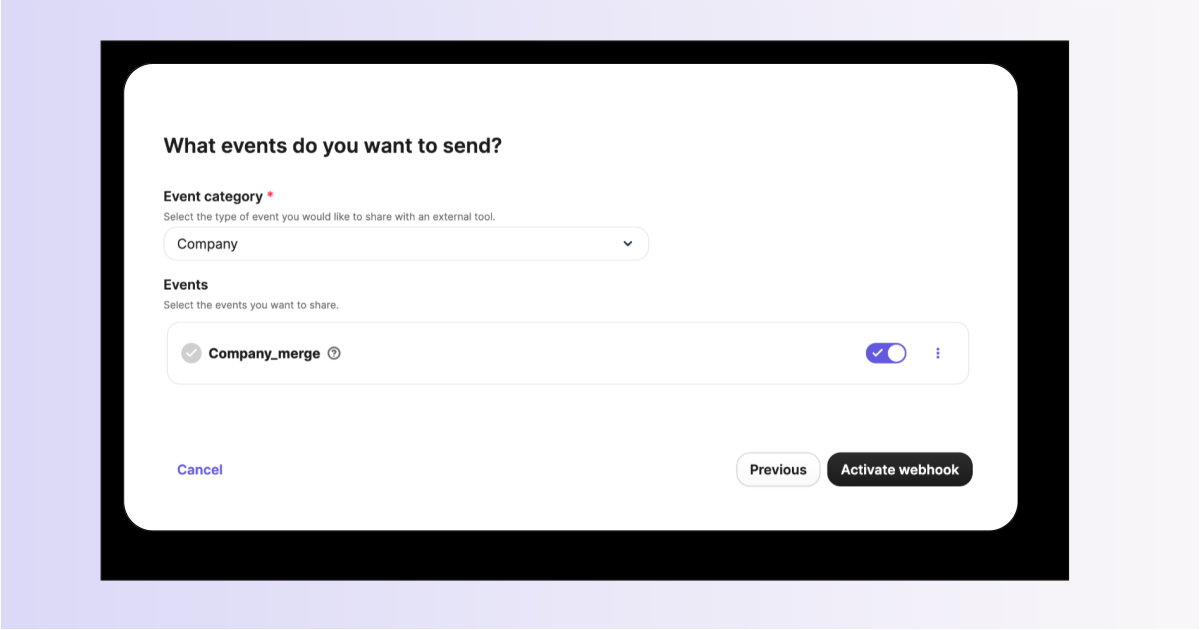
When you merge two companies in Brevo, you can now get notified. A new company_merge webhook event fires on every merge, with the ID of the surviving company, the ID(s) of the archived company and the time of the merge. If you sync Companies to your own CRM or data warehouse, you always know where a merged record went.
To set it up, go to Integrations > Webhooks > Outbound webhooks and click Create a webhook. Select “company” from the dropdown, enable the company_merge event and save.
New: Automatic conversation assignment by specific channel
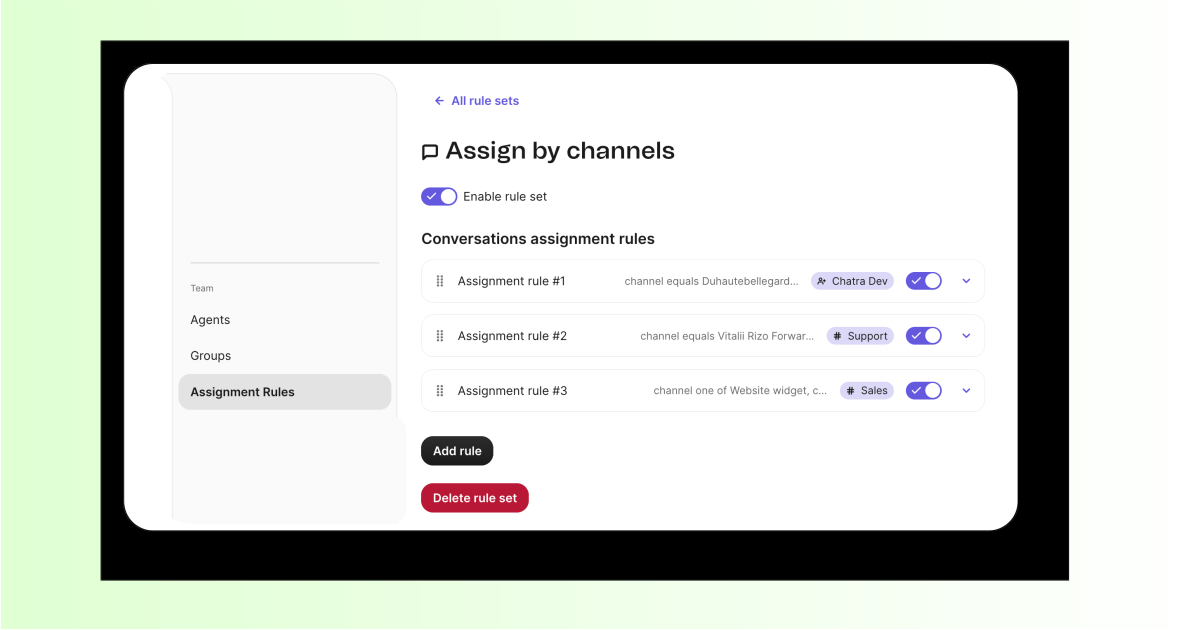
You can now choose exactly where an assignment rule applies in Conversations. Before, a rule covered a whole channel type, like all email or all SMS. Now you can target one source, such as a single inbox, one Facebook page or one phone number.
You can also combine them. For example, assign all Instagram accounts plus one support email to the same person or team. Prefer the simple option? You can still select a whole channel type.
New: SMS Compliance Center
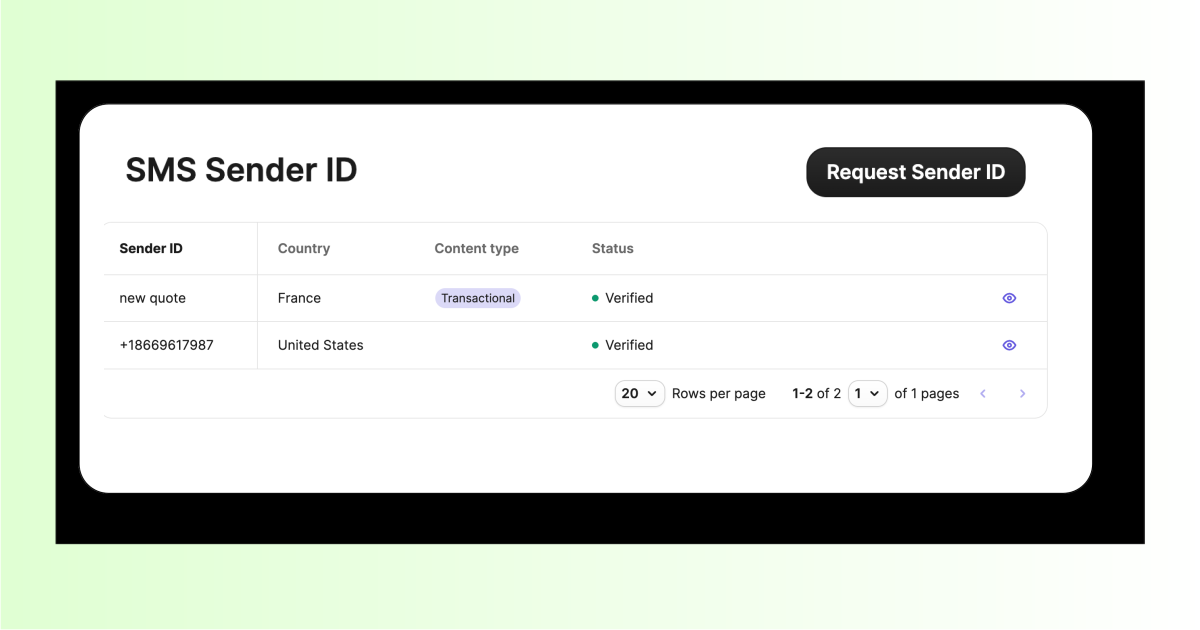
The new Compliance Center is now available to all eligible Campaign users, bringing existing and new Sender IDs into one centralized workflow. Register SMS Sender IDs directly, run smishing checks before submission, and benefit from clearer forms, improved validation and better registration updates.
Stay in control of your SMS compliance from start to finish.
New: Show product brand in e-commerce campaigns
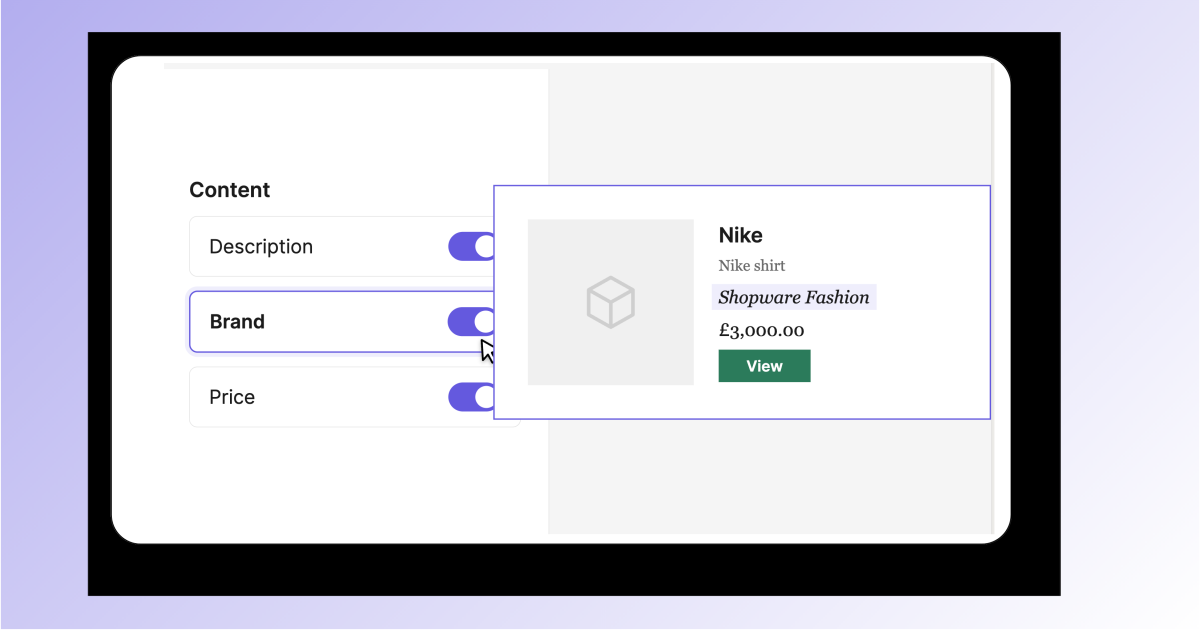
You can now display brand information in the Product block of the drag-and-drop email editor. Add the product’s brand name alongside the product title, price, image and description, so customers see exactly who makes what they’re about to buy.
Available to all customers with a connected e-commerce catalog, at no extra cost. Ideal for multi-brand retailers and marketplaces.
New: Step-up authentication for sensitive account actions
Protect your account with an extra identity check before high-risk actions. Brevo now asks you to verify it’s you before you create API or SMTP keys, change 2FA settings, make a user an admin, invite users, change your login email or change your password.
If you use two-factor authentication, confirm with your 2FA code. Otherwise, we’ll send a one-time code to your verified email or registered phone by SMS. Once verified, you won’t be asked again for one hour, so your work isn’t interrupted.
New: Ecommerce Guided Growth
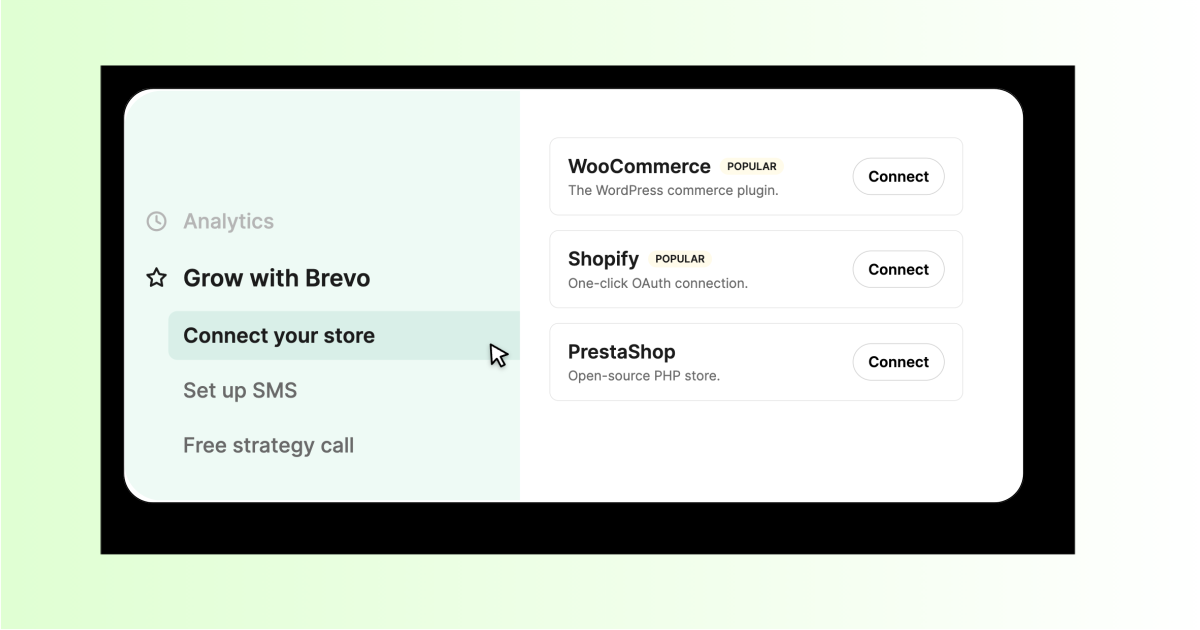
Eligible ecommerce customers will now see a new “Grow with Brevo” section in the sidebar menu. It brings together the next steps they can take to grow their business including:
The available steps adapt as customers complete each step. This gives customers a clear path forward without showing actions they have already completed.
New: ChatGPT x Brevo Plugin
Connect your Brevo account to ChatGPT in just a few clicks using OAuth on web, desktop or mobile. Ask questions in natural language, explore contacts, analyze campaign performance and create campaign drafts directly from ChatGPT, without managing MCP keys or JSON configuration.
For greater control, campaigns can only be drafted in ChatGPT. Sending, scheduling and deleting campaigns remain in Brevo.
New: AI-powered deliverability recommendations
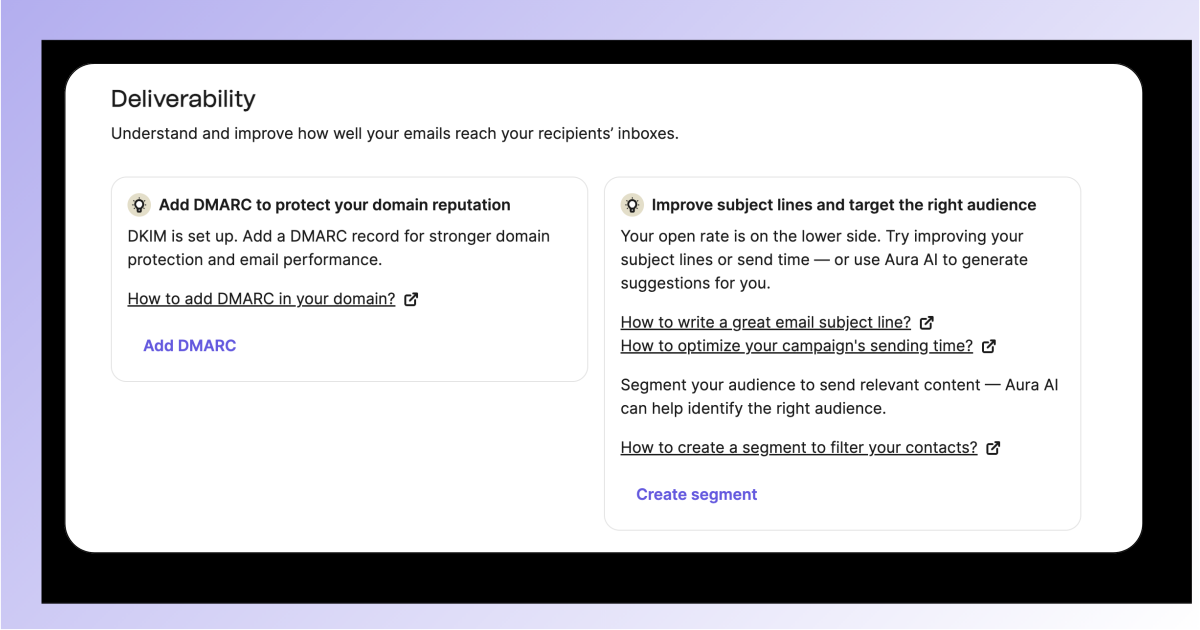
Get personalized guidance on how to improve your deliverability based on your domain authentication and engagement metrics. Recommendations are displayed in your Deliverability Center.
New: Connect CRM records to external tools with Action Links
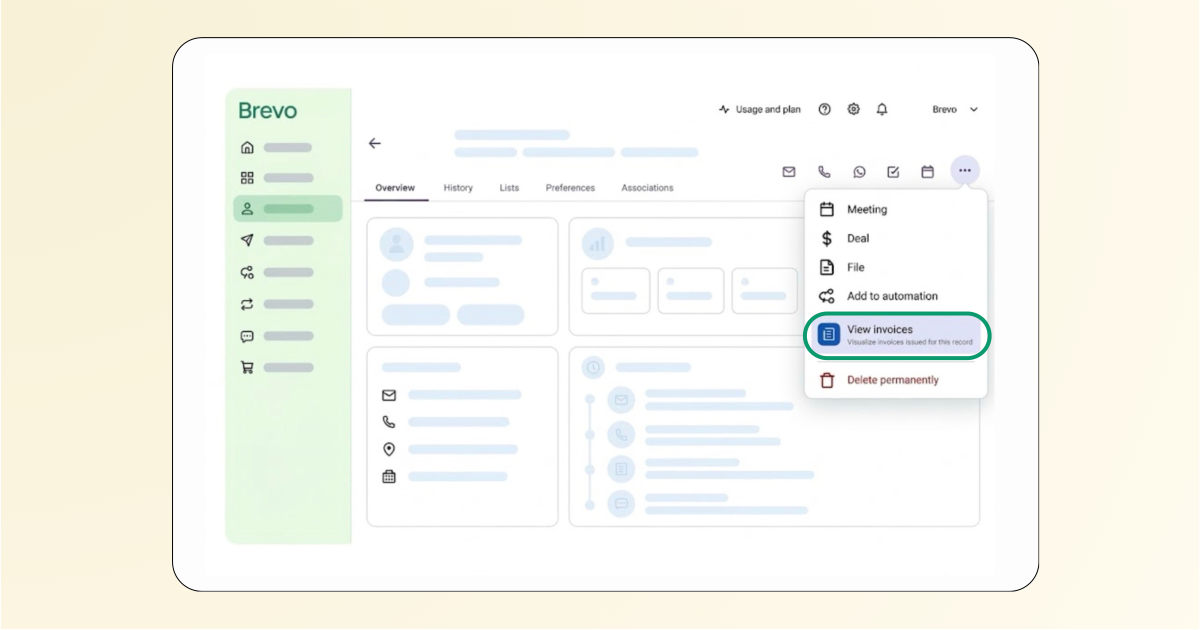
Surface external tools directly on Contact, Company and Deal records, so you can take action without searching across tabs. Add an Action Link to open the relevant record in another system with its Brevo context, such as the record ID and type, passed automatically.
For example, open a contact in Zendesk to manage a support case, Shopify to process a refund, or a shipping and returns tool to check an order. Combine an Action Link with an OAuth app so the external tool can read associated Brevo objects or push updates back into Brevo.
New: User permissions for tasks
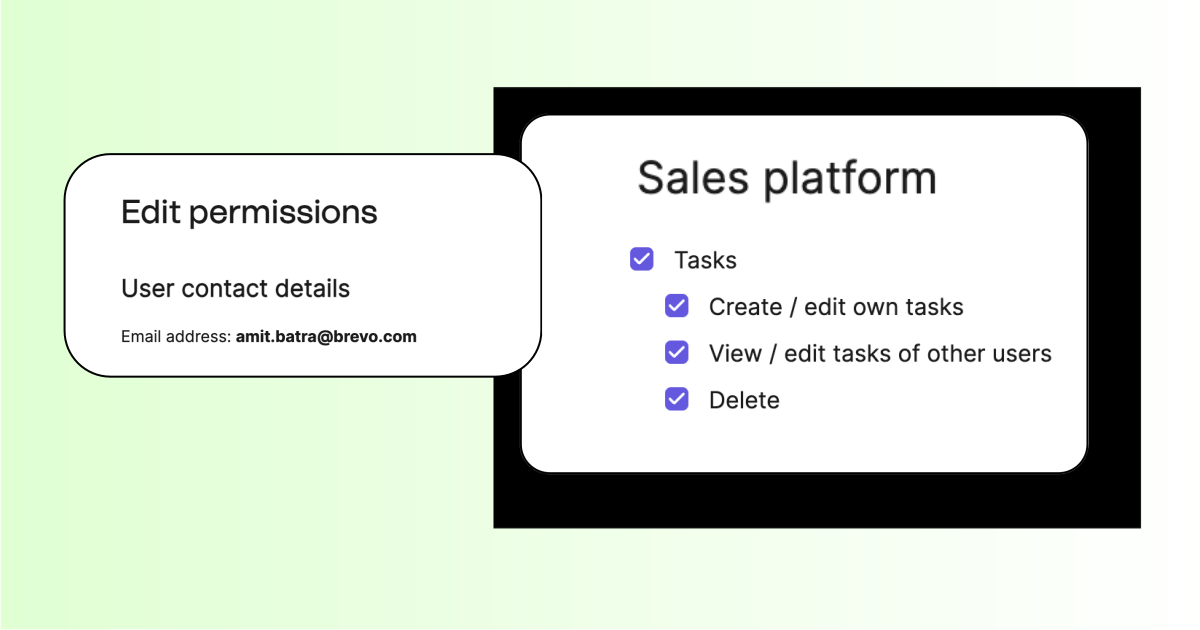
Account administrators can now manage user Task access separately from Deal permissions, with the ability to decide who can view, create, edit or delete Tasks. Set more precise access levels for individual users and keep sensitive CRM activity visible only to the right people. This update also introduces ownership-based permissions, including Own records, Team records and All records, as part of Brevo’s broader team permission management improvements.
New: Customized Attribution Windows for Conversions
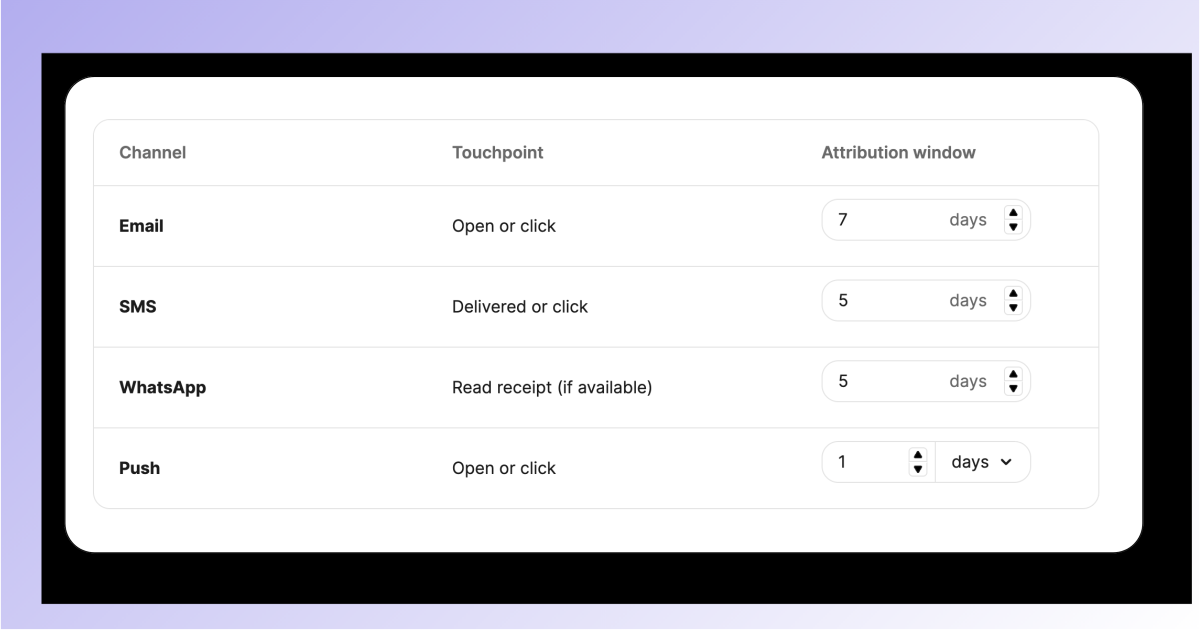
Set custom attribution window for your marketing channels to better reflect your customer journey and buying cycle. Professional and Enterprise users can now manage this from the Conversions Settings page, giving them more control over how conversions are attributed.
New: Segment AI is now built into Prompt-to-Workflow (Phased release)
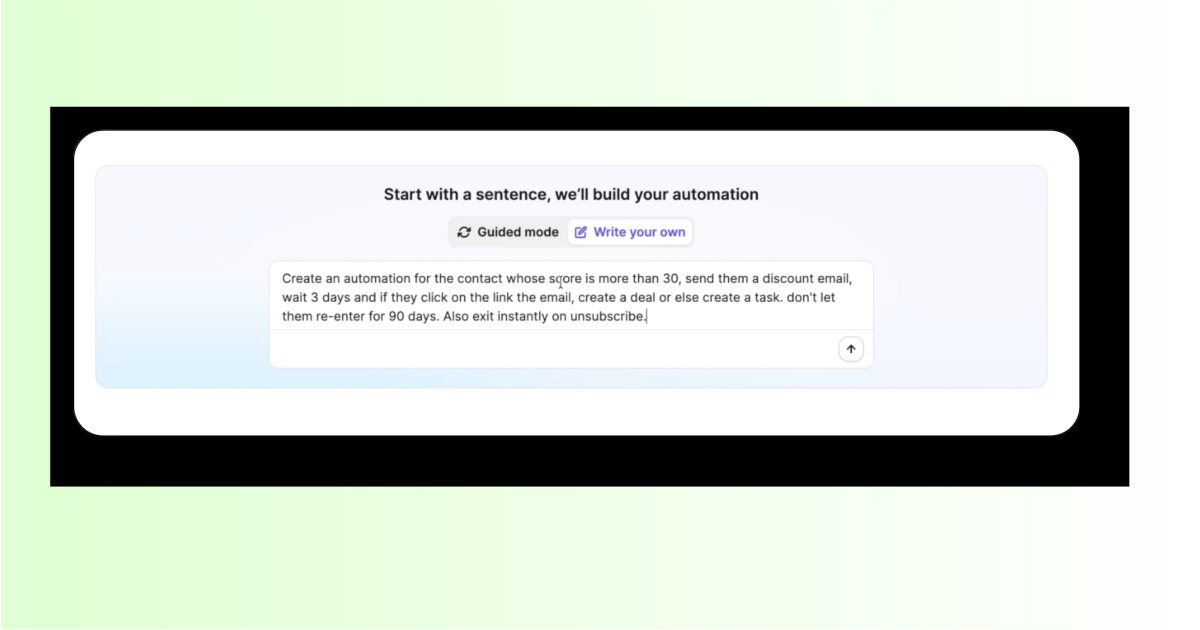
Create more complete automations from a single prompt. Prompt-to-Workflow now understands audience restrictions and translates your instructions into Brevo filters across trigger conditions, conditional splits, wait-until rules, and exit or re-entry criteria.
Simply describe your workflow, such as: “Send contacts in France with a score above 75 down the VIP path, wait for an email click for up to seven days, and exit if they unsubscribe.”
Spend less time configuring conditions and more time launching effective automations.
New: AI-powered summaries for Deals, Contacts and Companies
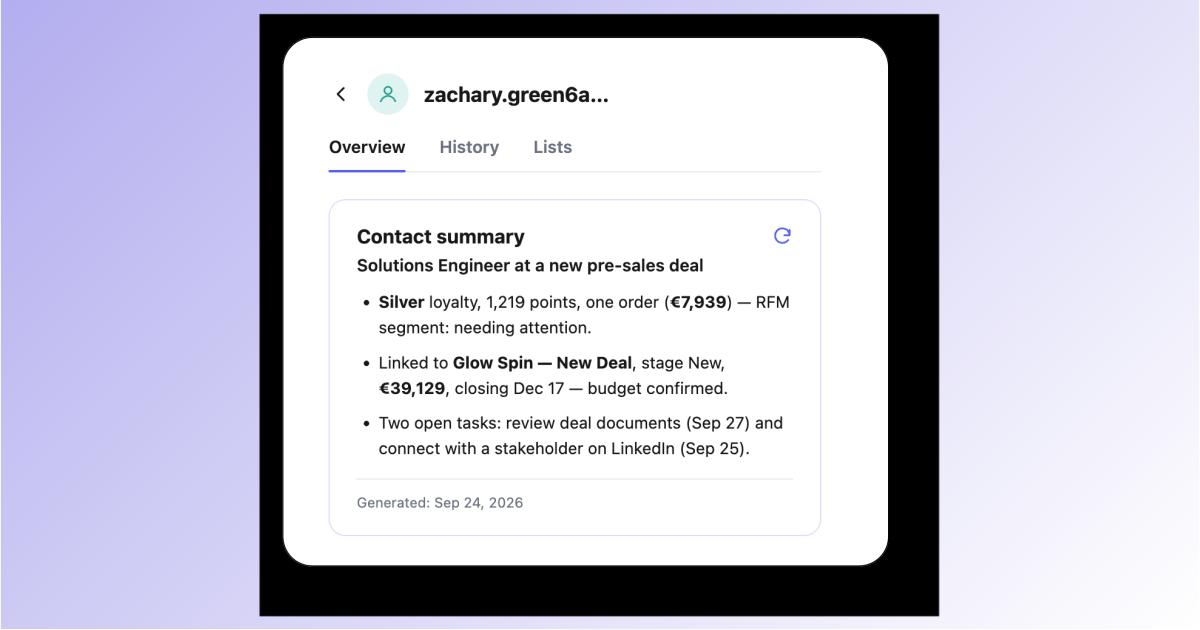
Get an instant overview of the details that matter most across your records. Quickly understand contact history and context, prepare more relevant follow-ups, and keep sales and marketing teams aligned.
Spend less time gathering information and more time building meaningful customer relationships.
New: Price Drop Alert
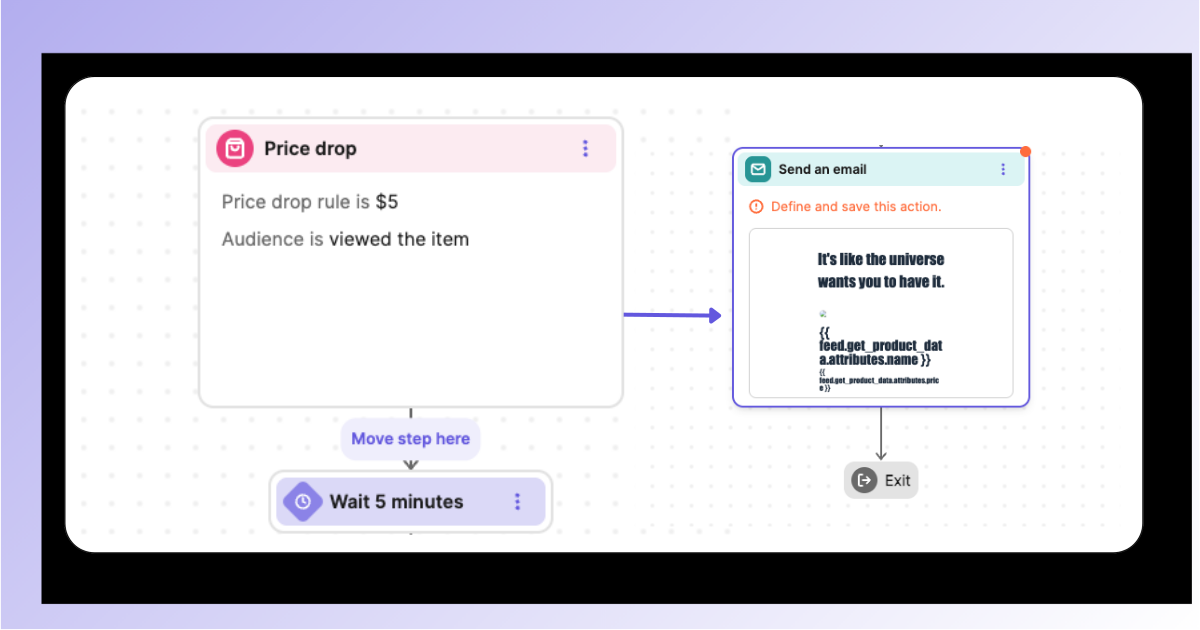
Automatically notify shoppers when a viewed or carted product drops in price. Set the minimum price reduction that triggers the pre-built ecommerce automation and turn abandoned interest into sales.
New: Per-contact pixel tracking consent (France)
Brevo is now fully aligned with new guidelines from the CNIL, France’s data protection authority, which call for per-contact pixel tracking consent on emails. If you have French clients, this update helps you stay compliant.
Store and apply each contact’s pixel tracking consent — Granted, Denied, or Unknown — across both marketing campaigns and transactional emails. Consent is managed through forms or a revocation link in the email footer.
Improvement: Your audio settings now stay saved in Brevo Phone
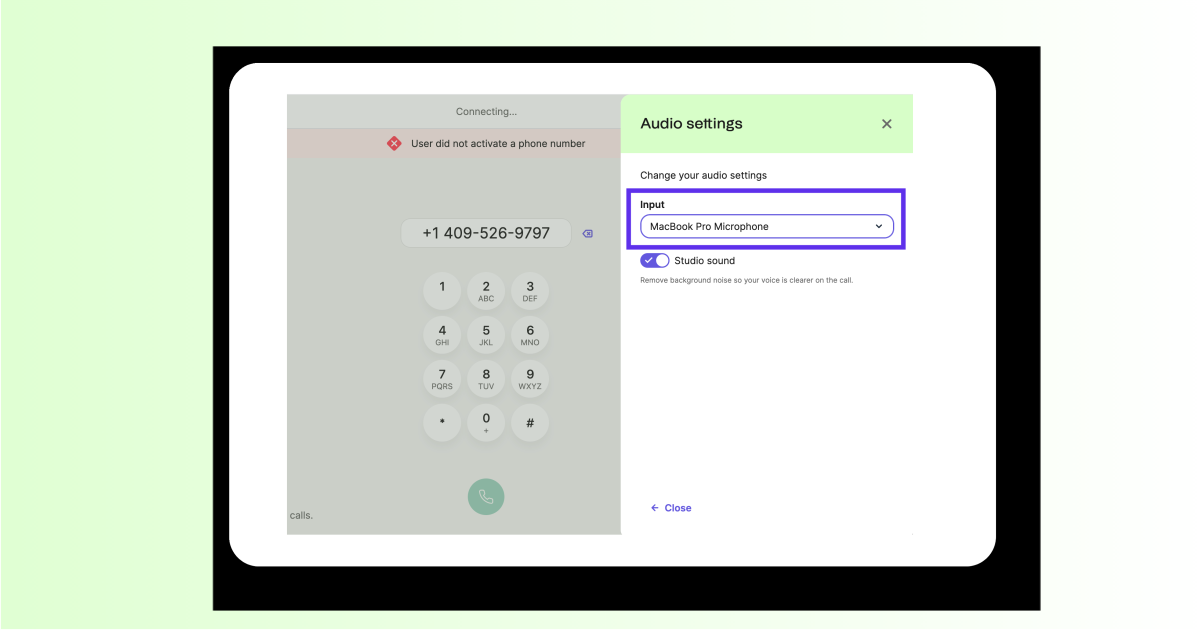
Your preferred microphone and speaker settings are now saved across calls and sessions, so you can skip the readjustments and get straight to the conversation.
Improvement: Conversion Report – Products Ordered Table
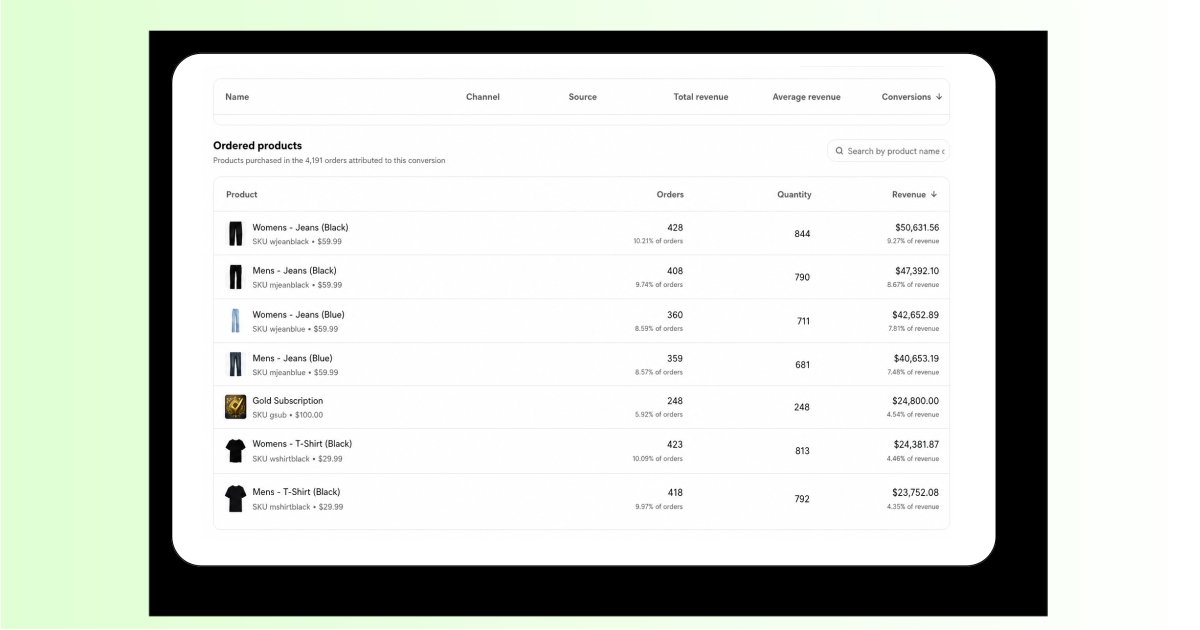
Now the Conversion report shows a detailed table of products sold through email, SMS, or automation conversions, letting merchants instantly see which items actually sold.
The feature aggregates line items by product, enriches them with name, SKU, image and price.
Improvement: Granular Permissions for Contact Management
The latest release introduces enhanced access controls for contact management, allowing users to assign more granular permissions. Instead of the previous all-or-nothing approach, users can now independently manage permissions for creating/editing contacts, deleting contacts, lists management, segments management, and contact attributes management.
New: Track revenue from your automations (Progressive release)
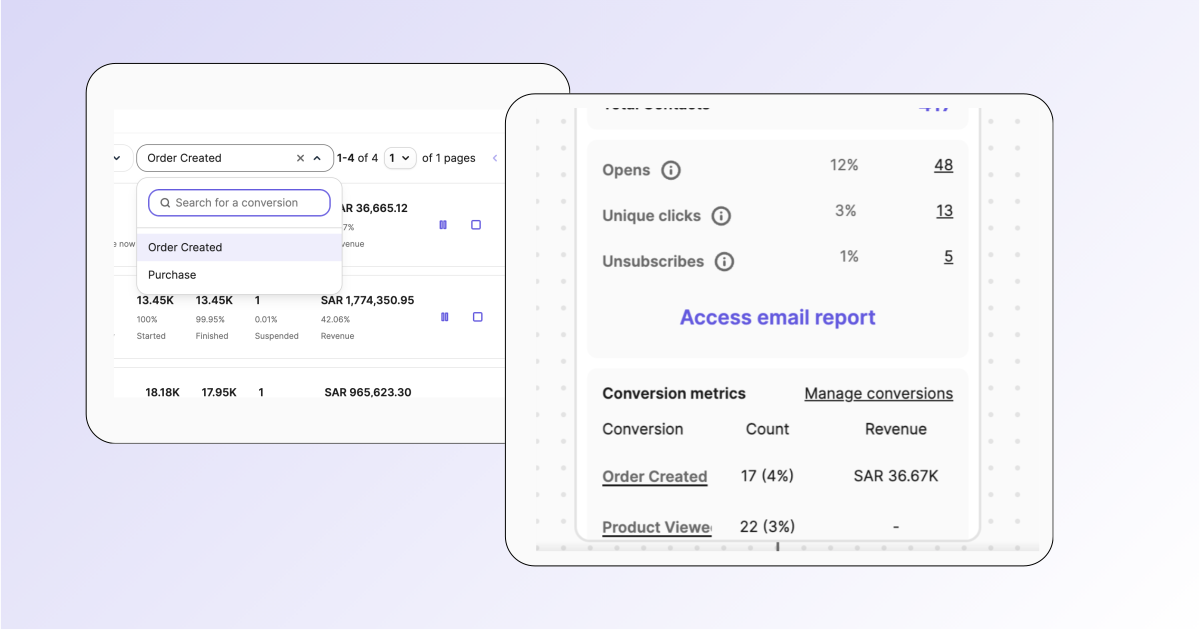
See which workflows drive conversions and revenue with real-time performance insights. Choose a conversion event, view revenue from the Workflow Listing Page, and explore currency-formatted revenue details directly on each step in the Workflow Canvas.
Now rolling out progressively to selected organizations.
Improvement: Message prospects instantly on WhatsApp from Deal or Contact pages
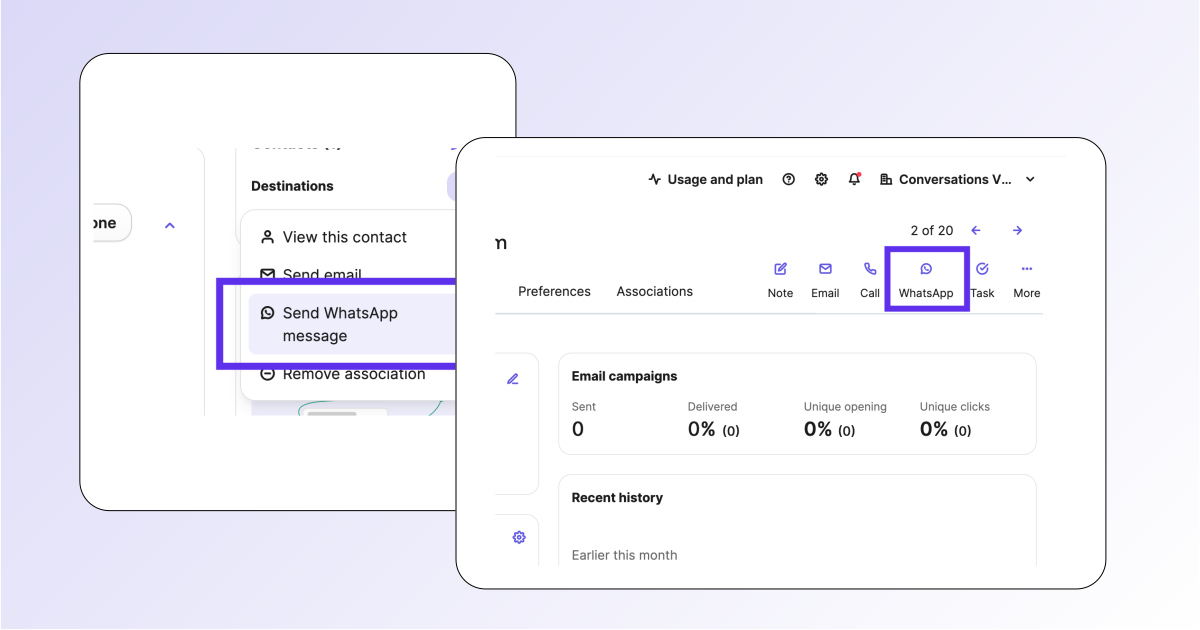
Sales reps can now send WhatsApp messages directly from Deal and Contact records. Keep conversations in the CRM, respond faster, and manage every interaction without switching screens.
Improvement: More control over Shopify reverse sync
Reverse sync is now disabled by default for new installations, giving you control over when syncing begins and which contact list is sent to Shopify. Existing merchants keep their current settings.
Improvement: SMS Sender ID compliance update for France
This release addresses the new compliance requirements for Alphanumeric Sender IDs (the “From” name) for SMS messages sent to France. French mobile operators now permit only plain Latin letters and digits, banning accented characters, spaces, and special characters. Sender IDs will be automatically adjusted before delivery to ensure compliance and preventing delivery blocks. Accented characters will be converted and disallowed characters removed. This applies to both transactional and marketing SMS. Clients wishing to use non-compliant Sender IDs can submit a support ticket.
New: Granular Permissions for Transactional Emails
Now account admins can fine‑tune access to Transactional Email, granting separate rights for overall access, performance stats, log viewing, preview, resend, delete, CSV export, and settings. This allows teams to give read-only log access, export data without deletion rights, and protect settings while still allowing analytics, enhancing security and role-based control.
Improvement: Wallet Integration with Forms
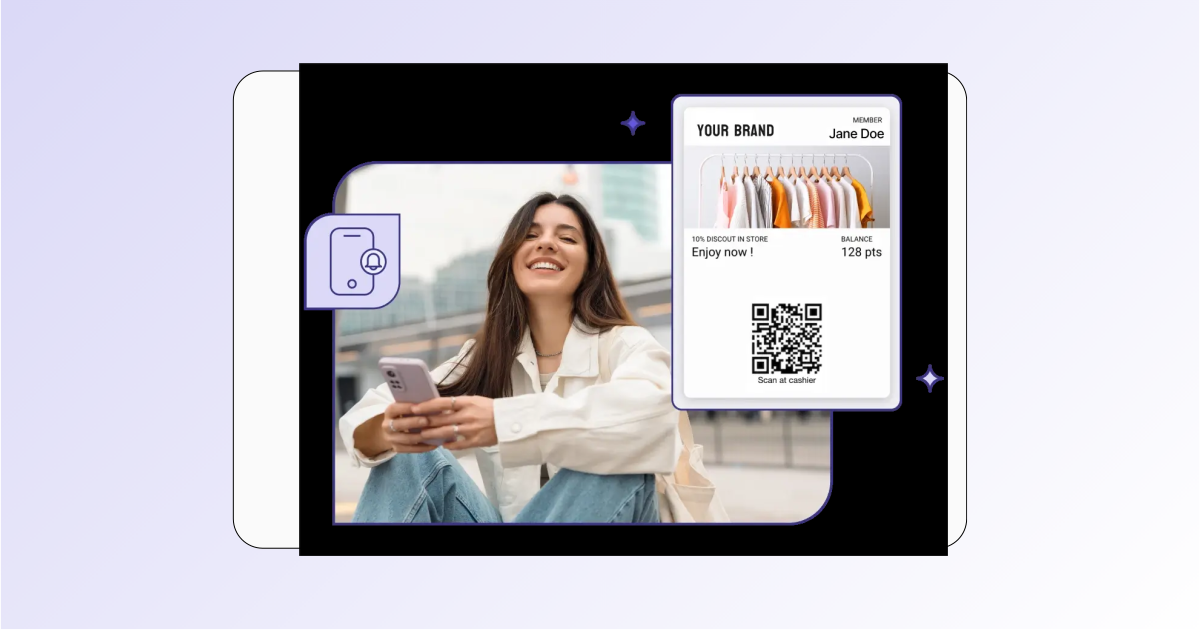
Now forms can redirect users to download a Wallet pass instantly after contact creation, turning form submissions into ready‑to‑use digital passes.
Customers scan a QR code, fill a Brevo form, and receive a personalized pass linked to their profile, enabling seamless onboarding and future store‑visit notifications. This bridges physical and digital interactions, boosting acquisition and retention.
New: Promotional Pop-ups
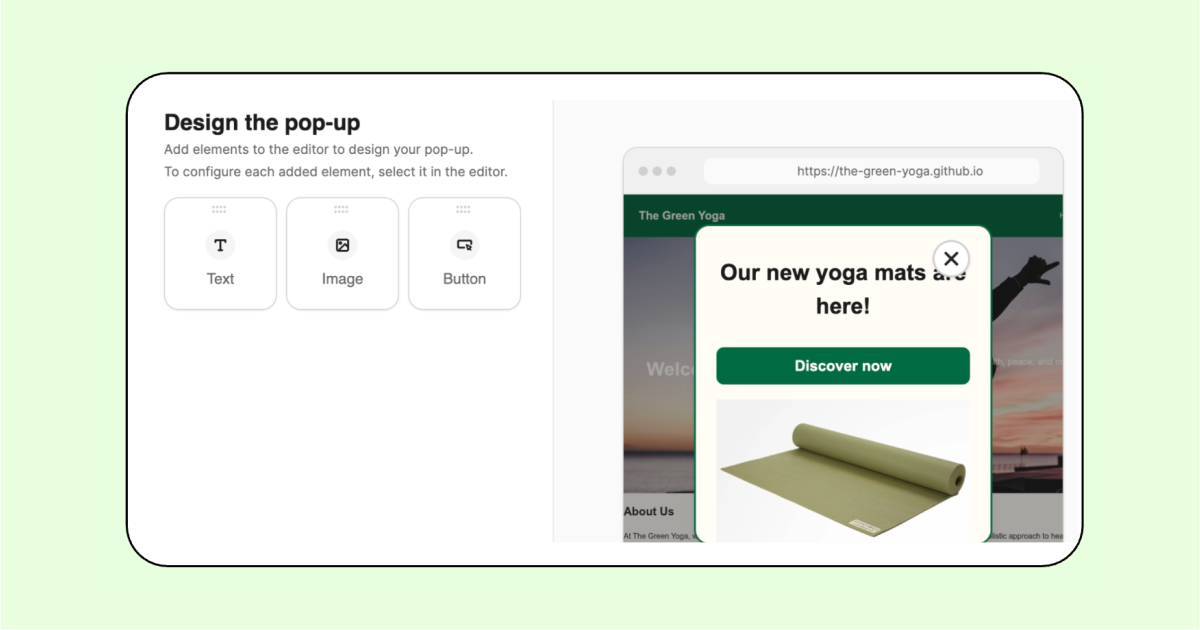
Display pop-ups directly on your website or mobile app. Promote offers or highlight announcements, no opt-in required. Turn browsing into action with targeted messages triggered by time spent on page, exit intent, or a specified event. Choose from templates to launch fast and engage visitors at exactly the right moment.
Improvement: Scores now visible on the contact page
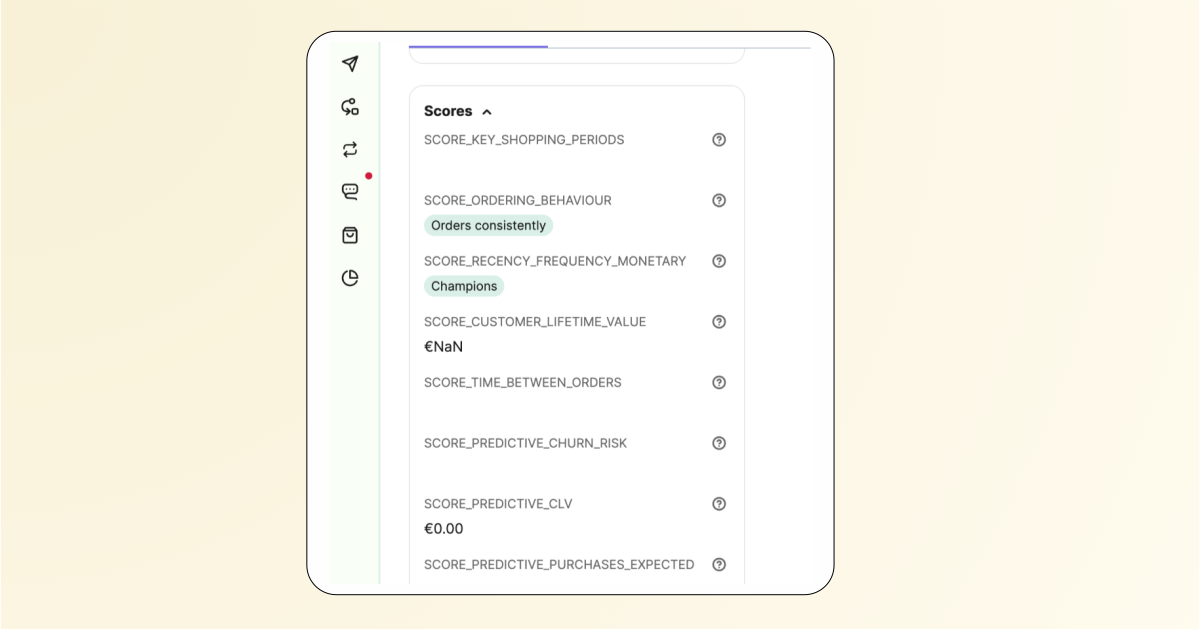
Scores are now instantly accessible directly on the contact page, eliminating the need to move them from hidden attributes. Users can view and use score data without extra steps, streamlining workflow and improving overall experience.
New: WhatsApp Pricing Update – Effective July 1 2026
WhatsApp conversation pricing has been updated across multiple markets. Marketing conversation rates have decreased in some countries (including Poland) and increased in others (including Italy and the UK).
Improvement: Marketing SMS Now Allowed on Weekends and Public Holidays in France
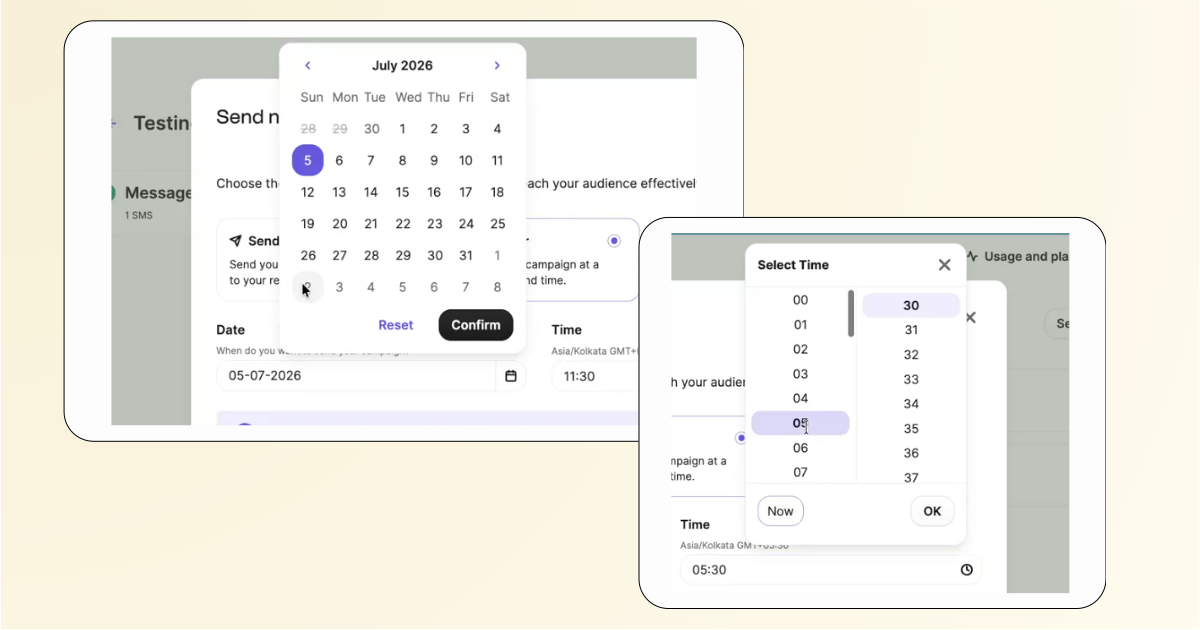
With updated French regulatory conditions, you can now reach French customers through SMS on weekends and public holidays. The permitted sending hours are updated to 8:00 AM – 9:30 PM (account time zone). Any messages scheduled outside this window will automatically queue for the next allowed slot. This change boosts campaign flexibility while keeping you compliant.
New: Analytics for Sub-accounts
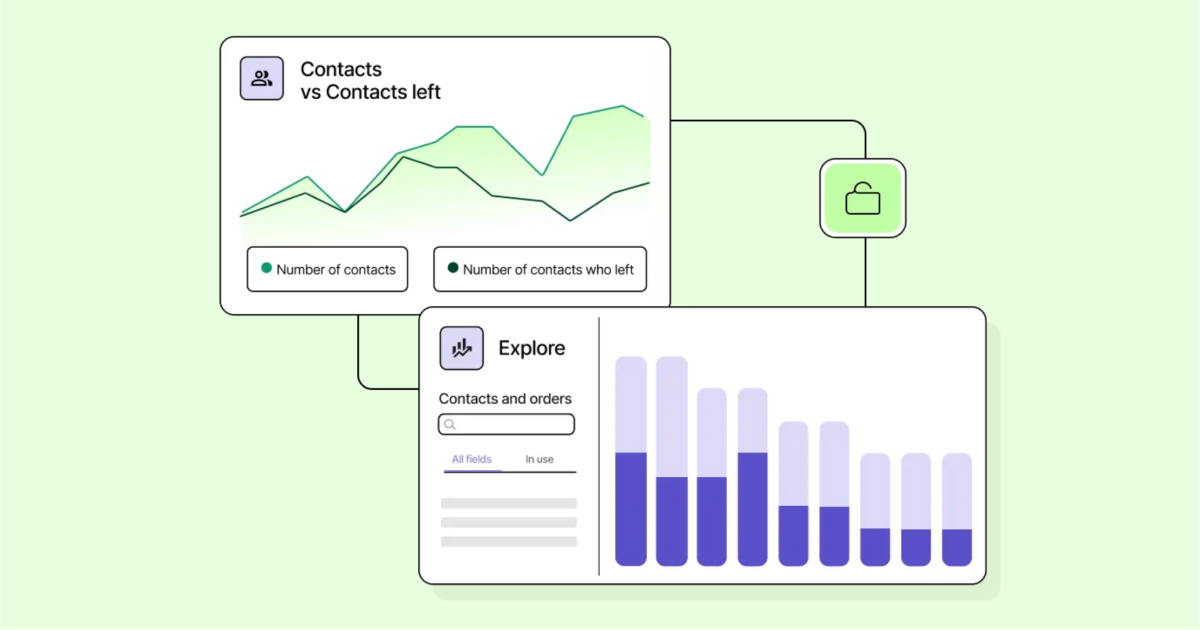
This release introduces Analytics access within sub-accounts for Enterprise marketing users, addressing a significant gap where only master accounts could utilize this feature. This enhancement, included at no extra cost in the Enterprise Analytics add-on, allows users to obtain insights directly corresponding to their sub-account’s data. Admins can enable or disable this feature per sub-account, ensuring governance over its rollout. The update is essential for competitive positioning, enhancing the Enterprise pipeline, and providing actionable insights while maintaining predictable licensing costs.
New: Object automations—manage re‑entry with new controls
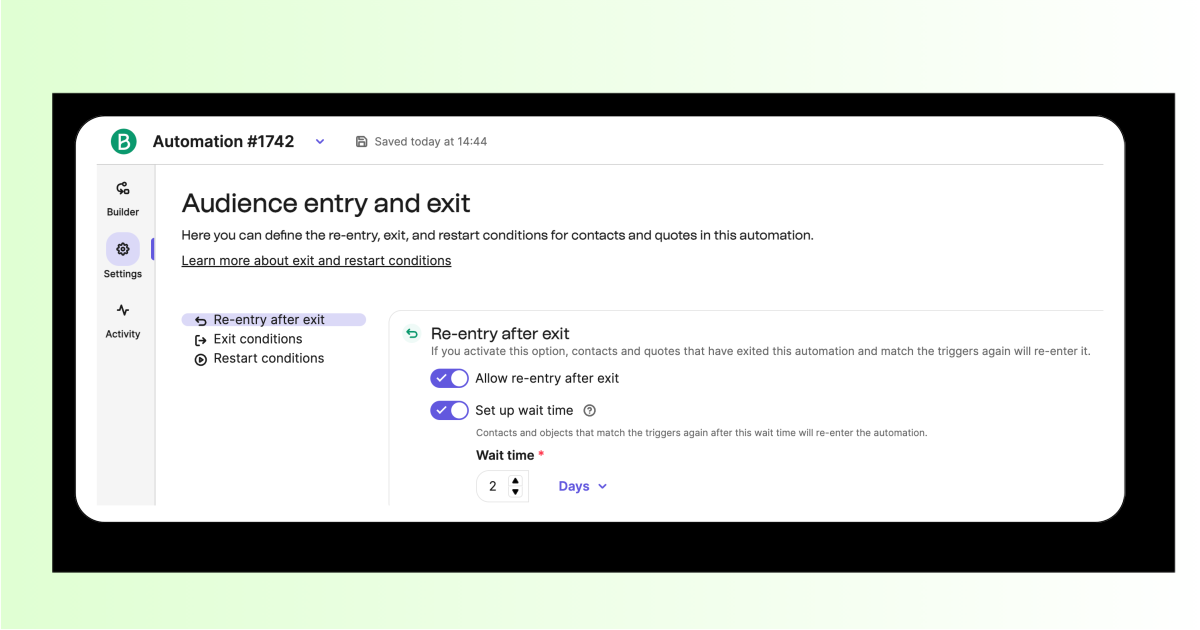
You can now control whether object + contact pairs can re‑enter an object-based automation—giving you the same precision you already have in contact-based automations. Prevent duplicate journeys, or allow re‑entry after a set delay to match your use case.
New: Sync content blocks across subaccounts
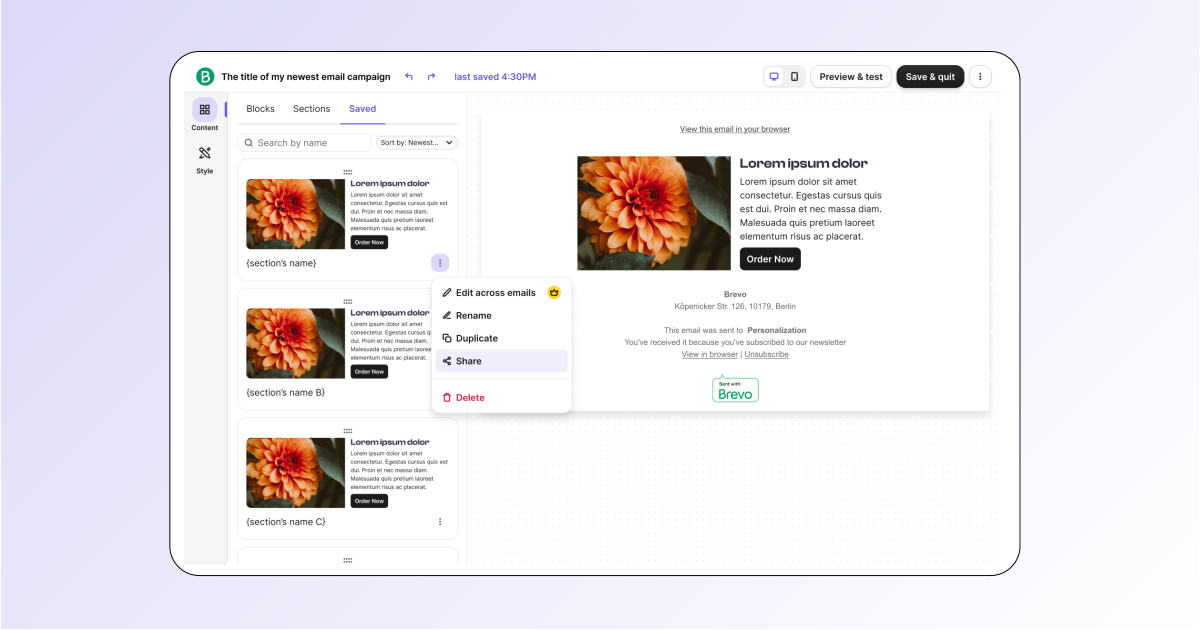
Manage and distribute reusable content blocks to all subaccounts from one centralized location. Build campaigns faster, keep brand assets consistent across every account, and cut content management overhead. No manual updates required. Any change to a shared block syncs automatically, so every subaccount always reflects the latest version. Available on Enterprise plans.
Improvement: Event Logs
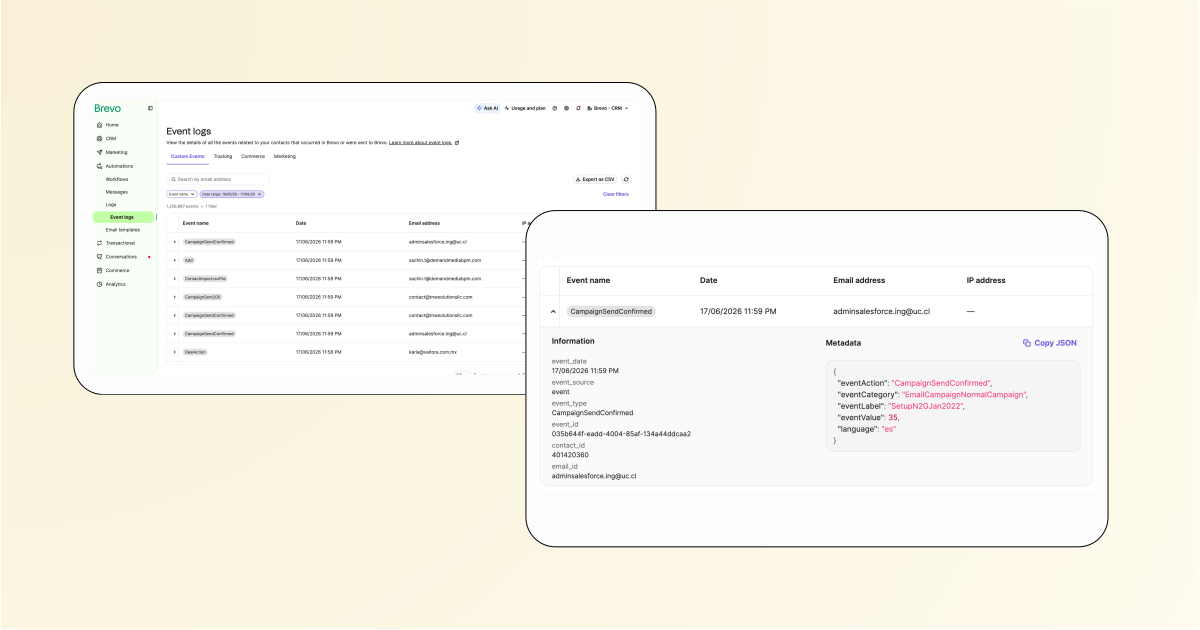
See all contact events in one view. Access the new Event Logs page (Automations > Logs) to efficiently view, search, filter, and export events from all sources: the Brevo tracker, API, marketing events and ecommerce actions. This speeds up event integration testing, debugging and troubleshooting events, and support ticket handling (including GDPR issues).
New: LinkedIn Lead Ads Integration for Brevo
Connect LinkedIn Lead Gen Forms directly to Brevo, syncing leads in real time without third‑party tools like Zapier or Make and streamlining B2B lead capture. Use your LinkedIn ad account to automatically create contacts in Brevo as soon as a form is submitted.
New: Query company data in Analytics
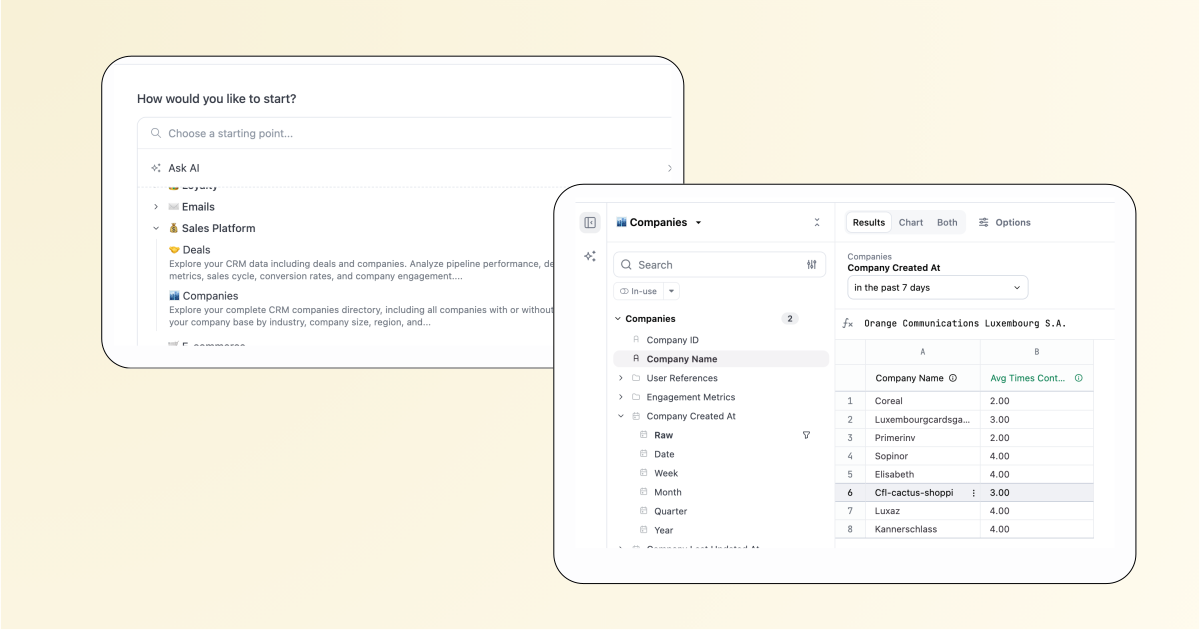
Now you can query company‑related data and build dashboards on information like contact counts, never‑contacted companies, and recently created companies. This expands sales insights beyond Deals, helping you manage and act on company information.
New: Brevo Connector for Claude
New: Share Automations Across Sub Accounts (Phased release)
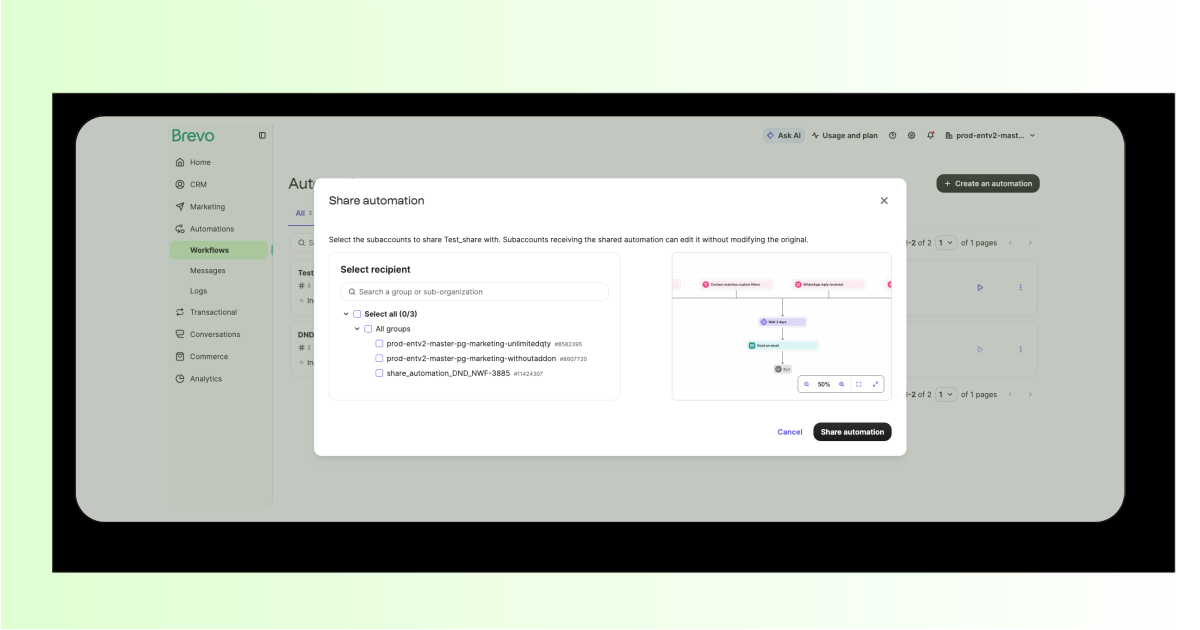
Push automation workflows from a parent account to one or multiple sub-accounts. No manual rebuilding required. Full workflow structures copy instantly and independently, with no acceptance flows or sync overhead. Built for distributed organizations and Enterprise migrations.
New: Schedule automated emails on specific dates
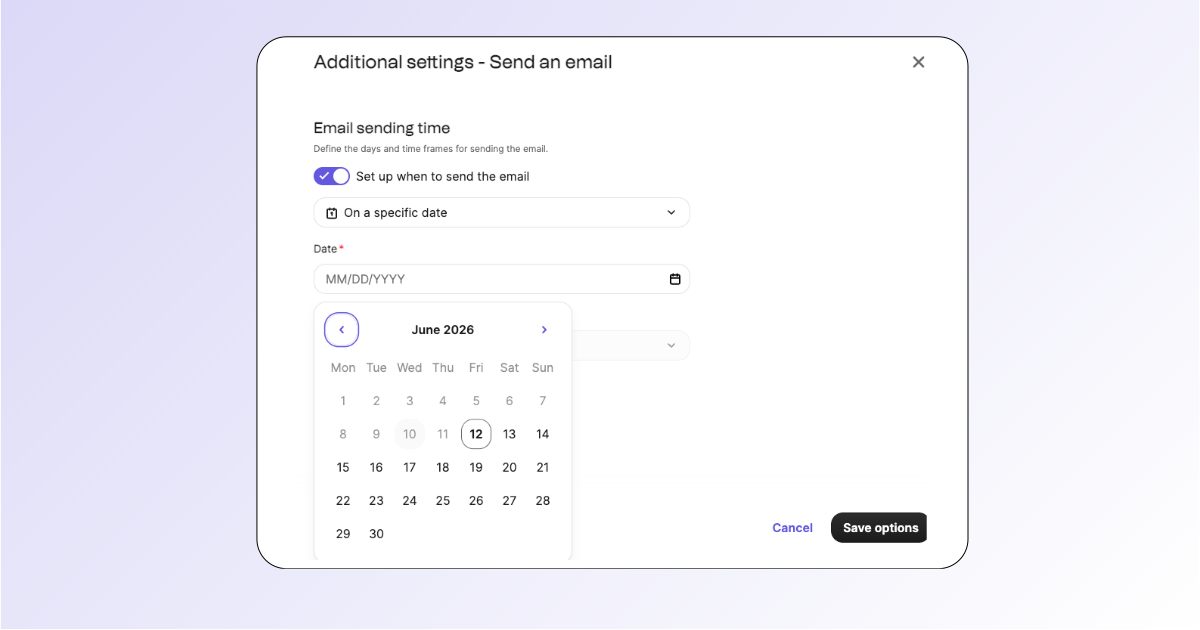
Previously limited to relative delays, you can now set an exact date, time, and time zone for any “Send an email” step in your automated workflows. If the scheduled date has already passed when a contact reaches the step, the email is skipped and the workflow continues automatically.
Improvement: Prompt-to-workflow now auto-configures step options
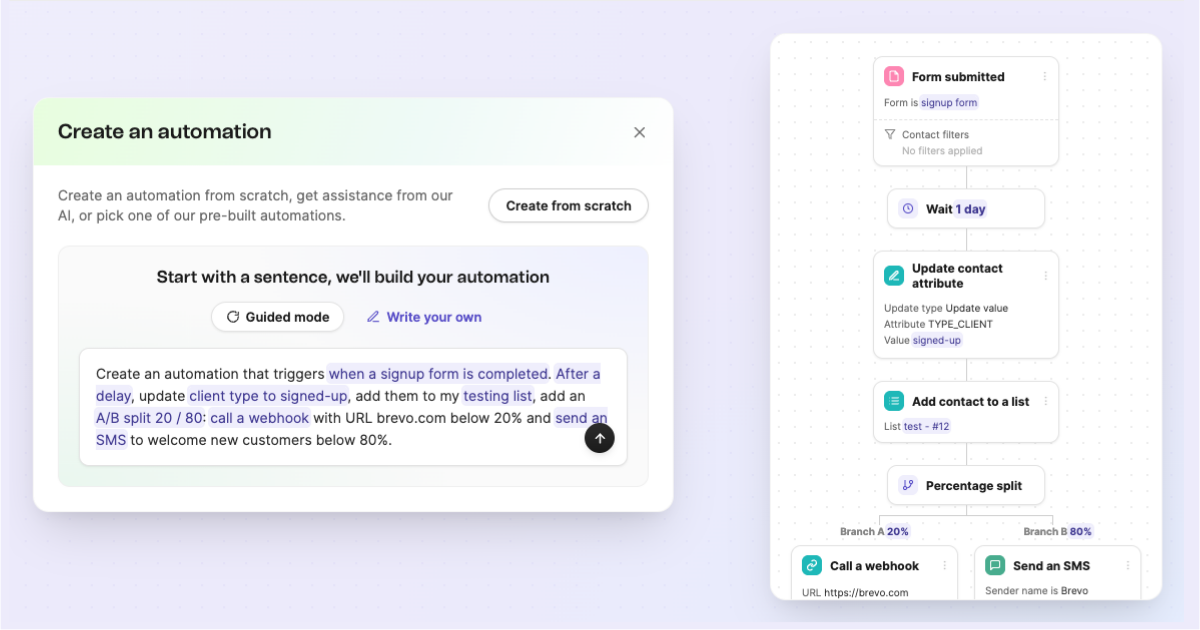
Generating a workflow from a prompt used to create only a skeleton, leaving you to manually configure delays, triggers, labels, and more. Now, Prompt-to-Workflow automatically sets up most step options directly from your prompt—including wait times, A/B split percentages, contact updates, list actions, webhook, and SMS settings—so workflows are ready to use faster and with fewer errors.
New: Location-triggered notifications for Wallet passes
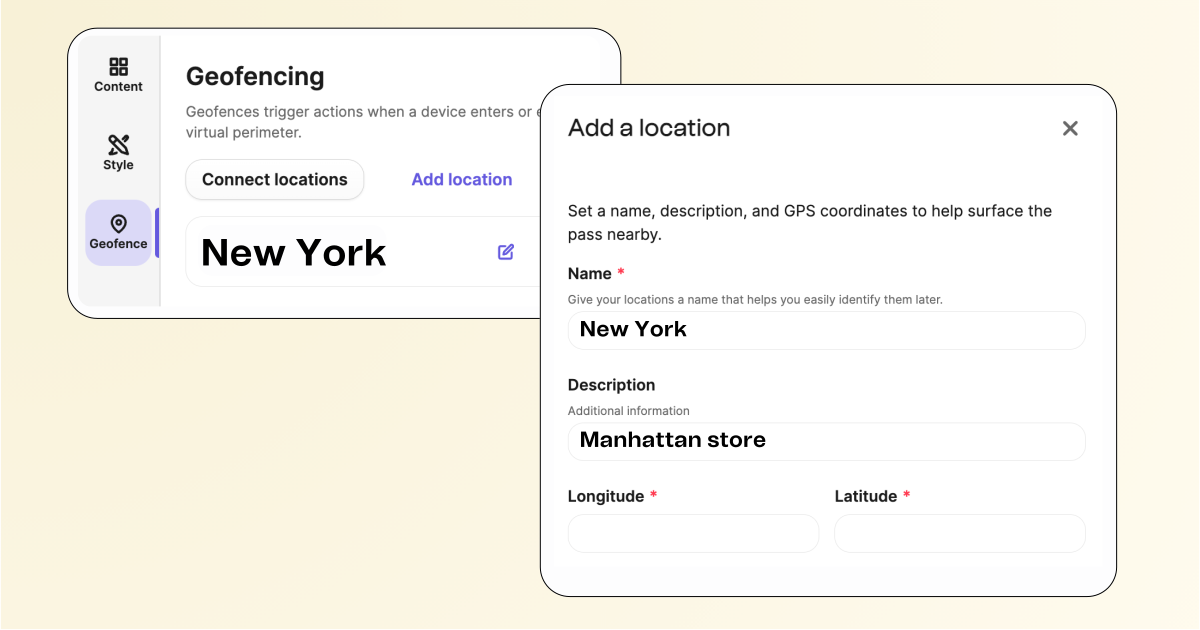
Wallet passes can now appear automatically on cardholders’ lock screens when they’re near a linked location. Attach one or more physical locations (stores, venues, or offices) to any pass, and a contextual push notification surfaces at exactly the right moment. Natively supported by both Apple Wallet and Google Wallet, it’s a simple way to drive in-store foot traffic from your digital loyalty program.
New: Branded Domain
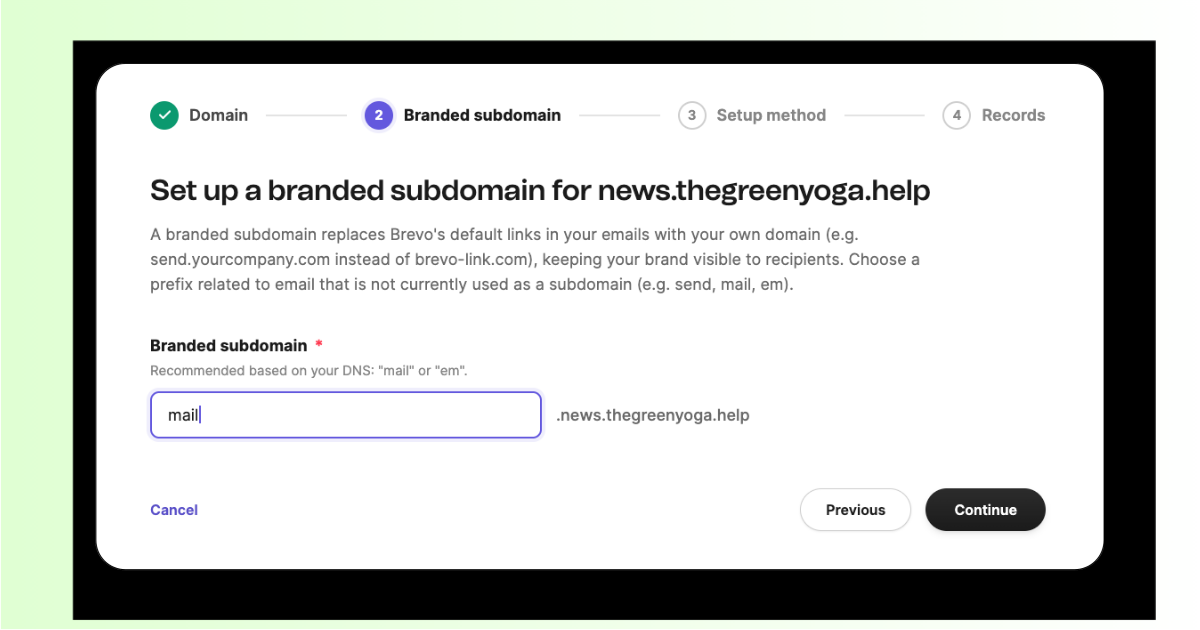
Branded Domain lets you replace Brevo-owned tracking and return-path domains with your own, boosting email deliverability and brand trust. By aligning DKIM, SPF, click and image links, and bounce handling with your domain, emails look authentic and achieve high success rates.
New: Loyalty information now accessible in PrestaShop
Customers can now view real‑time loyalty information like: points, tier status, redeemed rewards and transactions, directly in PrestaShop using the Brevo plugin. This centralized view enhances loyalty visibility and simplifies loyalty management.
Improvement: Delegate sub-account deletion to trusted admins
Admin owners can now assign the ability to delete sub-accounts to selected admins, eliminating single-person dependency. All deletions are logged with full details on who acted and when, accessible via the back office or public API.
New: Consent groups and preference centre
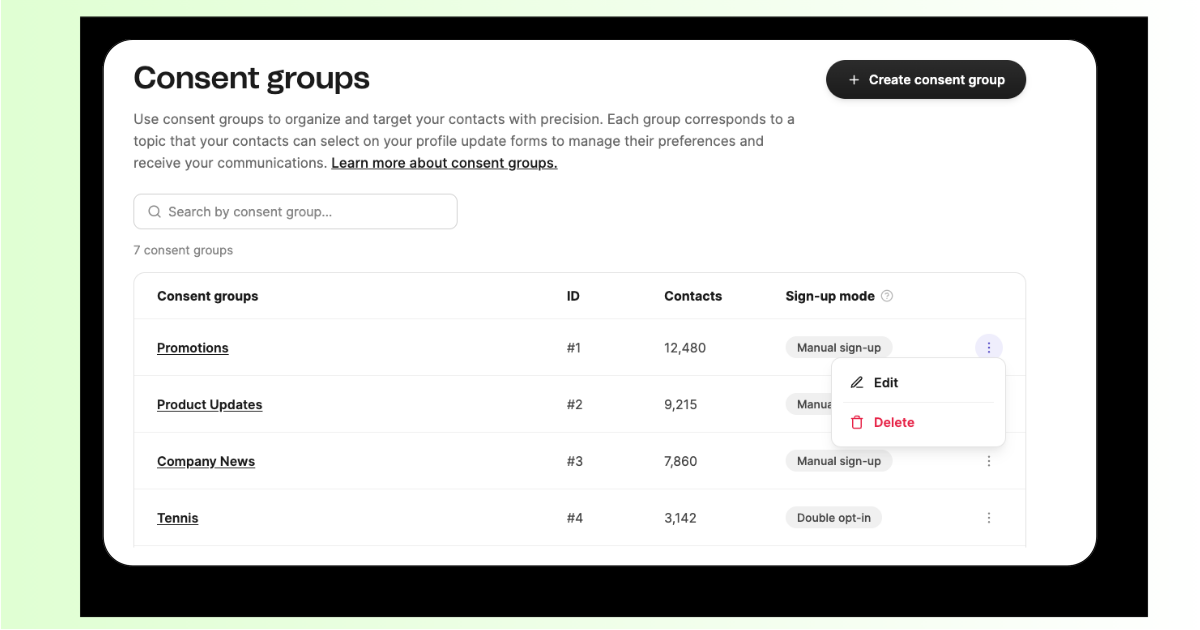
Let contacts choose exactly what they hear from you. Instead of one blanket subscribe/unsubscribe, contacts opt in or out of specific topics — like product updates, promotions, or regional news. Create your own consent groups, assign campaigns to them, and give contacts a self-serve way to manage their preferences. The result: messages only reach the people who actually want them. Available on Enterprise and Pro.