
Not all email APIs are built the same. Some are designed for raw transactional speed. Others focus on developer experience, include marketing tools, or integrate tightly with a specific cloud ecosystem.
The right choice depends on what matters most to your team. In this guide, we’ve reviewed the best email API services, including pros and cons, current pricing, and a clear recommendation for each use case.
The information in this article was last updated on March 6, 2026.
Try Brevo for free
Send 300 free emails a day. Perfect for bulk email, transactional messages, and testing.Table of Contents
- The best email API services at a glance
- What is an email API?
- Our methodology at Brevo: How we tested
- A closer look at the best email APIs for 2026
- Price comparison: What you'll actually pay for your email API
- Key features to look for in an email API provider
- Find the best email API provider for your business
The best email API services at a glance
What is an email API?
An email API is a bridge that connects your application to a professional email delivery service. Instead of building your own mail server from scratch, you use a few lines of code to send requests to the API, which then handles the complex work of routing, authentication, and inbox delivery.
This allows your system to send automated, data-driven messages (like password resets, shipping updates, or other critical notifications) at scale, while the provider manages the underlying infrastructure and sender reputation.
Good to know: Transactional emails often achieve click-through rates exceeding 5% – significantly higher than standard promotional emails. This makes them one of the highest-performing email types you can send.
New to email APIs? Read our complete guide on email marketing APIs here.
Our methodology at Brevo: How we tested
This article covers the best email API providers, including our own platform, Brevo. We strive to be objective. Our suggestions are based on our own research and experience. We do not earn commissions from any links in this article. To learn exactly how we evaluate tools, check out our dedicated methodology article.
Please note that the features listed here are just a selection of what each software offers. For exact pricing and a full, up-to-date feature list, check the providers' websites.
A closer look at the best email APIs for 2026
There are plenty of email API providers out there, but the right one for you depends on your specific stack, your budget, and how much technical heavy lifting you want to do. We've broken down the top 8 contenders for 2026 below.
1. Brevo: Best for an all-in-one scalable email infrastructure

Brevo stands out by offering more than just an email API – it's a complete customer platform that combines robust developer tools with powerful marketing features. You get REST APIs, SMTP relay, and webhooks for developers, plus an intuitive interface for marketers to manage campaigns without touching code.
Pros
- Generous free plan: Send 300 emails/day for free. Perfect for testing and small projects
- All-in-one platform: Combines transactional API, email marketing, SMS, WhatsApp, and built-in CRM in one system
- Excellent deliverability rates: 99%+ inbox placement with optimized shared IPs and optional dedicated IPs
- GDPR-compliant by design: EU-based company with servers in Europe
- Comprehensive SDK support: Official libraries for Node.js, Python, PHP, Ruby, Java, C#, and Go
Cons
- Daily sending limit on the free plan (300 emails)
- Marketing features may feel like "extra" if you only need transactional sending
- Interface can feel busy for developers who prefer minimalist API-only dashboards
Price
- Free: 300 emails/day (9,000/month)
- Paid: Starts at $9 for 5,000 emails a month (Marketing Platform)
What users say about Brevo

Excellent first experience with their support — Free account review
"I've been using Brevo since its Sendinblue days, mainly for email marketing and SMTP relay with our office printer [...] The transition to Brevo brought noticeable improvements. What stands out is their customer support - even as a free account user, I received personalized, non-canned responses to my queries. This prompt and considerate support, especially for minor issues like the SMTP key length for our printer, is commendable."
Pat B.,
Sales and Marketing Director

SMTP & Transactional email provider
"We've been using Brevo (Sendinblue) as an SMTP for our transactional Woo emails since 2021 and intend to continue even longer. And here's why. Recently, our account was postponed and all our transactional emails stopped being sent. We couldn't understand the reason behind it and appealed for support. Hats off to the Brevo team, we've received it quickly. The support team found a spam bot activity and helped us resolve this issue by advising us on our steps. Again, we never experienced any issues with the service itself. But it's great to know that Brevo's quick assistance is there if something goes wrong."
Tatiana Lebedeva,
Brevo user
Several sales and marketing tools in one system
"We stumbled upon Brevo by accident as we were using a system just for sending marketing emails. We discovered quickly that Brevo offered multiple different digital sales and marketing tools to enhance both our manual branded client engagement tasks, but also offered automation tools to aid our day to day sales efforts. Brevo has allowed us to move away from three other, separate systems and we now use Brevo for all our outbound sales and marketing endeavours. This has saved us a lot of time and money and has increased our output. The system is easy to use and the support is excellent and prompt."
Stephen Day,
Brevo user
2. Mailgun: Best for advanced routing and high-volume sending
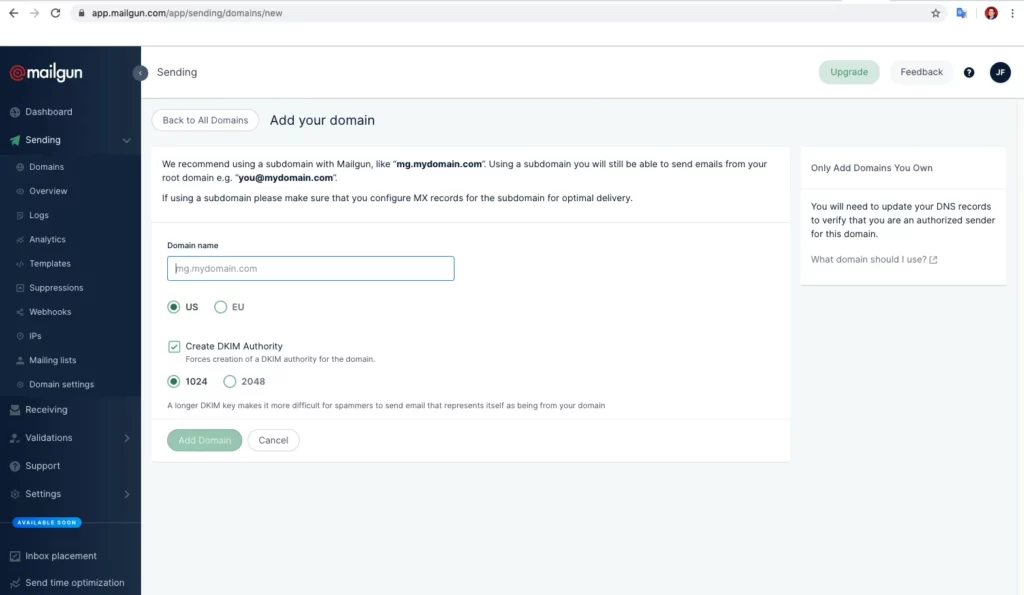
Mailgun, owned by Sinch, is a developer-first email API service. It’s built for complex workflows, especially if you need to parse incoming emails or route messages based on specific, sophisticated logic.
Pros
- Powerful inbound email parsing: Turn incoming emails into structured data with webhooks
- Advanced routing capabilities: Sophisticated rules for routing emails based on complex conditions
- Excellent documentation: Clear, developer-friendly API docs with code examples
- Email validation API: Built-in email address validation to reduce bounces
Cons
- The free plan is limited to 100 emails/day
- Log retention is limited to a maximum of 30 days
- Powerful features come with more complexity, not ideal for beginners
Price
- Free plan: 100 emails/day
- Paid plan: Starts at $15 for 10,000 monthly emails
What users say about Mailgun
Ketmanto W. (Capterra): I had a great overall experience with Mailgun, but the dashboard analytics could use some improvement. Additionally, MailGun could also offer us more insights regarding the missing emails, bounces, etc.
Peter K (Trustpilot): Mailgun offers a simple to use SMTP server that we use to send customer e-mails regarding credit card declines, periodic reports, etc. It is reasonably priced, and so far, we have had no real issues with it.
Discover the best Mailgun alternatives for transactional emails.
3. SendGrid: Best for enterprise-scale email delivery
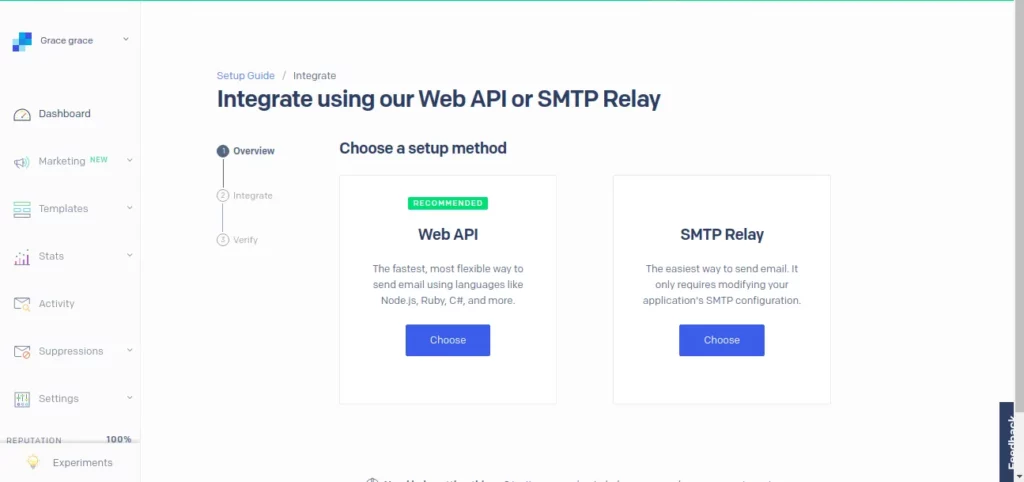
SendGrid, now part of Twilio, is one of the oldest and largest players in the email API space. Its core strength lies in its API’s ability to manage massive email volumes. The software also includes a broad set of deliverability tools and a marketing campaign interface.
Pros
- Comprehensive deliverability tools: Inbox deliverability insights, reputation monitoring, and dedicated IP warmup
- Twilio ecosystem: Seamlessly integrates with Twilio's SMS, voice, and video APIs
- Email marketing features available: SendGrid offers a separate plan for email marketing
- Email validation API: Validate email addresses before sending to improve deliverability rates
Cons
- Only 100 emails/day on free trial, and only for 60 days
- Setup can be complex, especially for beginners
- Costs increase significantly as you scale beyond 100k emails/month
Price
- Free plan: 100 emails/day for 60 days
- Paid plan: Starts at $19.95/month for 50,000 monthly emails.
What users say about SendGrid
Milton A. (Capterra): My experience with Sendgrid has always been good, there are no problems with their shipping system, their builder is great and their API integrates with many other tools.
Ricardo (Trustpilot): Yeah it can be a bit tricky and all but it is reliable, it works if you know how to use it.
Read more: The best SendGrid alternatives.
4. Postmark: Best for fast transactional email delivery
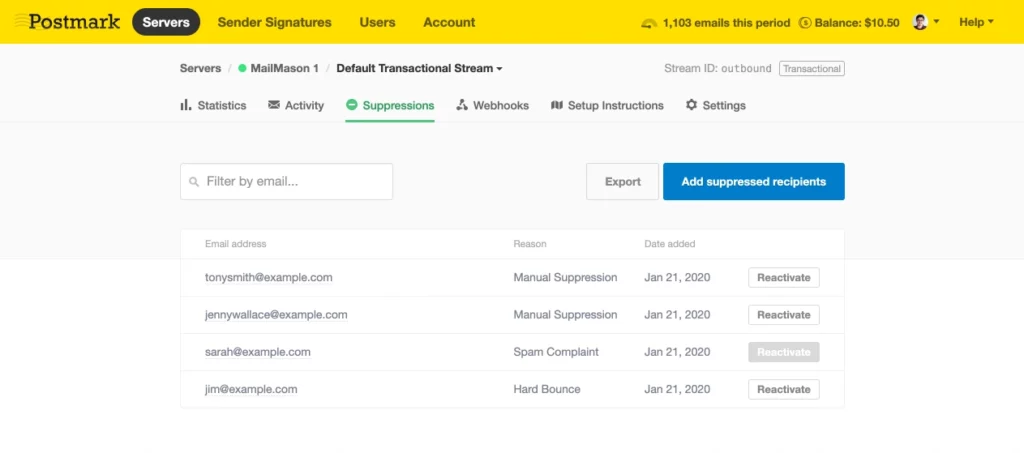
Postmark is an email API service that focuses on transactional email reliability. By requiring a strict separation between transactional and marketing traffic, they ensure that critical messages like password resets are never delayed by bulk promotional sends.
Pros
- Control: Promotional email campaigns and transactional emails are sent through separate sending infrastructure
- High delivery speed: According to Postmark, their infrastructure is optimized for speed over bulk
- Long data retention: Postmark offers 45 days of message history by default (customizable up to 365 days on Pro plans and above)
Cons
- Marketing and transactional emails must be configured as separate message streams
- Only 100 emails per month on the free tier
Price
- Free plan: 100 emails/day
- Paid plan: Starts at $15 for 10,000 monthly emails
What users say about Postmark
Himanshu V. (Capterra): My experience with Postmark was good. It sends email in quick time. But because of it's prizing my client asked to search some other tool.
Mateusz Kroplewski (Trustpilot): I have tried using MailJet and AmazonSES before postmark and the customer service is very slow. I set up postmark and got my domain approved to send email on the same day. Customer service is amazing.
Read more: The best transactional email services compared.
5. Mailtrap: Best for safe testing environments
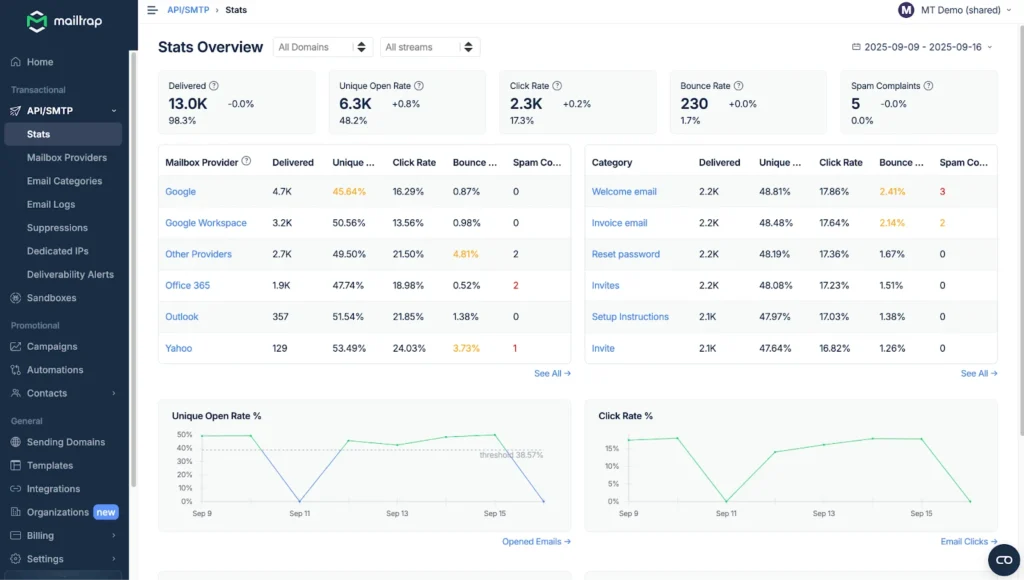
Most developers know Mailtrap as a “sandbox” tool – the place where you send test emails to make sure your HTML and CSS look right without actually emailing a real customer. They expanded their platform a few years ago to include a production-ready email API, which means you can use them for both testing and live delivery.
Pros
- The Sandbox: It’s one of the best ways to catch and inspect emails during development
- Unified workflow: Keep your staging environment and your production sending in one account
- Deliverability alerts: They’ll notify you if your metrics start to dip
Cons
- Mailtrap’s free plan limits you to 150 emails per day
- You have to buy the Sandbox and the Sending features as separate subscriptions
Price
- Free plan: 150 emails/day (4,000 emails/month)
- Paid plan: Starts at $15/month for 10,000
What users say about Mailtrap
Jaime S. (Capterra): Mailtrap's analytics gives me the capability to spot and address email delivery issues quickly. From my developer's lens, this SMTP service is spot on, especially in-depth analytics. Getting started was fast, and in no time, I got a clear understanding of the sending dynamics.
Matthew F. (Capterra): When we first found Mailtrap, we thought the integration would be a hassle and require a lot of dev resources. However, it turned out to be super easy. And since sending our first email, we’ve never had any deliverability issues.
6. Amazon SES: Best budget-friendly option for developers
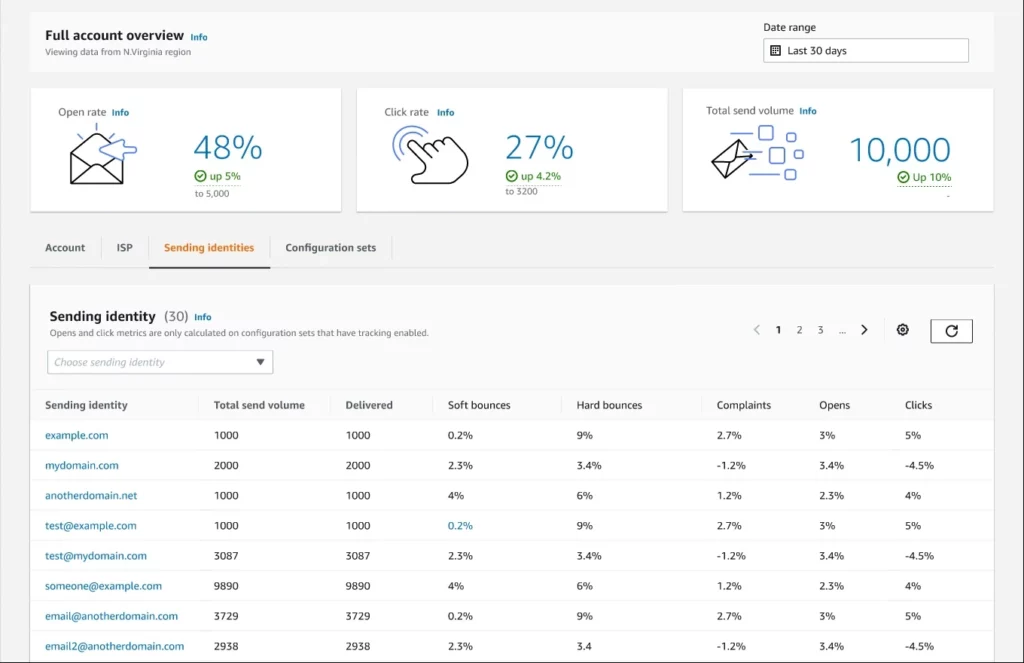
Amazon Simple Email Service (SES) is a flexible, pay-as-you-go email API service. It is one of the cheapest email APIs on this list, though it requires more technical effort to configure compared to other email service providers.
Pros
- Unbeatable price: You pay only $0.10 per 1,000 emails
- Pay-as-you-go: No monthly subscription needed
- Scalability: Built on Amazon’s global infrastructure, SES can easily scale from a few dozen to millions of emails
Cons
- Requires AWS console knowledge; steep learning curve for non-tech users
- Lacks several features common in other providers (e.g. a visual drag-and-drop template builder or an intuitive dashboard for non-technical users)
Price
- Free plan: 3,000 message charges/month for the first 12 months
- Paid plan: Pay-as-you-go ($0.10 per 1,000 emails)
What users say about Amazon SES
Kayla S. (Capterra): The most difficult part for me was the set up it was confusing while in that process. After we got though that it seems to be much smoother and going great now.
Elle L. (Capterra): Dirt cheap and works, but it does need regular maintenance and monitoring, not feeling like I can completely let it be automated.
Discover the best free SMTP servers in our dedicated blog article.
7. MailerSend: Best for intuitive UI and transactional templates
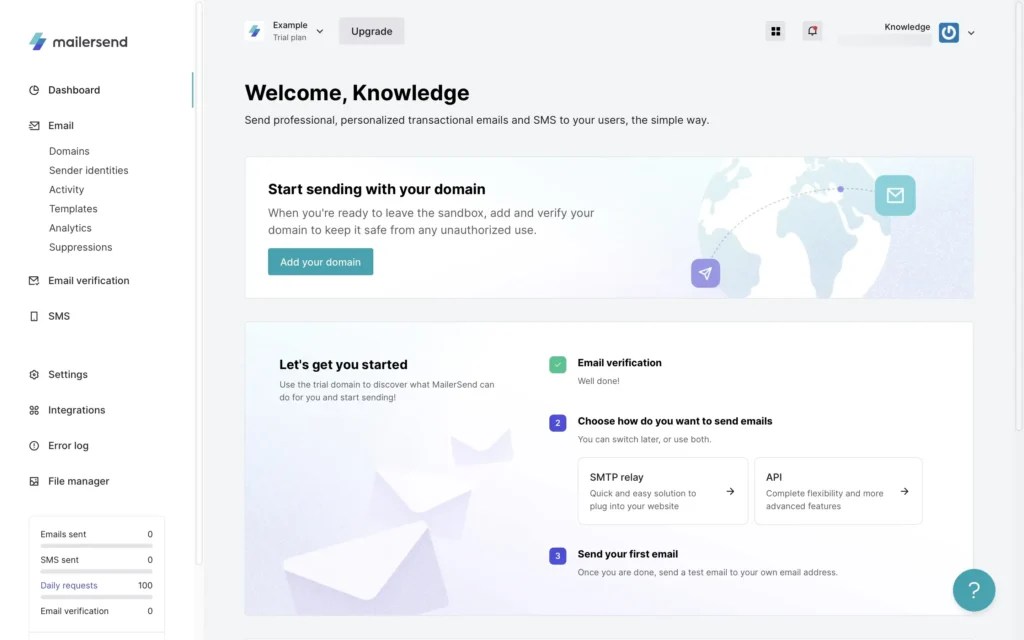
Built by the team behind MailerLite, MailerSend offers a modern API paired with a powerful drag-and-drop template builder. It is a great fit for teams where developers manage the backend integration, but non-technical staff handle the design and content of the emails.
Pros
- Visual builder: A drag-and-drop editor that makes it easy to design responsive transactional emails
- Email verification: Built-in tool to clean your lists and reduce bounce rates
- SMS API: Send transactional SMS alongside your emails (currently US/Canada only)
Cons
- MailerSend is designed for sending transactional emails; sending other emails (e.g. newsletters) is discouraged
- With only 500 emails per month, the sending limit on the free plan is pretty low
Price
- Free: 500 emails/month
- Paid: Starts at $7/month for 5,000 emails (billed monthly)
What users say about MailerSend
Miguel S. (Capterra): Very easy to use, great options for free, no problems sending emails! Also great email automation sequences and low learning curve. Somewhat pricey on higher tiers. Starts getting expensive if your email list becomes too big. Wish there were more pricing options.
Sosorioo (Trustpilot): MailerSend has been a great solution for my project. The approval was fast, the interface is clear, the mail delivery is reliable, and the domain setup was easy: highly recommended for developers and teams who need uncomplicated transactional mailings!
Good to know: You can find more transactional email examples in our dedicated blog article.
8. Resend: Best for modern developer experience
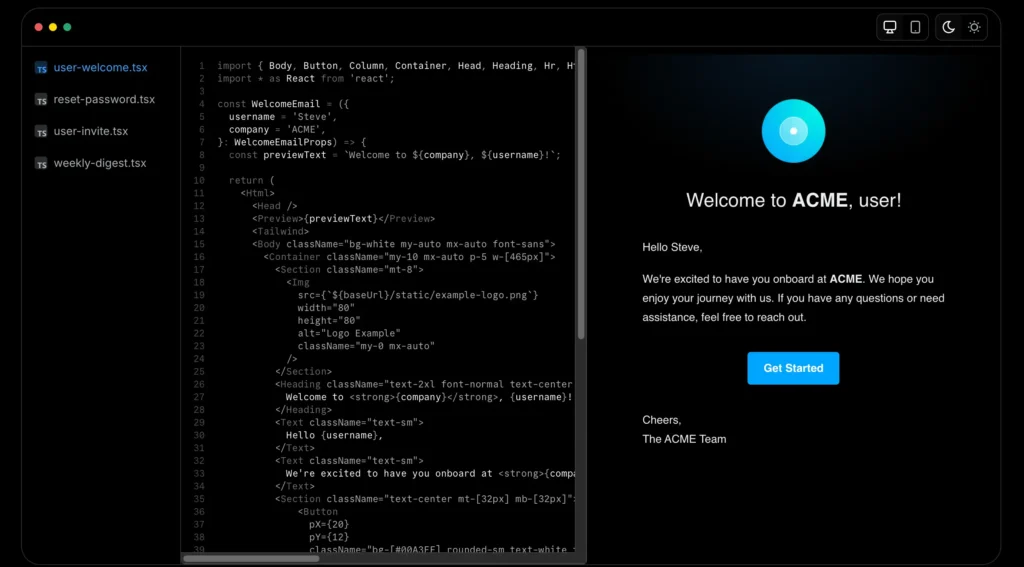
Resend is a developer-focused platform designed for modern web frameworks like Next.js and Remix. It is well-known for its React Email integration, which allows developers to build responsive templates using React components rather than traditional HTML tables.
Pros
- React Email: First-class support for coding templates with React, previewing them locally, and sending via API
- Clean DX: Minimalist documentation and a dashboard designed specifically for a developer's workflow
- Webhooks: Secure, signed webhooks with easy setup for event tracking
Cons
- Founded in 2022, Resend has a shorter history of managing extremely high-volume enterprise sending compared to more established services
- No built-in tools for marketing campaigns or CRM
- Short activity log retention (1 day on Free, 3 days on Pro, and 7 days on Scale)
Price
- Free: 3,000 emails/month (100 emails/day limit)
- Paid: Starts at $20/month for 50,000 emails
What users say about Resend
Adam Pomposelli (Trustpilot): A happy customer! Resend was really easy to set up (from a developer's perspective) and my emails actually make it to the inbox (finally!).
bananajam (Trustpilot): Works for my use case of sending app verification codes and some other auxiliary emails. Messages arrive pretty quickly to Gmail inboxes. Hope the situation won't change.
Price comparison: What you'll actually pay for your email API
Email API pricing is rarely a flat fee. It usually involves a mix of monthly tiers and overage costs. That’s why we compared the pricing for sending a specific number of emails per month. All prices are based on monthly plans (cheapest plan available per number of contacts).
Key features to look for in an email API provider
When you're evaluating a provider, it’s easy to focus solely on the price tag. However, for a mission-critical part of your infrastructure, you need to look closer at the technical pillars that ensure your emails actually work.
Deliverability
High deliverability is crucial. If your password resets or order confirmations land in the spam folder, your user experience suffers immediately. Look for a provider that has established, long-term relationships with major ISPs like Gmail and Outlook.
A reliable email API service should make authentication easy by providing clear documentation for setting up SPF, DKIM, and DMARC records. It should also handle list hygiene automatically by suppressing addresses that result in hard bounces or spam complaints.
Read more: 13 ways to improve email delivery.
Developer experience
A well-designed API should be easy to integrate and even easier to maintain. This starts with the documentation – it should be searchable, up-to-date, and full of working code examples rather than just abstract technical references.
Check if the provider offers official SDKs for the programming languages your team uses (such as Node.js, Python, or Go). Good developer experience also includes helpful, specific error messages and a sandbox environment where you can test your integration without sending real emails.
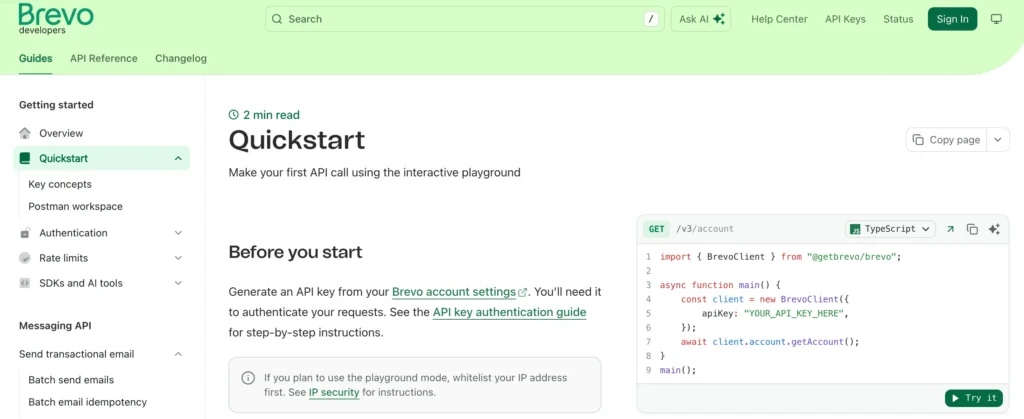
Ready to learn more? Explore our email API documentation.
Scalability
Your email infrastructure needs to grow alongside your business without requiring a major migration later. A scalable email API can handle sudden bursts in traffic – like a flash sale or a viral sign-up event – without hitting aggressive rate limits that cause delays.
Ask about the provider's throughput capacity and whether they offer dedicated IP addresses. While shared IPs are fine for lower volumes, high-volume email senders often need a dedicated IP to have full control over their own sending reputation.
Analytics
You can’t optimize what you can’t measure. Beyond simple "sent" and "delivered" counts, a professional email API service should provide real-time data on opens, clicks, and bounces.
Crucially, you should have access to detailed delivery logs. If a customer claims they didn't receive an email, you need to be able to look up that specific transaction and see exactly what happened.
Compliance
Email involves handling sensitive user data, making compliance a non-negotiable feature. If you have customers in the European Union, your provider must be GDPR-compliant. This includes offering data processing agreements (DPAs) and, ideally, providing options for where your data is stored (data residency).
Beyond legal requirements, look for security certifications like SOC 2 Type II or ISO 27001, which prove the provider follows industry-standard security protocols to protect your account and your users' information.
Support
When a critical integration fails or you notice a sudden drop in email deliverability, you need to know how fast you can get help. Evaluate the provider's customer support tiers.
Do their plans include chat or phone support, or are you limited to an email ticket system? Also check their public status page to see how transparent they are about past incidents and what their historical uptime looks like.
Quick tip
Want to know how other companies use Brevo to build strong customer relationships? We’ve put together a wide range of case studies for you that show how it’s done. In one of them, Figaro Classifieds reveals how they secure their critical transactional emails with Brevo's email API – and key takeaways to replicate when volumes skyrocket.
Find the best email API provider for your business
Choosing the best email API is about matching the technical capabilities of a provider with the specific needs of your application and your team.
Whether you prioritize a seamless developer experience, high-volume reliability, or a platform that brings your engineering and marketing teams together, there is a specialized tool for the job.
- For marketing & transactional combined: Brevo and SendGrid
- For high-volume enterprise infrastructure: SendGrid and Mailgun
- For fastest transactional delivery: Postmark
- For modern React/Next.js development: Resend
- For cost-conscious developers on AWS: Amazon SES
- For unified staging and visual testing: Mailtrap
- For clean UI & simple setup: MailerSend
- For GDPR compliance & EU hosting: Brevo
If you’re looking for a balanced solution that gives you a reliable API and a full marketing suite, Brevo is the best place to start. Don't just take our word for it. Try Brevo for free today – no credit card required.