
Nearly 1 in 5 marketing emails fails to reach the inbox because of poor deliverability. That’s why to succeed at email marketing, you need more than just clever copy; you need a suite of email deliverability tools that protect your reputation.
In this guide, we’ll break down the best email deliverability solutions to make sure your carefully crafted email campaigns reach the inbox.
The information in this article was last updated on May 26, 2026.
Table of Contents
- The best email deliverability tools at a glance
- What is an email deliverability tool?
- Our methodology at Brevo: How we tested
- A closer look at the best email deliverability tools for 2026
- Email deliverability benchmarks: How does your program stack up?
- How to choose the right email deliverability solution
- Find the best email deliverability tool for your business
The best email deliverability tools at a glance
| Tool | Category | Best for | Free plan | Trustpilot rating |
|---|---|---|---|---|
| Brevo | Platform | All-in-one proactive deliverability | 300 emails/day | 4.1 |
| Mailgun | Platform | Developer-centric API sending | 100 emails/day (Send), 1 month (Optimize) | 4.1 |
| Mailtrap | Platform | Testing-first delivery workflow | 150 emails/day, 50 test emails | 3.6 |
| GlockApps | Testing | Folder placement and "Tab" testing | 2 spam tests/month | 4.3 |
| Warmy.io | Warmup/Audit | AI-powered mailbox warming | Limited deliverability tools | 4.1 |
| MXToolbox | Audit | Technical DNS and blacklist audits | 1 blacklist monitor/week | 3.7 |
| ZeroBounce | List Hygiene | Identifying risky emails and spam traps | 100 validation credits/month | 4.8 |
| Unspam.email | Testing | Visual spam scoring and heatmaps | Limited monthly tests | - |
| Google Postmaster Tools | Monitoring | Official reputation data from Google | Free | - |
| Sender Score | Audit | Reputation "credit score" for your IP | Free basic score lookup | - |
What is an email deliverability tool?
An email deliverability tool helps you bridge the gap between sending a message and successfully reaching the inbox. While many people use these terms interchangeably, there is a key technical distinction between the three main categories of tools you'll find on the market:
- Email deliverability platforms: These are the email service providers (ESPs) that supply the actual infrastructure (IPs and servers) used to send your mail. They handle technical protocols like SPF and DKIM automatically.
- Diagnostic & testing tools: These tools handle email deliverability testing before you send — checking your content and technical headers against common spam filters to catch issues before they reach a real inbox.
- Reputation monitoring tools: These track your long-term health with major ISPs (like Gmail or Outlook) to help you spot reputation dips before they turn into delivery failures.
Self-hosted senders using Sendy typically need to piece these tools together themselves — see our Sendy alternatives guide for hosted options with deliverability built in.
Our methodology at Brevo: How we tested
This article covers the best email deliverability tools, including our own platform, Brevo. We strive to be objective. Our suggestions are based on our own research and experience. We do not earn commissions from any links in this article. To learn exactly how we evaluate tools, check out our dedicated methodology article.
Please note that the features listed here are just a selection of what each software offers. For exact pricing and a full, up-to-date feature list, check the providers' websites.
A closer look at the best email deliverability tools for 2026
High deliverability isn't the result of a single feature; it’s the outcome of a healthy workflow. To help you find the right fix, we’ve grouped our top picks into three functional categories: the platforms that send your mail, the diagnostic tools that test it, and the monitors that track your long-term reputation.
Email deliverability platforms
Brevo
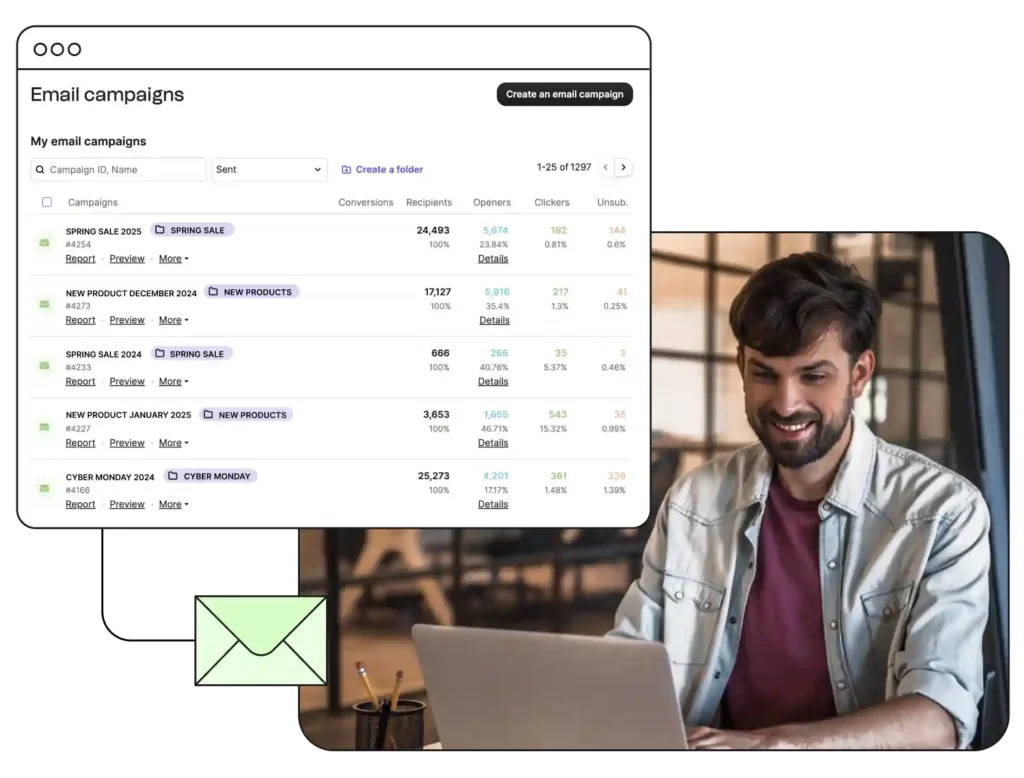
Brevo is a comprehensive email deliverability platform where infrastructure is the priority. According to independent testing by EmailDeliverabilityReport, Brevo holds a 91/100 deliverability score, which represents "excellent performance" (as of 26.05.2026).
While other tools tell you why you landed in spam, Brevo provides the systems to prevent it. It combines managed IP reputation, AI-powered email sending, and automated list cleaning into a single interface.
Key deliverability features:
- Managed IP reputation: Proactive monitoring of shared IP pools to ensure high placement rates for all users.
- AI send time optimization: Uses AI to send emails when individual contacts are most active.
- Automated domain authentication: Brevo can configure DKIM and DMARC records automatically by connecting directly to your domain provider — no manual DNS editing or developer needed.
- Automated suppression list: Automatically removes hard bounces and unsubscribes to protect your sender score.
- Dedicated IP options: Full control over your own reputation for high-volume senders.
- Global delivery infrastructure: Optimized servers designed for speed and reliability across different regions.
Pros
- High-rated infrastructure: Managed IP reputation systems ensure your emails start with the best possible chance of hitting the inbox.
- AI send time optimization: Automatically sends emails when individual contacts are most likely to engage, improving open rates.
- Separate transactional and marketing routing: Brevo routes transactional emails (receipts, password resets) and marketing campaigns through separate channels, so a spike in spam complaints from one campaign never affects your critical transactional traffic.
- Real-time deliverability reporting: Brevo's campaign dashboard tracks the metrics that matter most for sender health, including bounce rate, spam complaint rate, and unsubscribe rate.
Cons
- Daily sending limit on the free plan (300 emails)
Price
- Free: 9,000 emails/month (300/day)
- Paid: Starts at $9/month

Excellent first experience with their support — Free account review
"I've been using Brevo since its Sendinblue days, mainly for email marketing and SMTP relay with our office printer [...] The transition to Brevo brought noticeable improvements. What stands out is their customer support - even as a free account user, I received personalized, non-canned responses to my queries. This prompt and considerate support, especially for minor issues like the SMTP key length for our printer, is commendable."
Pat B.,
Sales and Marketing Director

SMTP & Transactional email provider
"We've been using Brevo (Sendinblue) as an SMTP for our transactional Woo emails since 2021 and intend to continue even longer. And here's why. Recently, our account was postponed and all our transactional emails stopped being sent. We couldn't understand the reason behind it and appealed for support. Hats off to the Brevo team, we've received it quickly. The support team found a spam bot activity and helped us resolve this issue by advising us on our steps. Again, we never experienced any issues with the service itself. But it's great to know that Brevo's quick assistance is there if something goes wrong."
Tatiana Lebedeva,
Brevo user
Several sales and marketing tools in one system
"We stumbled upon Brevo by accident as we were using a system just for sending marketing emails. We discovered quickly that Brevo offered multiple different digital sales and marketing tools to enhance both our manual branded client engagement tasks, but also offered automation tools to aid our day to day sales efforts. Brevo has allowed us to move away from three other, separate systems and we now use Brevo for all our outbound sales and marketing endeavours. This has saved us a lot of time and money and has increased our output. The system is easy to use and the support is excellent and prompt."
Stephen Day,
Brevo user
Mailgun
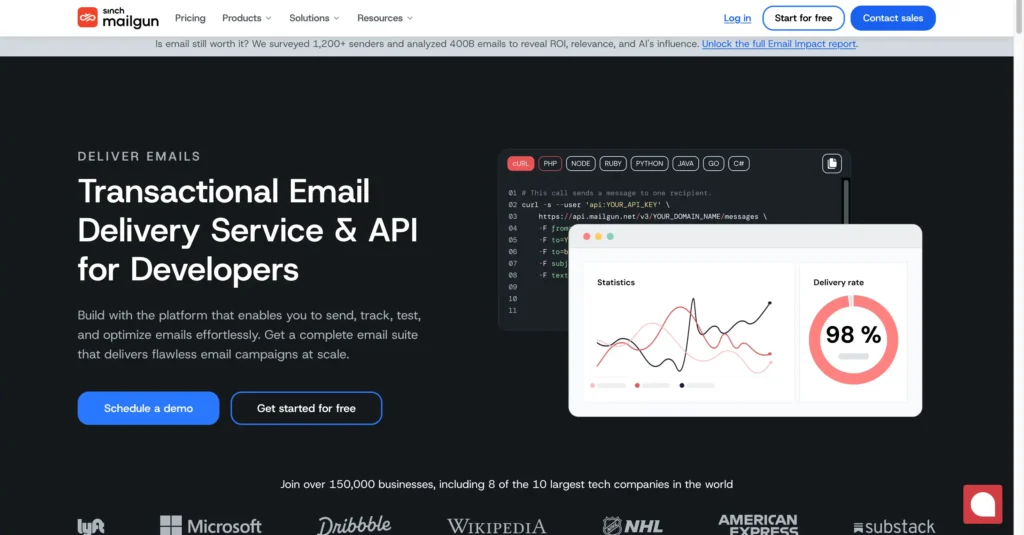
Mailgun is a powerful, API-first email deliverability software designed for technical teams who need granular control over their sending logic. It is widely recognized for its robust infrastructure, offering specialized tools to route transactional and marketing mail through separate channels to protect critical delivery.
For teams that want to go deeper on deliverability diagnostics, Mailgun Optimize is a standalone suite within the platform that covers inbox placement testing, email validation, and spam filter analysis — and can be used independently of Mailgun as a sending provider.
Key deliverability features:
- RESTful email APIs: Flexible integration for high-performance application-led sending.
- Mailgun Optimize: Dedicated inbox placement testing, email preview across clients, and email validation to diagnose deliverability issues before they affect your campaigns.
- Email validation API: Real-time checking of email addresses at the point of sign-up.
- Separate routing channels: Keeps transactional mail reputation separate from marketing campaign traffic.
- Detailed delivery logs: Searchable logs for every send, block, and delay.
- Dedicated IP management: Expert-managed warmup plans for new high-volume IP addresses.
Pros
- Advanced routing: Allows developers to create complex rules for how mail is handled across different IPs.
- Deliverability analytics: Includes the "Optimize" suite for inbox testing, email validation, and technical diagnostics.
Cons
- Steep learning curve and a complex interface for non-technical users.
Price
- Free (Send): 100 emails/day
- Free (Optimize): 1 month
- Paid (Send): Starts at $15/month
- Paid (Optimize): Starts at $49/month
Read more: The best Mailgun alternatives for transactional emails and the best email API services.
Mailtrap
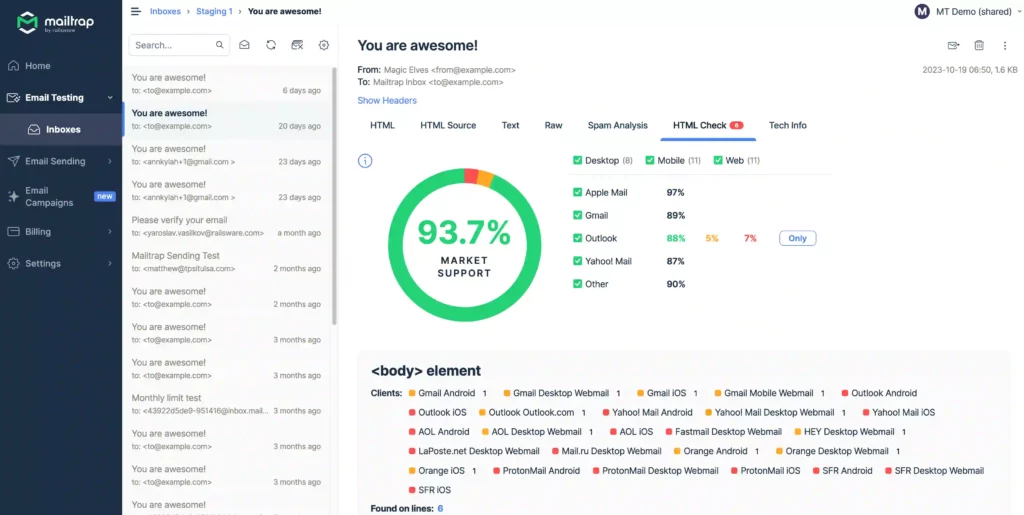
Mailtrap is an email delivery platform specifically tailored for development and product teams who need to ensure every automated email works perfectly before it ever touches a real customer's inbox.
It provides a unique sandbox environment where teams can safely view, test, and share email templates in a staging area, effectively preventing embarrassing test emails from reaching your live audience.
Key deliverability features:
- Safe email sandbox: Captures all outgoing mail in a virtual inbox to avoid accidental customer sends.
- Email content analysis: Checks your HTML and CSS for compatibility across different mail clients.
- High-performance email API: A sending engine built for 99.9% uptime and high delivery rates.
- Deliverability dashboard: Real-time tracking of sent, bounced, and rejected messages.
- Spam filter scoring: Rates your email against common filters like SpamAssassin before you send.
- 24/7 expert support: Technical assistance for high-volume troubleshooting.
Pros
- Email sandbox: Safely test emails in a staging environment with zero risk of accidentally emailing real users.
- Technical support: Offers high-level technical expert support to help troubleshoot complex delivery errors.
Cons
- The "Sandbox" and "Sending" features are separate products with distinct pricing tiers
Price
- Free (Email API/SMTP): 4,000 emails/month (150/day)
- Free (Email Sandbox): 50 test emails
- Paid (Email API/SMTP): Starts at $15/month for 10,000 emails
- Paid (Email Sandbox): Starts at $17/month for 500 test emails
If you're comparing platforms for transactional sending, see our full guide to the best transactional email services.
Diagnostic & testing tools
GlockApps
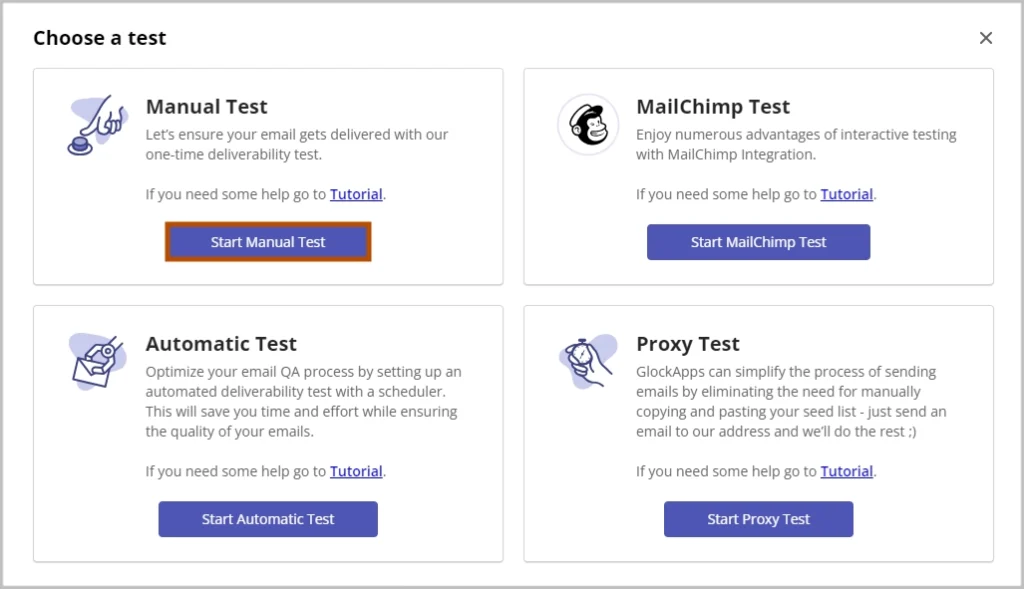
GlockApps is a sophisticated email deliverability service that specializes in deep diagnostic testing, particularly folder placement and spam filter bypass analysis.
By utilizing a global network of seed lists — real email accounts at various providers — it gives you a definitive answer on whether your campaign will land in the Primary inbox, the Promotions tab, or the dreaded Spam folder before you hit "Send".
Key deliverability features:
- Inbox placement reports: Detailed data on folder placement across Gmail, Outlook, Yahoo, and more.
- Inbox Insight spam testing: Analyzes your content against multiple commercial spam filters.
- Blacklist monitoring: Continuous monitoring of your domain and IP across major lists.
- DMARC analyzer: Automated reports on your authentication alignment and policy.
- Uptime monitoring: Alerts you if your mail server or DNS records go offline.
Pros
- Inbox insight: Provides a granular look at exactly where your email lands across major providers like Gmail, Yahoo, and Outlook.
- Content analysis: Identifies potential spam-trigger words or technical HTML errors that might cause filters to flag your mail.
Cons
- Inbox placement tests require sending your email to their seed list first — automated scheduling is available on paid plans but the initial setup still involves a manual step.
Price
- Free: 2 spam tests/month
- Paid: Starts at $85/month (monthly payment)
See our dedicated roundup of email testing tools for developers and marketers.
Warmy.io
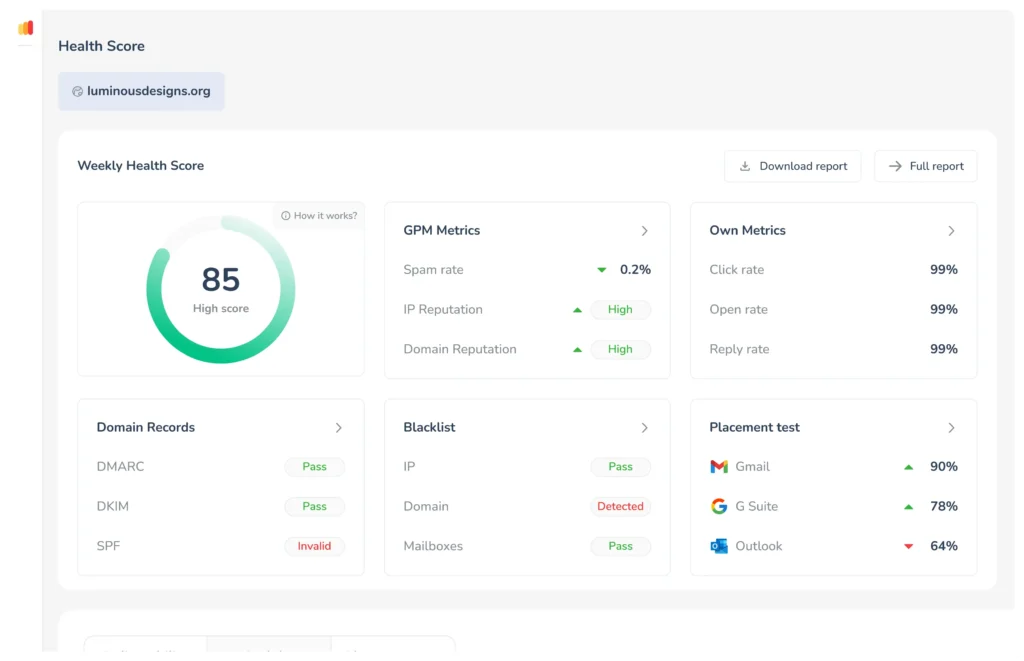
Warmy.io is a specialized email deliverability solution built for teams that need to warm up a new email domain or recover a damaged sender reputation. It's particularly valuable for cold email outreach teams launching a new domain.
It uses AI-driven automation to generate realistic email interactions (opens, replies, and removals from spam) within a network of real mailboxes, signaling to ISPs that your domain is a trustworthy and engaged sender.
Key deliverability features:
- AI-powered warmup: Automates sending, opening, and replying to build positive engagement signals.
- Deliverability test: Checks your technical setup (SPF, DKIM, DMARC) in real-time.
- Topic-based warmup: Warm up your inbox using content relevant to your specific industry.
- Mailbox health tracking: Continuous monitoring of your inbox's health score across providers.
- Multiple account management: Manage warmup for a large team of sales inboxes in one dashboard.
Pros
- Automated warmup: Uses AI to gradually scale your sending volume and engagement signals without manual intervention.
- Template analysis: Scans your email content for deliverability risks and provides advice on improving your setup.
Cons
- Primarily built for sales outreach and cold email use cases — less suited for high-volume marketing campaign warmup
Price
- Free: Limited deliverability tools; 7-day free trial for advanced features
- Paid: Volume-based pricing across three plans (contact Warmy for a quote)
To understand why testing tools matter, it helps to know how email spam filters work and what signals they use to classify your messages.
MXToolbox
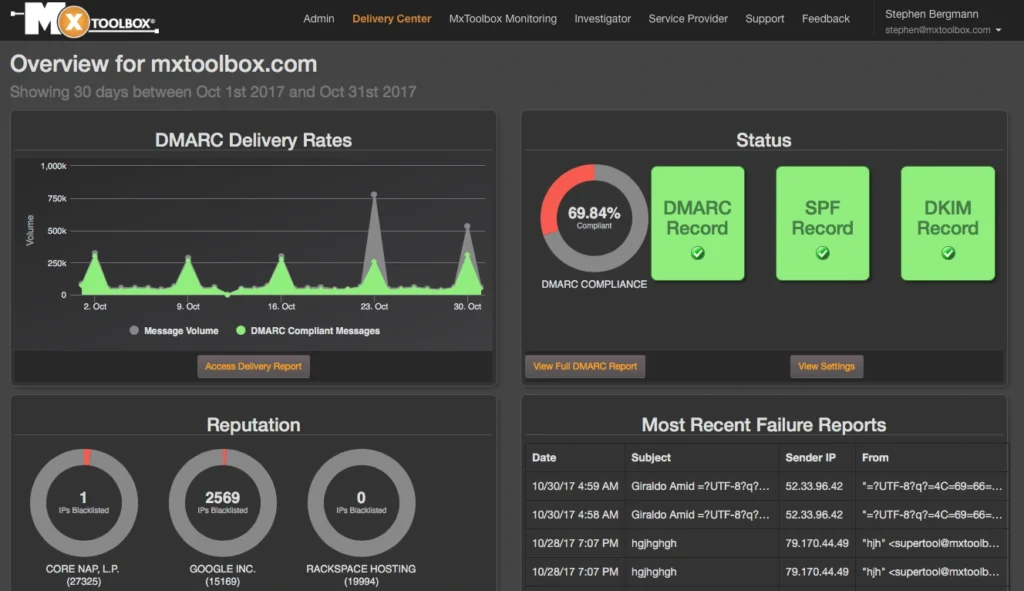
MXToolbox is a widely used multi-tool for troubleshooting technical email issues. IT professionals and marketers alike use it to audit the backend configuration of their email setup.
It provides instant, real-time lookups for everything from DNS records to blacklist status, making it the first place to go when you suspect a technical delivery failure.
Key deliverability features:
- SMTP diagnostic: Tests your mail server's responsiveness and compliance with standards.
- Email header analyzer: Paste a header to see the hop-by-hop path your email took.
- DNS health check: Verifies that your DNS records are resolving properly worldwide.
- Domain reputation: Provides a technical snapshot of how your domain is viewed globally.
Pros
- SuperTool: A comprehensive dashboard for verifying SPF, DKIM, DMARC, and general DNS health.
- Blacklist monitoring: Actively monitors over 100 major blacklists and sends immediate alerts if your IP or domain is flagged.
Cons
- The interface is purely technical and may be difficult for users without an IT background to interpret.
Price
- Free: Weekly blacklist monitoring for 1 domain (30 blacklists checked)
- Paid: Starts at $129/month
Related: 13 best practices to improve email deliverability.
ZeroBounce
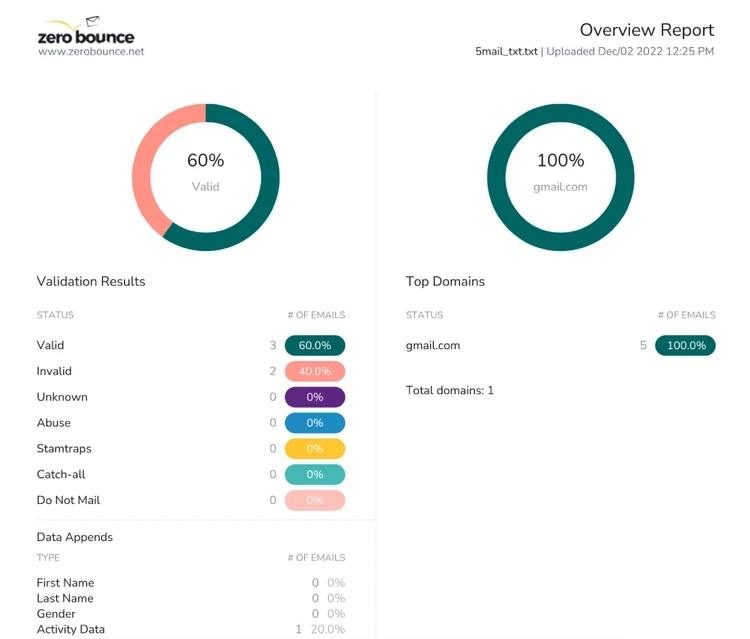
ZeroBounce is a leading email deliverability solution that focuses entirely on list hygiene — the process of ensuring your recipient list is free of invalid, dead, or dangerous email addresses.
By validating your email list before you send, ZeroBounce helps you avoid hard bounces and spam traps, both of which are primary triggers for ISPs to lower your sender reputation.
Key deliverability features:
- Email validation API: Checks email validity in real-time at the point of sign-up.
- AI-powered scoring: Grades email addresses based on their historical activity and quality.
- Bulk list cleaning: Quickly process CSV files to remove bounces and risky emails.
- Activity data: Shows you which subscribers are most likely to open and click.
Pros
- Spam trap detection: Identifies hidden email addresses designed specifically by ISPs to catch and block bulk senders.
- High accuracy: Claims a 99.6% accuracy rate for identifying invalid addresses.
Cons
- Cleaning very large, neglected lists can be a significant upfront cost.
Price
- Free: 100 validation credits/month
- Paid: Credits start at $39 (pay-as-you-go)
If you suspect you've already been flagged, here's how to do an email blacklist check and get removed. Also, find out how to decrease your email bounce rate.
Unspam.email
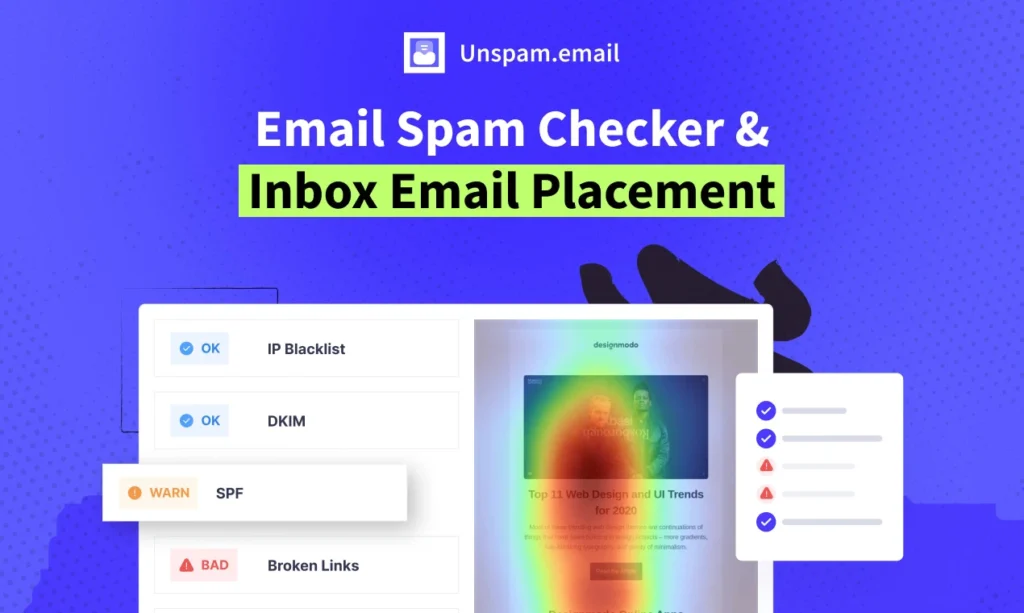
Unspam.email is a modern spam checker and testing tool that helps marketers identify deliverability issues by combining technical header checks with AI-powered content analysis.
It provides a comprehensive Spam Score and unique visual feedback to help you understand how both spam filters and real human readers will react to your email.
Key deliverability features:
- Spam filter testing: Checks your email against commercial spam filters.
- Email authentication check: Verifies SPF, DKIM, DMARC, and reverse DNS records.
- Blacklist checker: Monitors your domain status across major blocklists.
- Visual preview: Test how your email looks on mobile and desktop.
Pros
- AI heatmaps: Predicts where users will focus their attention, helping you optimize for the engagement signals that ISPs value.
- Blacklist alerts: Automated alerts when your inbox placement rate starts to drop.
Cons
- Its visual heatmap features are more focused on design and UI than on the technical aspects of email infrastructure.
Price
- Free: Limited monthly tests
- Paid: Starts at $9/month
Reputation monitoring tools
Google Postmaster Tools
Google Postmaster Tools is an essential, free resource provided directly by Google to help high-volume senders monitor their performance within the Gmail ecosystem.
It is the only source of truth for seeing exactly how Gmail views your domain reputation, IP health, and user-reported spam complaints, making it a critical tool for any marketer with a large Gmail-based list.
Key deliverability features:
- Domain reputation dashboard: Shows if your domain is rated "High," "Medium," "Low," or "Bad" by Google.
- Spam rate tracking: Displays the percentage of your emails being marked as spam by Gmail users.
- IP reputation dashboard: Tracks the health of specific IP addresses sending your mail.
- Delivery errors: Lists technical reasons why Gmail might be rejecting specific messages.
- DMARC/SPF/DKIM success rate: Shows the percentage of your mail that passed authentication.
- Encryption rate: Tracks how much of your traffic is secured via TLS.
Pros
- Official ISP reputation data: Provides official, first-party data on domain reputation and spam rates directly from Google's servers.
Cons
- It only displays data for Gmail traffic and requires a certain minimum volume of daily emails to populate the graphs.
Price
- Free
Sender Score
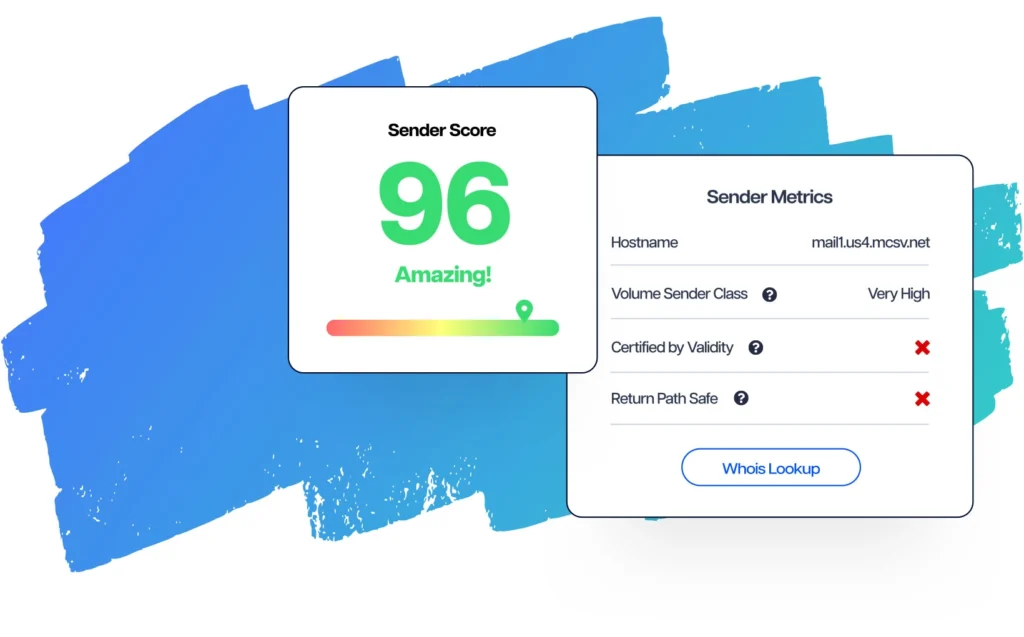
Sender Score is a reputation monitoring service that functions similarly to a credit score for your email IP address.
By aggregating data from across the email ecosystem, it assigns your IP a number from 0 to 100, giving you a quick benchmark to understand how likely your emails are to be accepted by ISPs around the world.
Key deliverability features:
- Sender reputation score: A 0-100 number identifying the quality of your sender reputation.
- Blocklist lookups: Checks if your IP is on the Return Path Blocklist.
- Mailbox provider view: Shows how ISPs likely view your IP address based on sending history.
Pros
- Deliverability benchmarking: Compare your statistics against others in the email marketing space.
- Simplified metrics: Provides a simple, easy-to-understand metric that helps non-technical stakeholders grasp the health of your email program.
Cons
- Because it is based on historical data, a high score doesn't always guarantee that your next campaign will hit the inbox if your content is poor.
Price
- Free basic score lookup; advanced data included in enterprise suites.
Looking for a tool to help you with your email marketing? Discover the best email marketing services in our dedicated comparative.
Email deliverability benchmarks: How does your program stack up?
Deliverability isn't just a technical problem — it's also a volume problem. According to Brevo's 2026 Marketing Orchestration Benchmark, based on anonymized data from 50,000+ active customers across 2025, high-volume senders (≥1M emails/year) are increasingly seeing CTR drops as inbox competition reaches its peak.
The reason is what the report calls "inbox pressure": when email is your only communication channel, every message competes for the same limited attention. Over time, this erodes the engagement signals (opens, clicks) that ISPs use to determine whether your future emails deserve inbox placement.
The brands maintaining the strongest deliverability rates aren't just the ones with the best technical setup. They're the ones actively protecting their email channel by offloading time-sensitive or high-frequency messages to SMS, push notifications, or WhatsApp — preserving email for the communications that actually need it.
Tracking your email performance against industry benchmarks is the fastest way to spot whether your program is showing early signs of inbox fatigue. Download the full Brevo benchmark here 👇
How to choose the right email deliverability solution
When you’re comparing different email deliverability solutions, it’s easy to get lost in complex dashboards. However, to truly move the needle on your inbox placement, you should prioritize tools that excel in these six core areas:
- Inbox placement testing: This is the only way to see if you’re landing in the Primary tab, the Promotions folder, or the Spam bin across different ISPs.
- Automated email warmup: For new domains or IPs, you need a tool that can introduce you to inbox providers by gradually scaling your volume and building a positive sender reputation.
- Real-time blacklist & domain monitoring: You need immediate alerts if your domain or IP address is flagged by a major security filter so you can resolve the issue before your next send.
- Authentication wizards (SPF, DKIM, DMARC): Look for an email deliverability platform that makes technical setup easy, ensuring your digital signature is always valid and trusted by providers like Gmail and Yahoo.
- In-depth spam filter analysis: A great diagnostic tool will scan your email headers and content for email spam triggers (like broken HTML or risky keywords) that might cause a filter to reject your mail.
- Engagement-based deliverability tracking: Because ISPs value engagement, your software should provide detailed logs on opens, clicks, and "graymail" segments to help you optimize your list health.
Quick tip
Want to know how other companies use Brevo to ensure high email deliverability? We’ve put together a wide range of case studies for you that show how it’s done. In one of them, Figaro Classifieds reveals how they secure their critical transactional emails with Brevo's email API – and key takeaways to replicate when volumes skyrocket.
Find the best email deliverability tool for your business
Choosing the right deliverability stack is an ongoing process of prevention, testing, and monitoring. While no single feature can guarantee 100% inbox placement, combining a high-performance sending infrastructure with the right diagnostic tools creates a safety net for your sender reputation.
- For official ISP reputation data: Google Postmaster Tools
- For a reliable platform with built-in deliverability: Brevo
- For safe testing in development environments: Mailtrap
- For automated mailbox warming: Warmy.io