
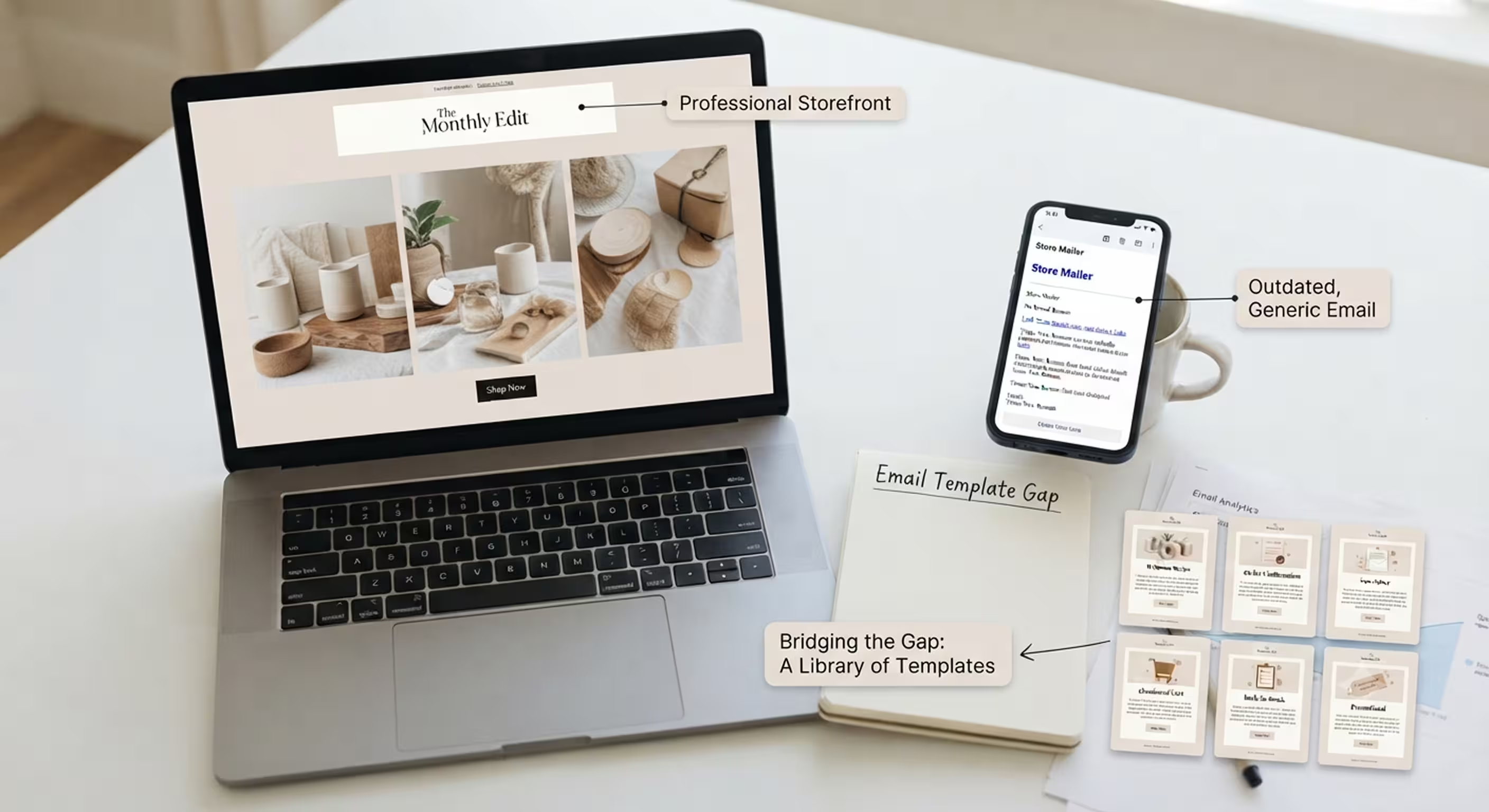
Most Shopify stores get their storefront right, and their inbox wrong. The homepage will have custom fonts and colours and will probably feature product photos, where someone spent real dough. Then a customer buys something, and the confirmation comes through as if it’d been set up seven years ago, which, in many cases, just happens to be the case.
Acquisition costs just keep climbing on all paid channels, so retention channels like email pick up more revenue slack (revenue a store needs). This gap has widened over the years.
Building a good library of Shopify email templates bridges this, without hiring a designer or even writing one line of code. This guide will break down the type of template your store needs, the templates you absolutely must have ready to deploy, and, of course, how to get started on them.
- Why Shopify Email Templates Matter for Your Store
- 6 Types of Email Templates Every Shopify Store Needs
- What Makes a Good Shopify Email Template (Design Checklist)
- How to Add Email Templates to Your Shopify Store
- How Brevo Helps You Build Shopify Email Templates
- Comparison: Shopify Email Template Options at a Glance
- Final Word
Actually, you need 6 different kinds of templates, not one: a welcome series, an order confirmation and post-purchase email, a newsletter, an abandoned cart email, your back-in-stock alert, and a promotional template. That sounds a bit excessive and probably feels totally confusing as a place to start, but there is a way most of the high-revenue-making stores are doing this effortlessly.
The free basic versions of most of these can be found on Shopify's native Shopify Email app, and they're useful to begin with. But for complete customisation and live product data, a connected platform like Brevo covers the same 6 types with drag-and-drop editing and live Shopify sync as well.
Jumpstart your Shopify email strategy with Brevo
Get 40+ free Shopify email templates, drag-and-drop editing, and 300 free emails a day on Brevo’s Free plan.Why Shopify Email Templates Matter for Your Store
A template library is not a fluffy marketing wish: It is the difference between an email program a small team can stick to, and one everyone on the marketing team plans to get to once things calm down; of course, things never settle down.
First, branding consistency. This one's easy to underestimate because the effect is subtle: Nobody consciously thinks, "the email does not match the site, so I distrust this brand." But disconnects are always perceived, even when that perception is subconscious.
Consistent branding sends subconscious signals indicating you are a real, stable business at the other end of the transaction instead of a single-purpose order fulfilment service. That signal helps people become convinced they should place another order instead of having purchased once.
Speed is the second one; it relates more closely to day-to-day realities. Without templates, a "quick" promotional email becomes a half-day production of messing around with colours, images, and mobile rendering tests before anyone is convinced the email is acceptable for sending.
With a working template library, merchants can go from an idea for a campaign to a sent email within the same afternoon. Stores that can spin an email for a flash sale within twenty minutes and not have to pay huge expenses related to it simply send more of them, at the points in time that matter the most.
The abandoned cart number here helps bring the stakes to the foreground. In general, ecommerce sites see abandoned carts in between 60-70%, basis various categories. Abandoned cart emails and back-in-stock reminders alone can bring back a huge portion of the revenue, and using templates just automates the process without spending a lot.
Create your free Brevo account now!
6 Types of Email Templates Every Shopify Store Needs
Not every email your store sends is doing the same job, and treating them all the same is where your template library fails. Below, each type has a different purpose, different triggers, and different content rules.
1. Newsletter Templates
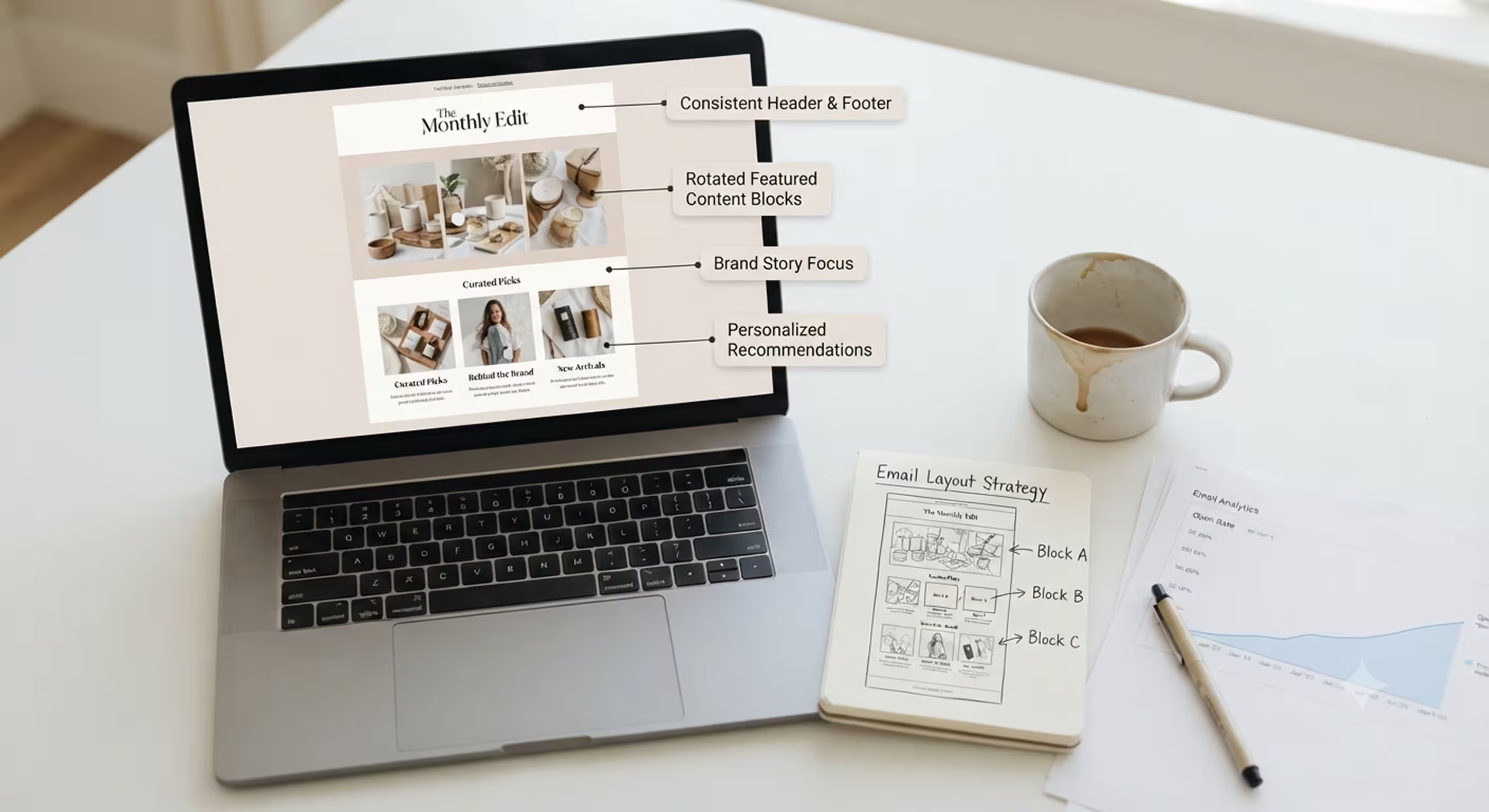
Newsletters are not sales pitches wrapped in updates. Treat them that way, and your open rates will decrease. Their purpose is to nurture relationships between purchasers.
Are they meant to close a sale every time they are sent? That's not their job. Instead, focus on new stock and restocks, provide a touch of brand context, and offer curated picks. These recommendations should feel personal, like advice from someone familiar with your store. Avoid straight-up product dumps.
Merchants often underestimate the importance of cadence. The choice between weekly and monthly is not about superiority but consistency. Pick a frequency and maintain it long enough for subscribers to know what to expect.
An inconsistent store that sends twice one week and then vanishes for a month teaches its list to disregard future emails. There is no pattern to anticipate. Many stores also rebuild the entire layout for every send. The better option is to rotate content blocks within a consistent template.
Quick Newsletter Template Tips:
- Commit to one rhythm: weekly or monthly, for at least a quarter.
- Instead of redesigning every email, use one layout with different content blocks and rearrange them.
- Make the mix more informative than sales-focused, or your open rates will decline.
- Rotate featured products instead of dumping the full catalogue into every send.
- [CTA — Contextual product mention] Brevo’s drag-and-drop editor makes it easy to keep one newsletter layout and just swap the content blocks each send, so you get variety without redesigning from scratch.
2. Welcome Series Templates
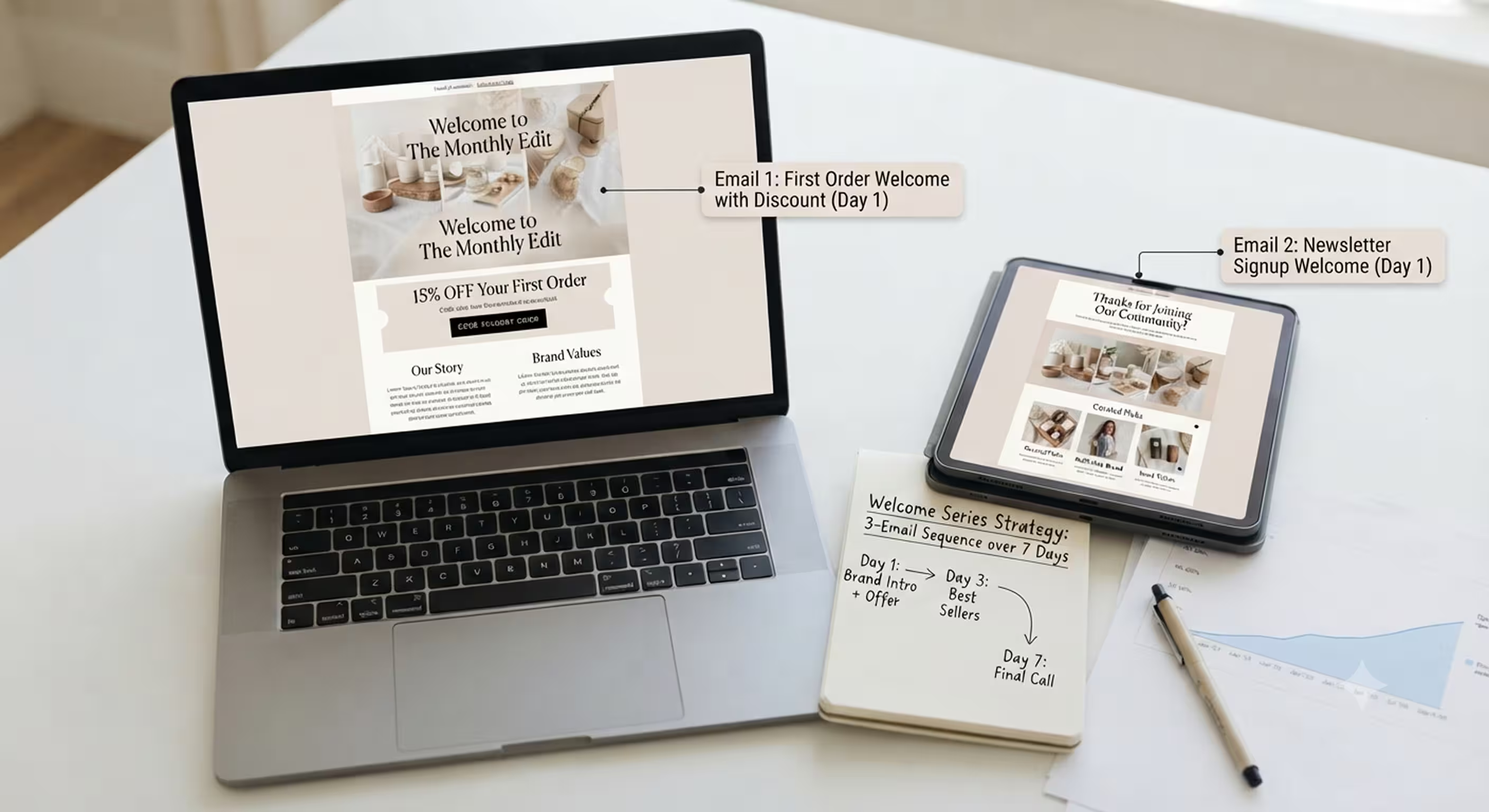
The welcome series does more work per email than almost anything else in the customer lifecycle. It arrives at the exact moment someone has made a clear decision that they are interested enough to share their email or place their first order.
Wasting that moment on a dry "Thanks for subscribing" email with zero personality means losing an opportunity that is difficult to win back. Email first impressions matter just as much as any other first impression.
The trigger matters here in a way that is easy to overlook. A welcome email for a newsletter signup and one for a first-time order are not the same, and using a single template usually fits neither situation well.
In terms of format, a single welcome email is enough for a smaller store with a limited catalogue. Stores with more to talk about a founder's story, sustainability initiatives, or unique brand values often perform better with a two- or three-email series spread across the first week.
Welcome Series Template Tips:
- Use different templates for newsletter signups and first-order welcomes.
- Give subscribers a compelling reason to open the first email: a discount, a brand story, or both. Always include an image.
- Don't send every email in the series at once. Spread a two- or three-email sequence across roughly a week.
- Save upsells or referral requests for the final email, never the first.
3. Order Confirmation and Post-Purchase Templates
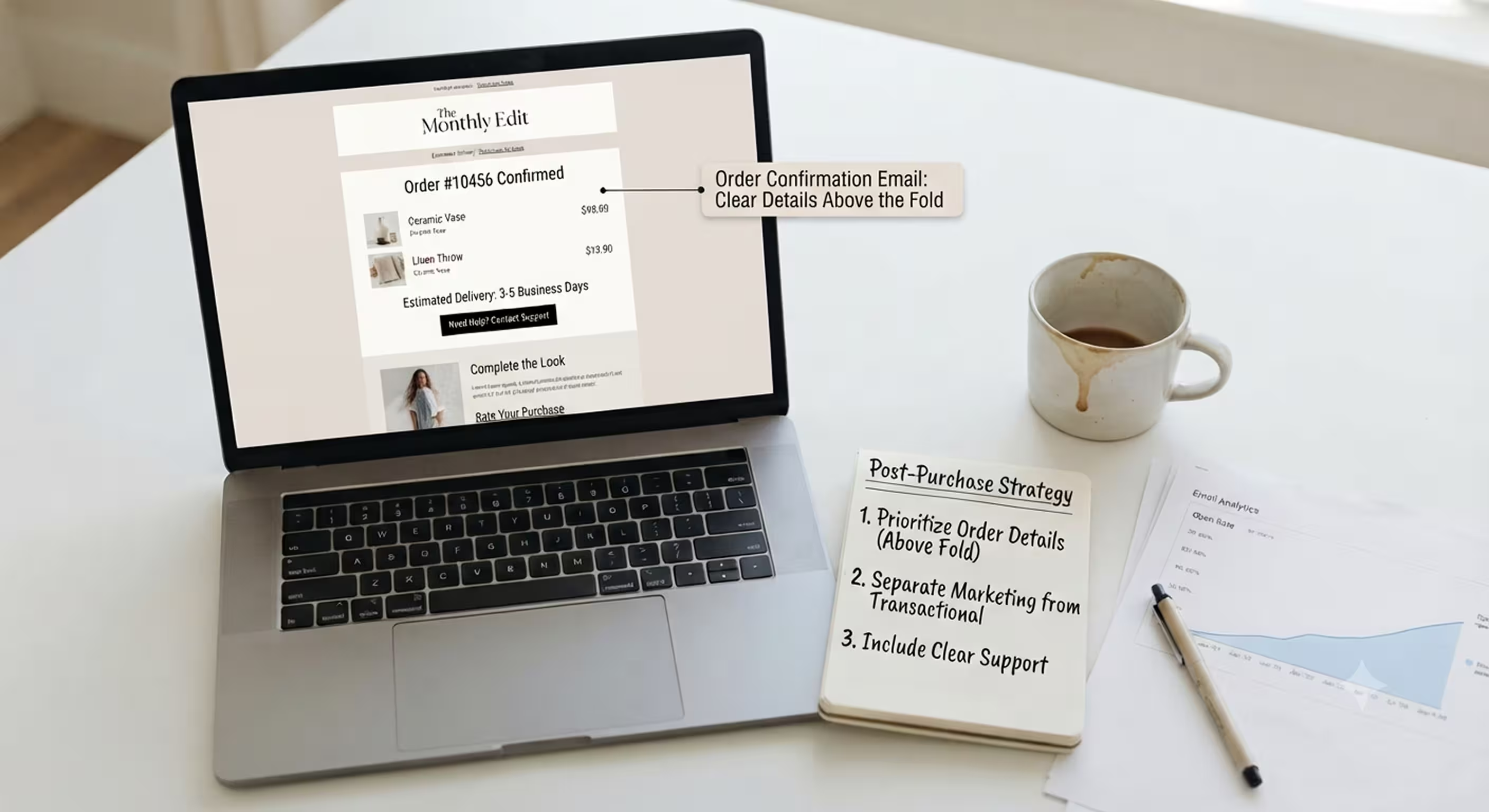
This email template performs two main jobs, and they often compete with each other. The first is confirming the transaction by providing the order number, itemised contents, estimated delivery, and support contact details. Customers open this email to check that everything went through as expected, so the order confirmation template must meet that expectation.
If they cannot find the details they are looking for within the first few lines, they will close the email regardless of how polished the design looks. This is one of the few email templates where clarity matters more than graphics, and design polish should never come at the expense of usability.
The second job is to begin strengthening the customer relationship. This might involve requesting a review, suggesting complementary products, or encouraging referrals. Many merchants make the mistake of squeezing all of this into an already crowded email.
In an order confirmation template, the confirmation details should always appear first and remain uncluttered. Additional content, such as upsells or review requests, should sit below the fold so customers can choose to scroll after confirming their order. If they have to scroll past a huge promotional banner before finding their order details, the experience quickly becomes frustrating.
A Few Pointers on Purchase Receipt Email Templates:
- Place the order number, purchased items, and delivery estimate above the fold every time.
- Keep upsells and review requests below the fold so they don't compete with essential information.
- Never combine shipping updates and marketing offers in the same visual section.
- Always include a clearly visible support contact for order-related questions.
4. Abandoned Cart Templates
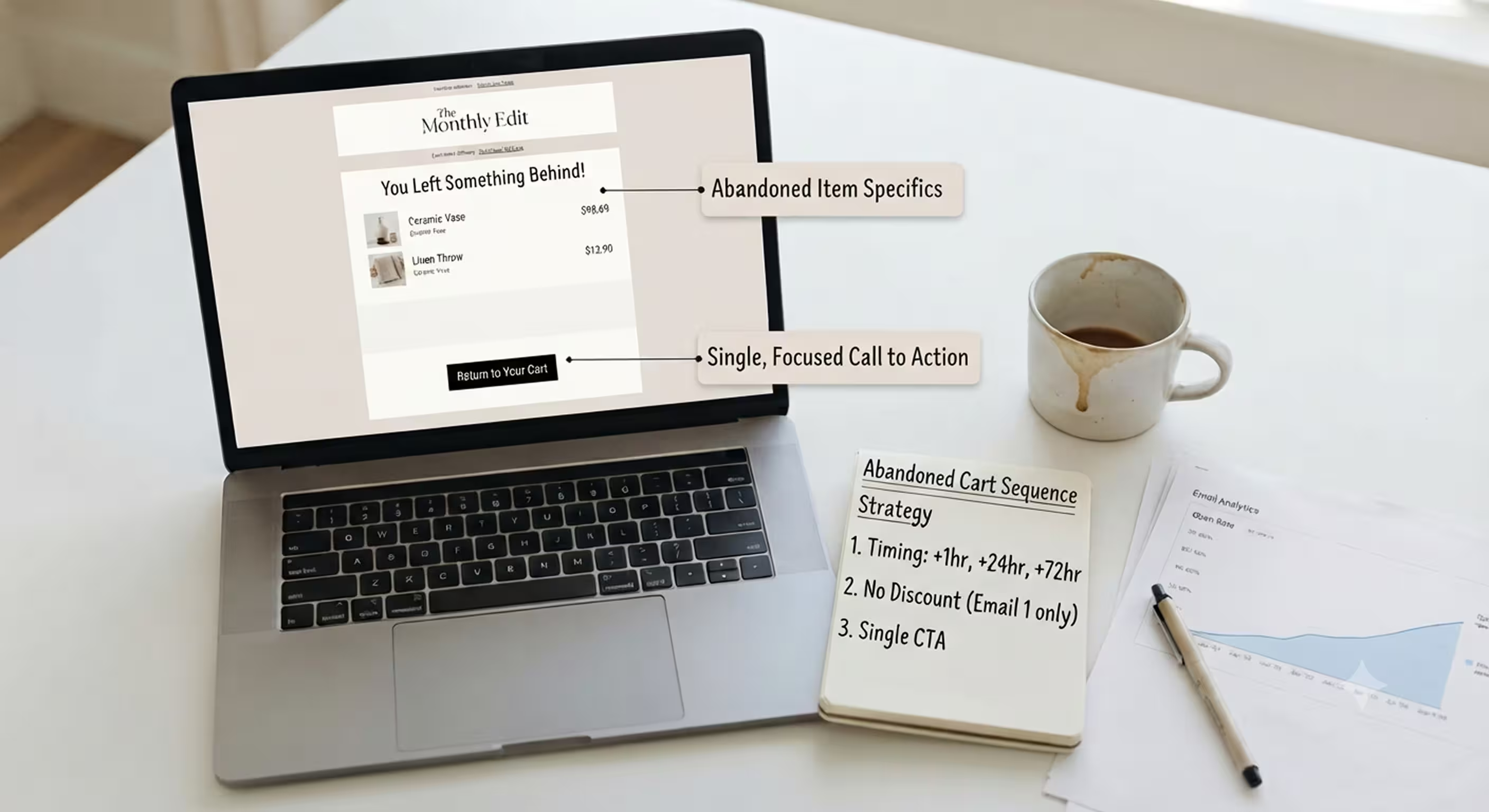
Here, you just want to recover a sale you almost had, so timing is really important. The usual sequence is a first email about an hour after abandonment, a second one around 24 hours later, and a third one closer to 72 hours.
You do not want to send three repeated emails. Instead, each one should be slightly more persuasive than the previous one. If each email repeats without any change in tone or offer, it will read as spam rather than a helpful reminder and will be dismissed.
The strategy that works should always include the exact product image and price that was left behind, along with one simple "Return to Your Cart" CTA. Rather than offering a discount in the first message, only introduce it in the second or the final email.
Otherwise, you teach customers to abandon their carts, expecting to receive a discount straight away, a sneaky little habit that eats into your profit margins.
Quick Pointers for Abandoned Cart Templates:
- First email about 1 hour later, second about 24 hours later, third about 72 hours later.
- Show the abandoned cart with the exact product and price instead of a generic "Reminder" message.
- Do not offer a discount in the first email. Save it for the second or even the third.
- Use only one call to action: return to cart with nothing competing for the click.
- [CTA — Contextual product mention] Set this whole sequence up once in Brevo’s marketing automation workflows and it keeps recovering carts on autopilot, no manual sending required.
5. Back-in-Stock Alert Templates
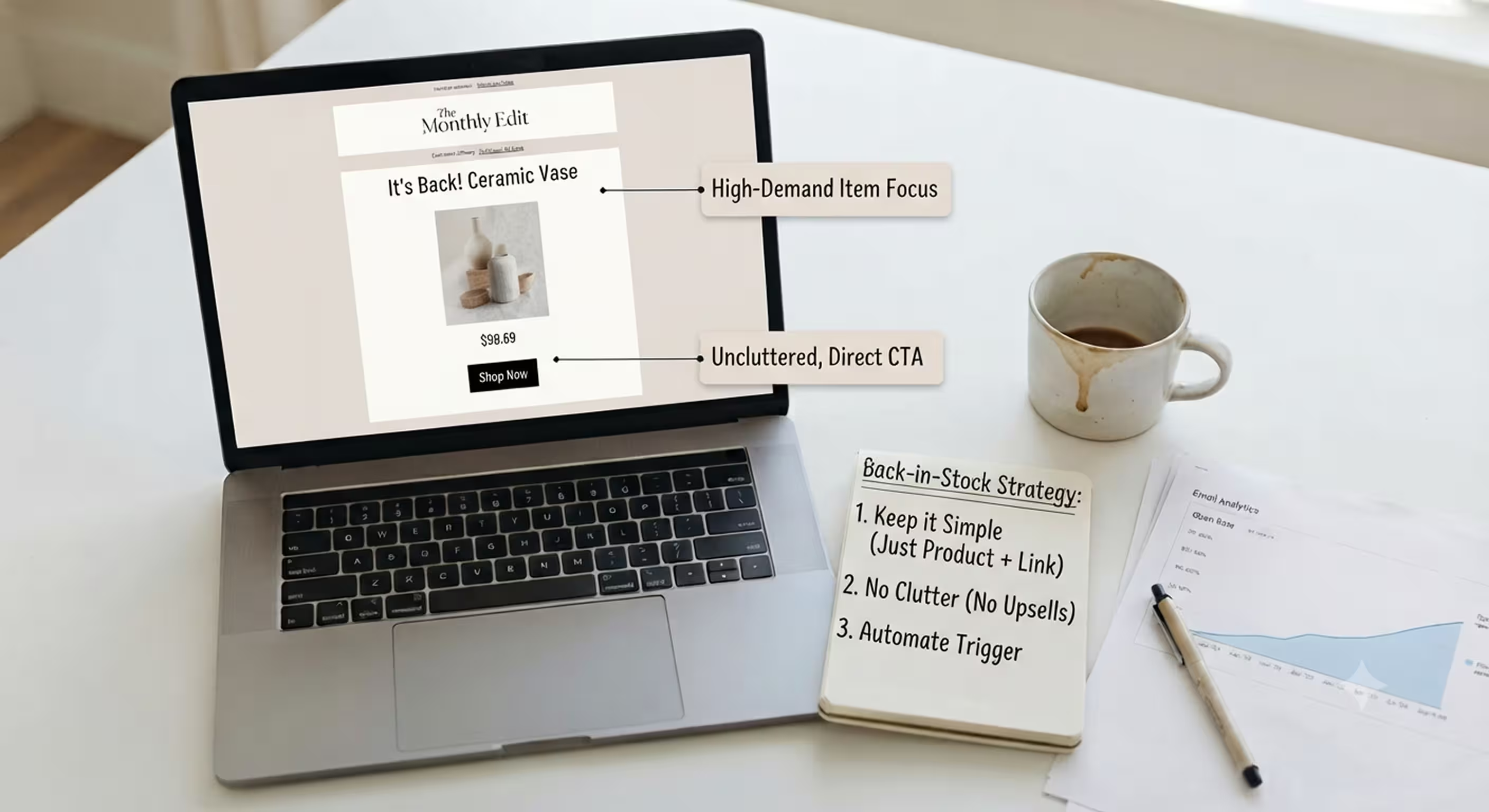
This email converts well for one simple reason: the customer already asked for it. A "Notify Me" button on an out-of-stock product page means the email already has a warm audience when it lands in their inbox.
This gives you a much better starting point than almost every other type of email. Because of the opt-in, half of the persuasive work is already done before the email is even written.
Since your store already knows there is genuine purchase intent, you can keep the email simple. It does not need urgency-driven copy to encourage action, as the shopper opted in solely to be notified when the product became available again.
Usually, when merchants overcomplicate this template by adding unrelated promotions, it weakens the very thing that makes it effective. It reaches customers at precisely the moment they are ready to complete a purchase.
Quick Pointers for Back-in-Stock Templates:
- Keep the message simple: tell customers the product is back and provide a link to buy it.
- Do not clutter the CTA with distractions such as promotions or upsells.
- Update inventory alerts as soon as products are restocked, since delays cost conversions.
- Add a "Notify Me" button to every out-of-stock product page, not just bestseller pages.
- [CTA — Contextual product mention] Brevo syncs live Shopify inventory automatically, so a back-in-stock email can trigger itself the moment a product is restocked, no manual list-building required.
6. Promotional and Sale Templates
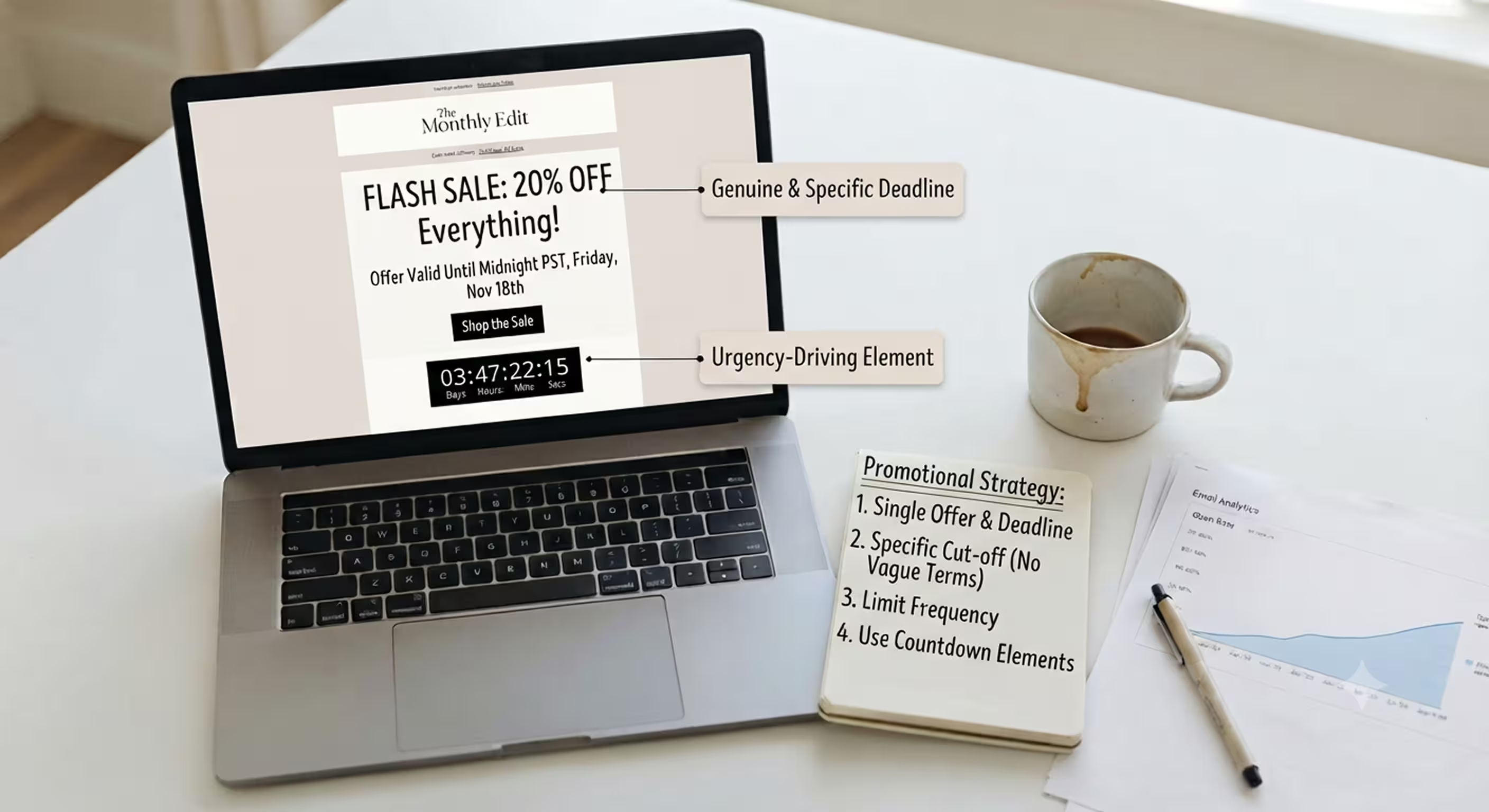
This is the template merchants use, and overuse most often. It is designed to drive one specific, time-sensitive action, and it works best with one offer and one deadline.
Three competing discounts in the same email split attention and generally do not perform as well as one clearly stated offer. Simplicity does more work here than most merchants expect.
Urgency copy backed by a genuine deadline, along with countdown elements, generally performs better than vague "Limited Time Only" phrases that customers no longer believe. That is where urgency stops feeling genuine and starts feeling artificial.
Frequency is another risk worth mentioning because overusing this template teaches customers to wait for discounts instead of buying at full price. Over time, that slowly chips away at your full-price sales, even if the promotional emails themselves look impressive.
Quick Pointers for Promotional Templates:
- One offer per email and one clear deadline, not three competing discounts.
- Give customers an actual cut-off time rather than simply saying "Limited Time."
- Limit how often these templates are sent to avoid creating discount dependency.
- Where possible, use countdown elements alongside urgency-focused copy.
What Makes a Good Shopify Email Template (Design Checklist)
You can hit every category above and still underperform if you get the basics wrong. Run every template against this checklist before it goes live, not after the first campaign has already been sent.
Mobile responsiveness is no longer optional. Most people read emails on their phones, so if a template renders well on a desktop but not on a mobile device, then for most of your audience, the template is effectively broken, regardless of how good it looks in a browser preview.
Do not prioritise novelty over brand consistency. Your template should match the logo, colours, and fonts of your store (it's called brand consistency for a reason!). For your audience to trust your emails, they should not look like they came from an entirely different brand.
Your email communication strategy will benefit from a single, dedicated call-to-action button. Including two or three extra buttons can split attention and scatter clicks across multiple actions instead of focusing readers on the one action you actually want them to take.
Also, use alt text and ensure sufficient colour contrast throughout. Images fail to load more often than people assume, and alt text is what customers will see in those situations instead of a blank white box.
Live dynamic product blocks (generated directly from your store's data with up-to-date prices, images, and stock status) are far better than static product screenshots, which become outdated as soon as a price or stock level changes.
How to Add Email Templates to Your Shopify Store
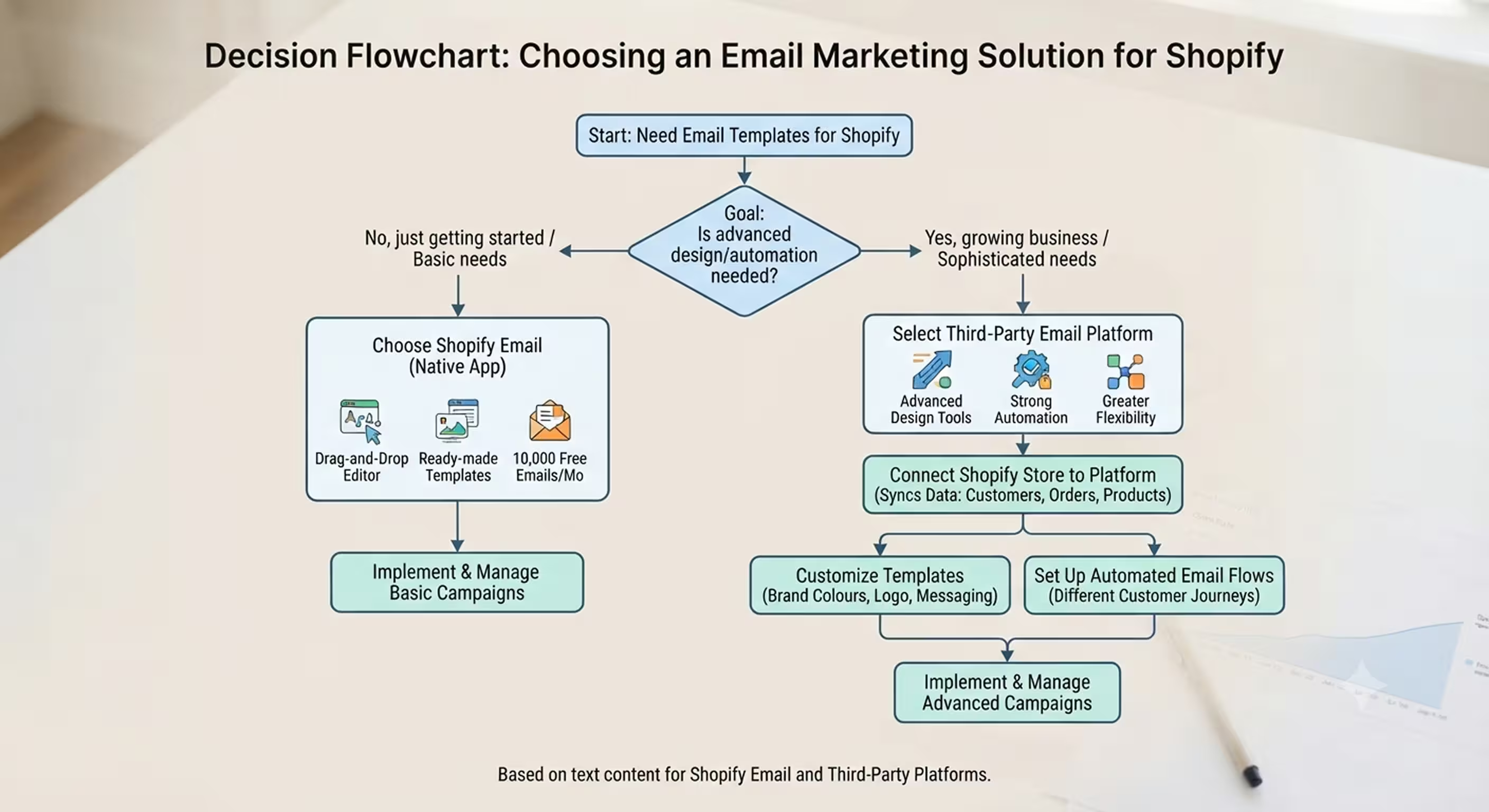
The first option is Shopify Email, Shopify's native email marketing app. It is free to use and works well for stores that are just getting started. It provides a drag-and-drop editor, plenty of ready-made templates, and includes 10,000 free emails per month, with additional emails costing $1 per 1,000. Shopify Email is a solid choice, although it may not be enough for businesses looking for more advanced functionality.
The main limitation is that the design options and automation features are relatively basic. For businesses that expect to build larger email programs with more sophisticated templates and workflows, third-party integrations are usually a better fit.
The second and often better option is using a third-party email marketing platform. These platforms provide more advanced design tools, stronger automation capabilities, and greater flexibility for building high-performing email campaigns.
The process is straightforward. Connect your Shopify store to the email marketing platform so that customer data, order information, and product details sync automatically. Once connected, you can choose a template, customise it with your brand colours, logo, fonts, and messaging, and then set up automated email flows for different customer journeys.
In many cases, customer lists, newsletter subscribers, and product information sync automatically, making it much easier to build and manage professional email campaigns. With the right templates and automation in place, businesses can create more consistent customer experiences while driving stronger engagement and higher sales.
How Brevo Helps You Build Shopify Email Templates
We built our own Shopify app that connects to your store and gives you a library of templates for the lifecycle stages above, with both drag-and-drop and HTML editing options, depending on how much control your team wants.
The feature doing the most heavy lifting in practical terms is the Product Block, which pulls Shopify product images, prices, and links directly into a campaign with one click. It can also display dynamic product recommendations for different customer segments.
Customer, order, and product data sync in real time from Shopify to your account, meaning templates you build once continue to reflect live store data rather than needing manual updates every time inventory or pricing changes.
With our Brand Library, you can also set your brand colours, logo, and fonts in one place and reuse them across every template. That keeps your newsletters, welcome series, and abandoned cart emails visually consistent without redoing the branding work every time.
Quick Pointers for What Brevo Brings to Shopify Email:
- Add live Shopify products to campaigns in one click using the Product Block.
- Real-time sync means templates do not require manual updates.
- Brand Library automatically applies your logo, colours, and fonts to every template to keep emails consistently on-brand.
- Both drag-and-drop and HTML editing are available, depending on your team's needs.
Comparison: Shopify Email Template Options at a Glance
It's pointless to rank the tools purely from top to bottom because they are designed with different strengths rather than as direct competitors.
| Tool | Template Depth | Shopify Data Sync | Best For |
|---|---|---|---|
| Shopify Email (Native) | Basic | Native | New stores running their first campaigns |
| Brevo | Deep, lifecycle-specific | Real-time via app | Stores wanting design control and live product data |
| Yotpo | Deep (300+ templates) | Native | Stores wanting the widest variety of templates |
| Klaviyo | Deep | Native | Stores focused on behavioural automation |
| Privy | Simple to moderate | Native | Small stores using pop-ups with basic email marketing |
Shopify Email's biggest advantage is its simplicity. It suits newly launched stores that need to send their first campaigns quickly, although it is generally a starting point rather than a long-term solution.
Yotpo stands out for the sheer number of templates it offers. Having hundreds of designs can be useful, but it can also create decision fatigue for smaller teams that do not yet have an established content strategy. A large template library alone cannot replace the value of live store data.
Klaviyo's strength lies in behavioural automation. This becomes increasingly valuable as stores collect more customer and order data, allowing highly targeted segmentation. However, that additional power also brings additional complexity, which may not be worthwhile for smaller teams with limited resources.
Privy has a narrower focus than the other platforms. It is best suited for businesses primarily interested in growing their email lists through pop-ups while using basic email marketing features.
We think Brevo is the strongest overall option for most growing Shopify stores. Calling it "deep, lifecycle-specific" is almost an understatement. Rather than trying to offer the largest template library or the most complex automation, we've focused on the six template types that genuinely drive Shopify revenue, connecting each one to live Shopify product data through real-time synchronisation.
That balance is difficult to achieve, and it's one of the reasons we think Brevo remains a practical long-term choice. Few platforms combine advanced design flexibility, real-time Shopify data, and lifecycle-focused templates as effectively. If you've moved beyond launch but aren't yet ready for a dedicated CRM, Brevo offers a balanced solution without overwhelming your team with features you may never use.
Find your Shopify plan today!
Final Word
A small library of well-designed templates (one for each key lifecycle stage) will do more for revenue over a year than any one beautifully designed one-off email. Because consistency compounds in a way that individual effort doesn’t, and it’s that compounding that is where the divide between stores really shows up over time.
The stores that treat email as a system, not a one-off task to squeeze in when there's a moment to spare, are the ones where it becomes a retention channel rather than an afterthought. Rarely is that the result of one perfect campaign. More often, it's the result of six templates working quietly in the background, each contributing at the right stage of the customer lifecycle without needing to be rebuilt every time.
If you're still relying on Shopify's default templates that haven't been updated since you installed your theme, closing the gap doesn't require a complete redesign or hiring a designer. Installing our Shopify app and using its free template library as your starting point is one of the easiest, lowest-effort ways to get there. It combines design control, live Shopify product data, and lifecycle-specific templates in one place, rather than relying on a basic templating app alone.


