Supabase SMTP with Brevo for Auth emails
Swap Supabase's built-in email sender for Brevo SMTP for confirmations, magic links, invites and password resets. Send everything else from Edge Functions through the Brevo API.

Why use Brevo as your Supabase SMTP


What you can build with Supabase and Brevo
In September 2026, more than 10,000 organizations sent email through Brevo from Supabase Edge Functions.
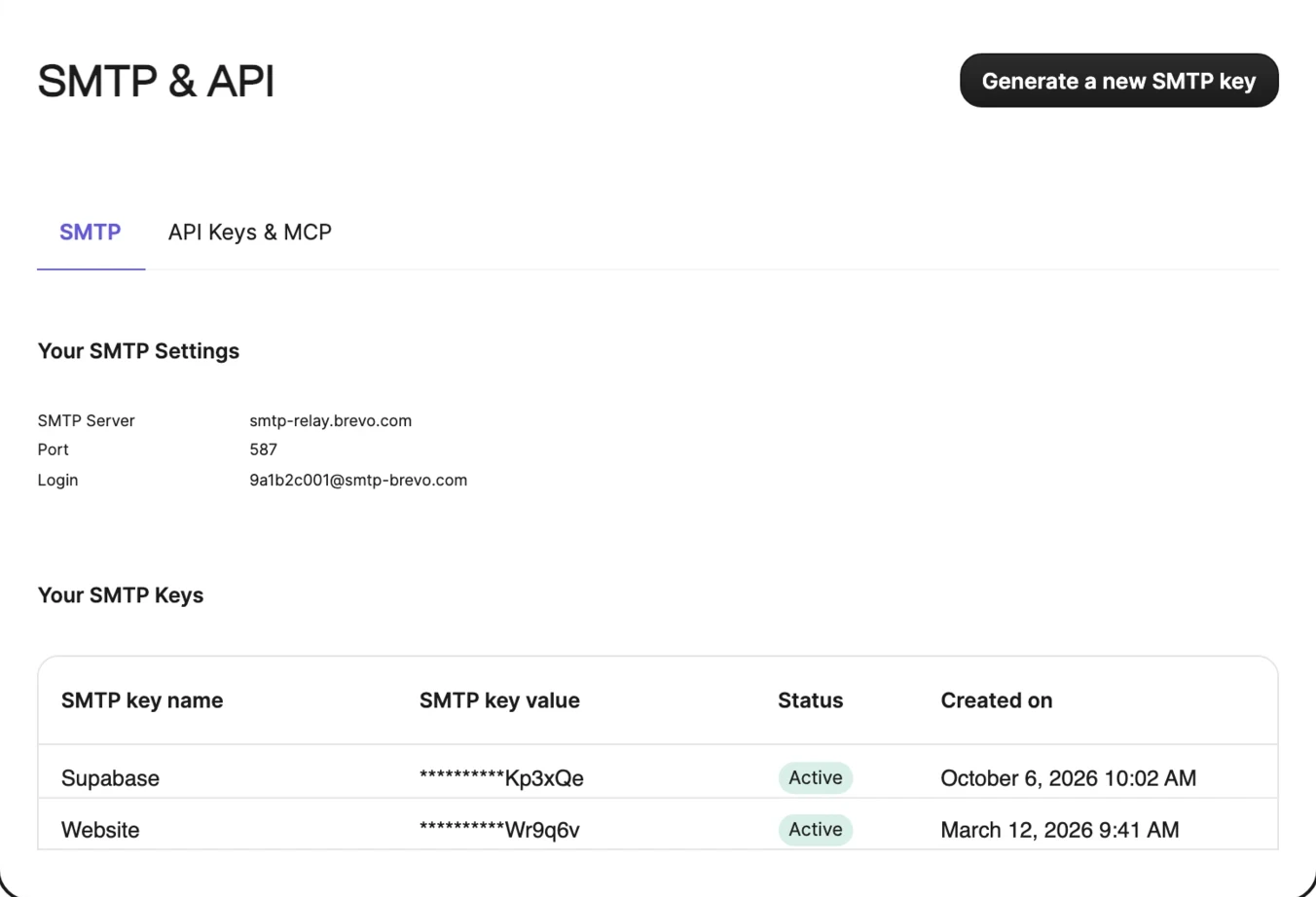
[auth.email.smtp]
host = "smtp-relay.brevo.com"
port = 587
user = "your-brevo-smtp-login"
pass = "env(BREVO_SMTP_KEY)"
admin_email = "[email protected]"
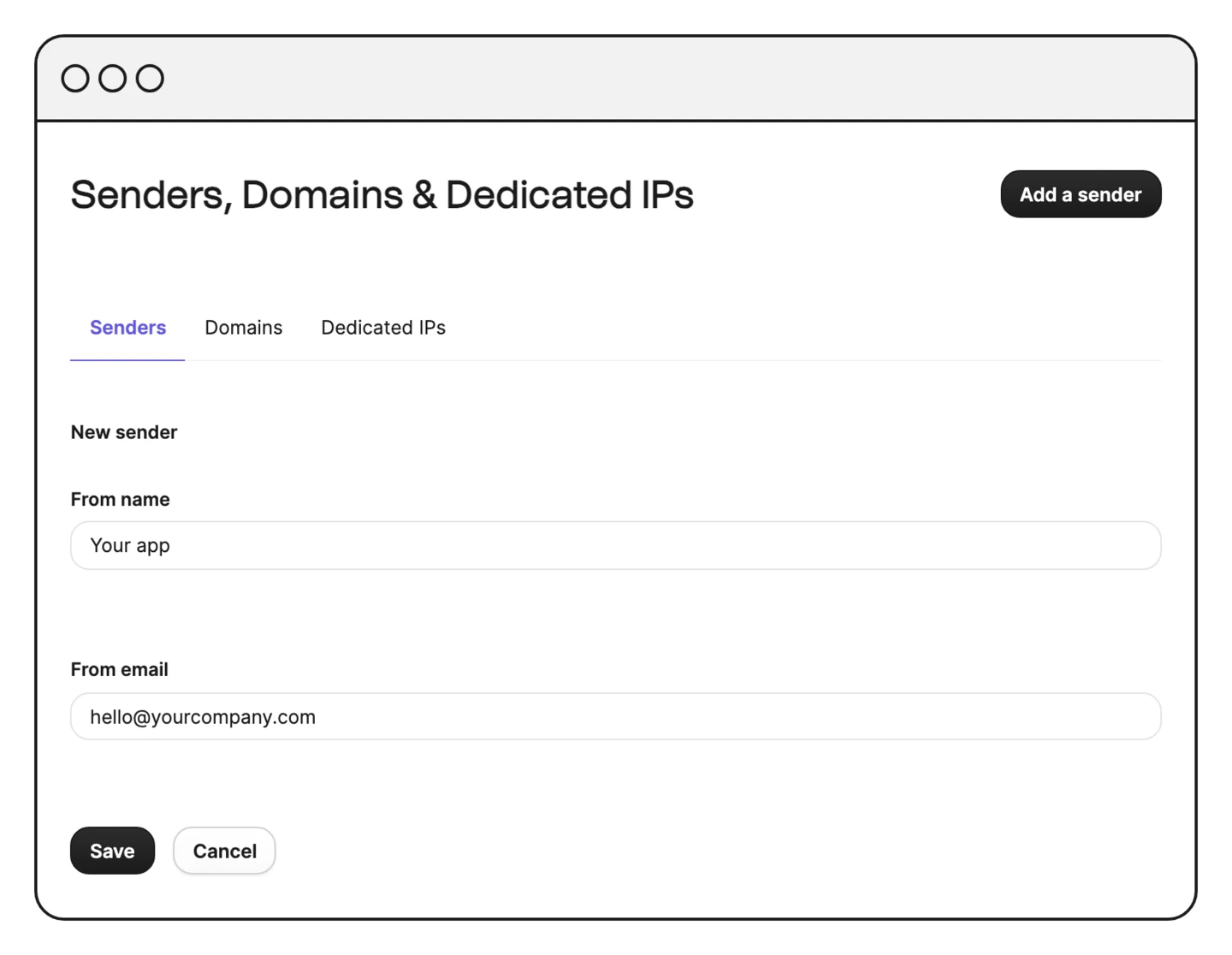
sender_name = "Your app"
curl --request POST \
  --url https://api.brevo.com/v3/smtp/email \
  --header "api-key: $BREVO_API_KEY" \
  --header "content-type: application/json" \
  --data '{
    "sender": { "email": "[email protected]" },
    "to": [{ "email": "[email protected]" }],
    "subject": "Welcome",
    "htmlContent": "<p>Thanks for signing up.</p>"
  }'
// supabase/functions/send-email/index.ts
const BREVO_URL = 'https://api.brevo.com/v3/smtp/email'

Deno.serve(async (req) => {
  const { to, subject, html } = await req.json()
  const res = await fetch(BREVO_URL, {
    method: 'POST',
    headers: {
      'api-key': Deno.env.get('BREVO_API_KEY')!,
      'content-type': 'application/json',
    },
    body: JSON.stringify({
      sender: { email: '[email protected]' },
      to: [{ email: to }],
      subject,
      htmlContent: html,
    }),
  })
  return new Response(await res.text(), {
    status: res.status,
  })
})
create extension if not exists pg_net;
create or replace function public.send_welcome()
returns trigger language plpgsql as $$
begin
  perform net.http_post(
    url := 'https://<project-ref>.supabase.co'
        || '/functions/v1/send-email',
    headers := jsonb_build_object(
      'Authorization', 'Bearer <your-key>'
    ),
    body := jsonb_build_object(
      'to', new.email,
      'subject', 'Welcome',
      'html', '<p>Thanks for signing up.</p>'
    )
  );
  return new;
end;
$$;
create trigger on_profile_created
after insert on public.profiles
for each row execute function public.send_welcome();
Deliver every Supabase Auth email
Confirmations, magic links, one-time passwords, invites and password resets go out through Brevo SMTP to any address. As Supabase recommends, keep promotional content out of these emails.
Send email from Edge Functions
Edge Functions cannot open outgoing connections on ports 25 and 587, so send with the Brevo API instead: a POST to /v3/smtp/email with your key in the api-key header. Store the key with supabase secrets set and read it with Deno.env.get. A 201 response returns a messageId.
Get delivery events back in Supabase
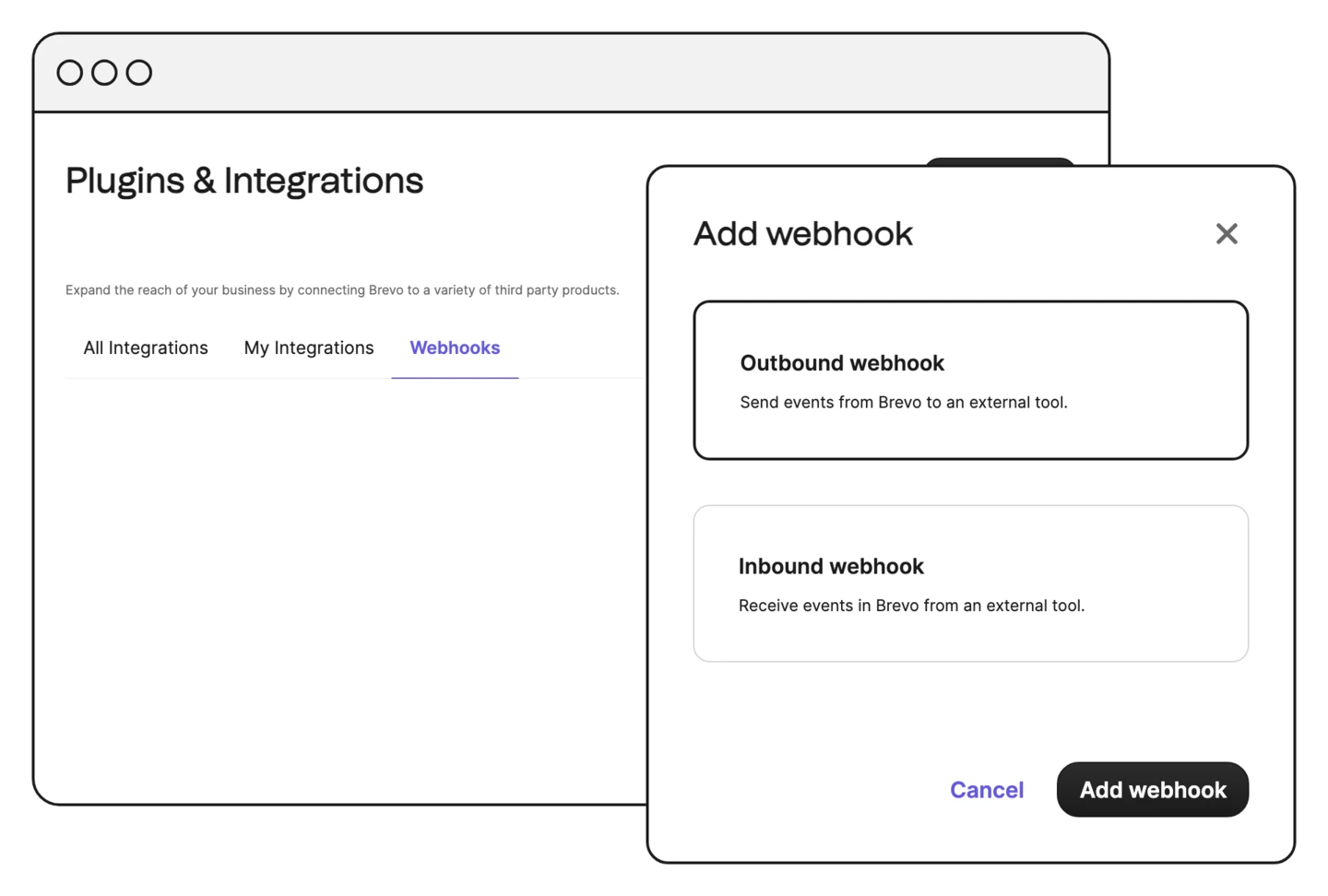
Brevo transactional webhooks report 15 email events, including delivered, opened, clicked and hard bounced. Point one at an Edge Function, turn off verify_jwt for it and verify the calls yourself. An account can have up to 40 webhooks.
Send from a database trigger
With the pg_net extension, a Postgres trigger can call your Edge Function, which then calls the Brevo API. pg_net is in beta, sends JSON bodies only and starts requests after the transaction commits.
Send Auth emails from your own domain
Authenticate a sending domain in Brevo and create a sender for your Auth emails. Supabase suggests a separate domain for them, such as auth.example.com.
See every Auth email in Brevo
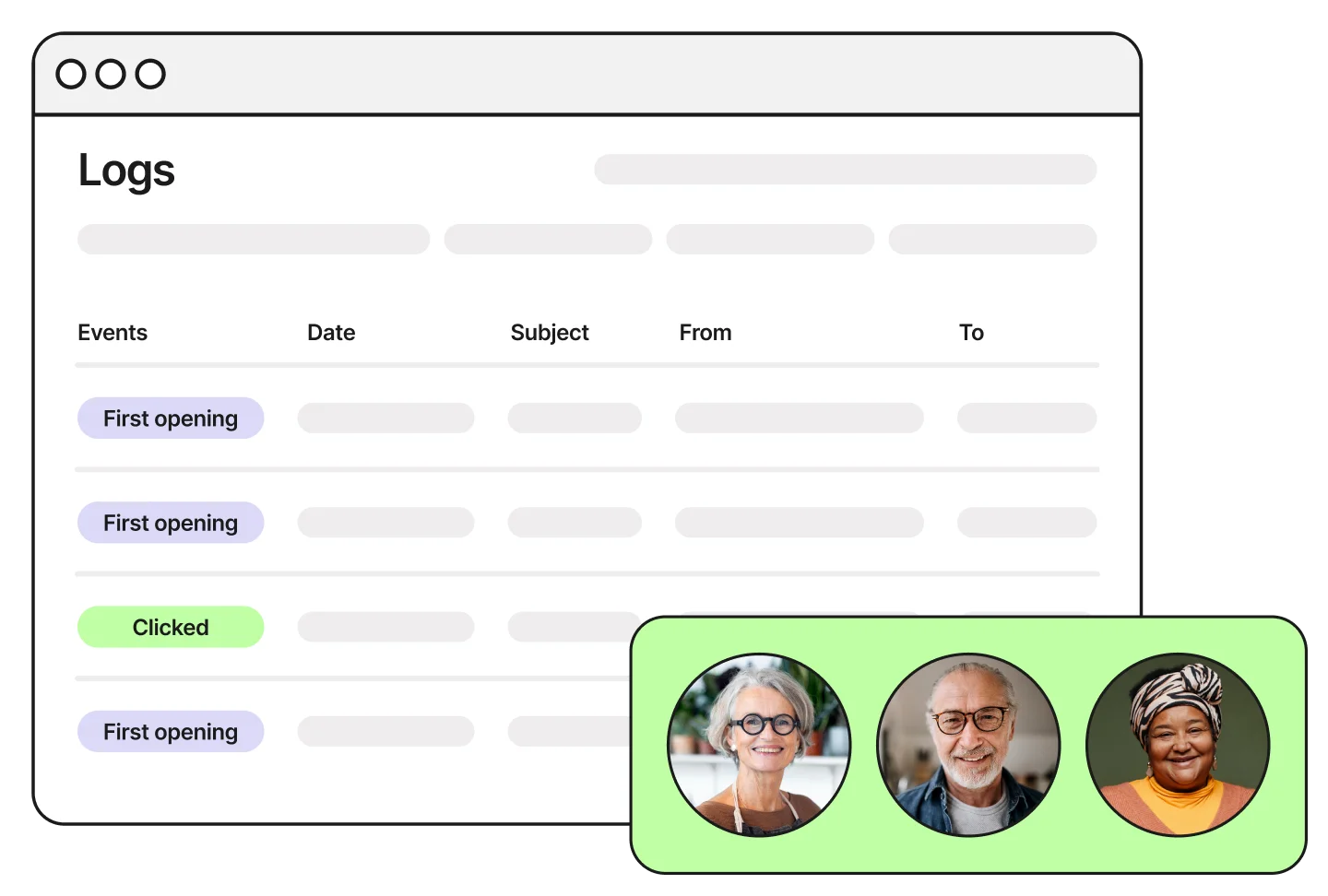
Confirmations, magic links and password resets show up in Brevo's transactional logs with their delivery events, so you can check what reached the inbox.